
Vibedock
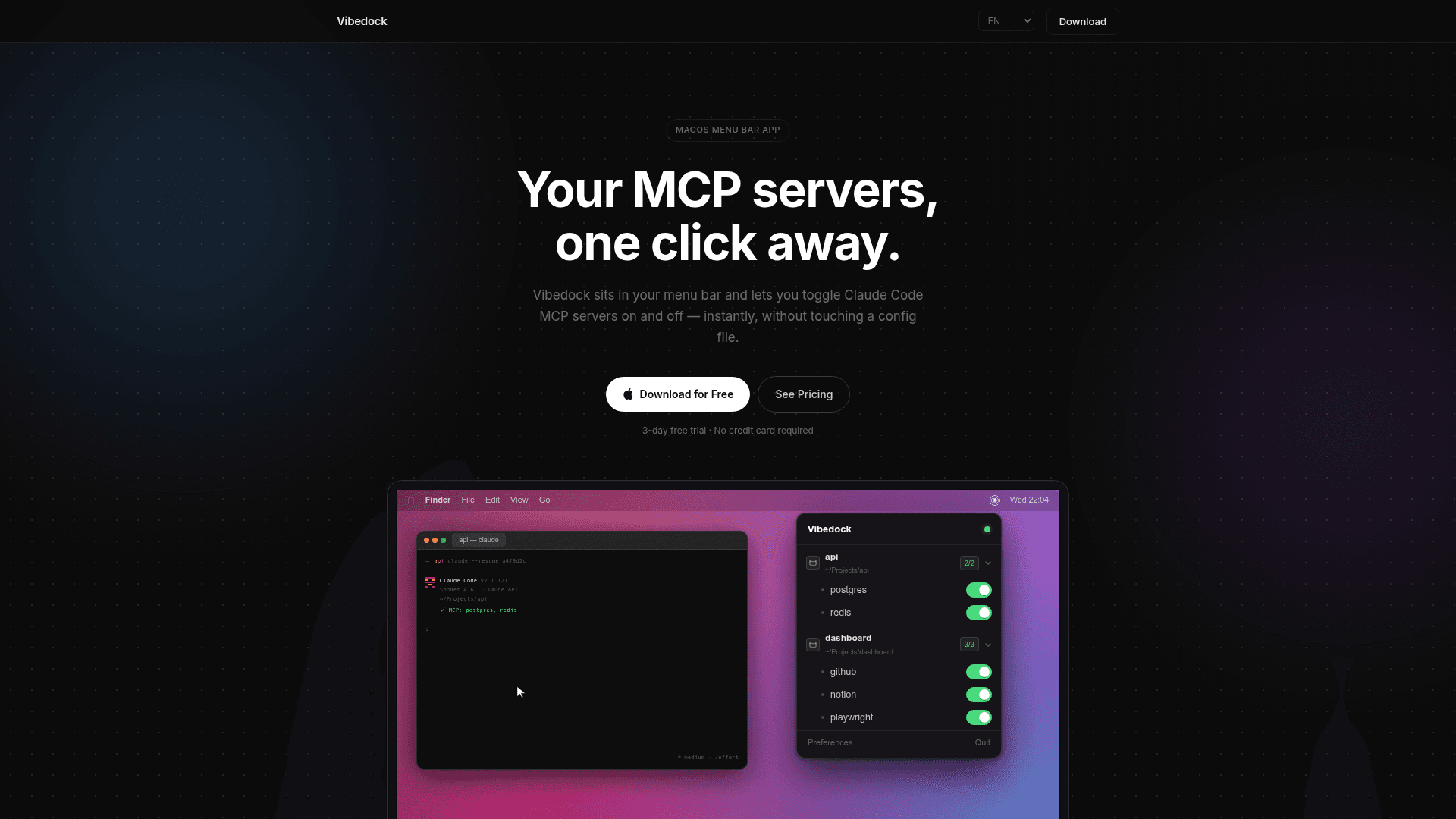
A macOS menu bar app that lets you toggle Claude Code MCP servers on and off instantly, without editing config files.
At a Glance
Try Vibedock for 3 days with access to Instant MCP toggle and Auto kill & relaunch.
Engagement
Available On
Listed May 2026
About Vibedock
Vibedock is a macOS menu bar utility built for developers who use Claude Code with MCP (Model Context Protocol) servers. It sits quietly in the menu bar and gives you one-click control over which MCP servers are active per project — no JSON file editing required. The app requires macOS 13 Ventura or later and is available as a one-time purchase with a 3-day free trial.
What It Is
Vibedock solves a specific friction point in the Claude Code workflow: managing MCP server configurations across multiple projects. MCP servers extend Claude Code with tools like file access, web search, databases, and APIs, but enabling or disabling them normally means manually editing config files. Vibedock replaces that process with a visual toggle interface organized by project, and it also reads Claude Desktop config files to surface those servers alongside Claude Code ones.
How the Toggle Workflow Works
When you flip a toggle in Vibedock's menu bar interface, the change takes effect immediately. The app also handles the downstream consequence automatically: it kills and restarts your active Claude sessions so the new server state is picked up without any manual intervention. Sessions relaunch in the correct terminal window — Terminal, iTerm2, VS Code, or Warp are all supported.
Project-Aware Configuration
Vibedock reads both global MCP configs and per-project config files, organizing servers by project in the menu. It watches those config files in real time, so if something changes outside the app, the interface updates instantly without requiring a manual refresh.
Token Cost Angle
The homepage highlights a practical side effect of MCP management: every inactive MCP server that remains enabled still occupies context window space, consuming tokens on every message. Vibedock tracks an estimated "tokens saved" and "cost avoided" counter in Preferences, based on a stated average of roughly 700 tokens per message across real MCP configurations. Disabling unused servers is framed as a way to reduce per-message token consumption.
Platform and Setup
Vibedock is a native macOS desktop app distributed as a .dmg download. It requires macOS 13 Ventura or later and is licensed per machine, with support for transferring a license to a new Mac by deactivating from Preferences first. The app launches at login optionally and stores license state locally.
Community Discussions
Be the first to start a conversation about Vibedock
Share your experience with Vibedock, ask questions, or help others learn from your insights.
Pricing
Free Trial
Try Vibedock for 3 days with access to Instant MCP toggle and Auto kill & relaunch.
- Instant MCP toggle
- Auto kill & relaunch
- Live scan & auto-update
Vibedock License
One-time purchase for personal use. Early bird price (regular $19.99).
- Instant MCP toggle
- Auto kill & relaunch
- Live scan & auto-update
- Free updates
- 3-day free trial
- 1 Mac license
Capabilities
Key Features
- One-click MCP server toggle per project
- Auto kill and relaunch of Claude sessions after toggle
- Project-aware MCP config management
- Live scan of config files with instant UI updates
- Works with Terminal, iTerm2, VS Code, and Warp
- Reads Claude Desktop config alongside Claude Code configs
- Token savings tracker with estimated cost avoided
- Launch at login option
- License transfer between Macs via deactivation