VT Code
A local-first, terminal-first AI coding agent with a TUI, native macOS desktop app, and WebMCP browser editor.
At a Glance
Self-hosted VT Code core (CLI/TUI and desktop app) with first-party code licensed MIT OR Apache-2.0; the repository declares Apache License 2.0.
Engagement
Available On
Alternatives
Listed Nov 2026
About VT Code
VT Code is an open-source coding agent written in Rust by Vinh Nguyen (vinhnx). It runs in the terminal as a TUI and CLI, and also ships as a native macOS app that shares the same runloop, providers, tool policy and sessions. The latest release listed on GitHub is 0.181.8.
What It Is
VT Code is a terminal-first coding agent for a repository. It owns context, tool calls and execution policy so long tasks stay auditable and resumable. Users can ask questions without tools, run full tool loops headlessly, review uncommitted changes, and resume or fork earlier sessions.
How the Workflow Runs
After installing, vtcode init scaffolds configuration and an AGENTS.md file, and vtcode secret add stores a provider key in secure storage. Running vtcode opens the interactive TUI. For larger tasks, the docs recommend planning read-only first and reviewing the turn diff before committing. Modes include ask (tool-free), exec (full tool loop under explicit workspace trust) and review. Recurring work can be scheduled on the same exec runtime, and run logs can be inspected with vtcode trajectory. A HOVER loop is described for self-correction when results mismatch expectations.
Integrations and Extensibility
The README lists MCP, skills, plugins, hooks and editor bridges via ACP. It supports hosted or local model providers chosen per task. Auth options include secure-storage API keys, environment variables, a workspace .env file and login flows where supported.
WebMCP Editor
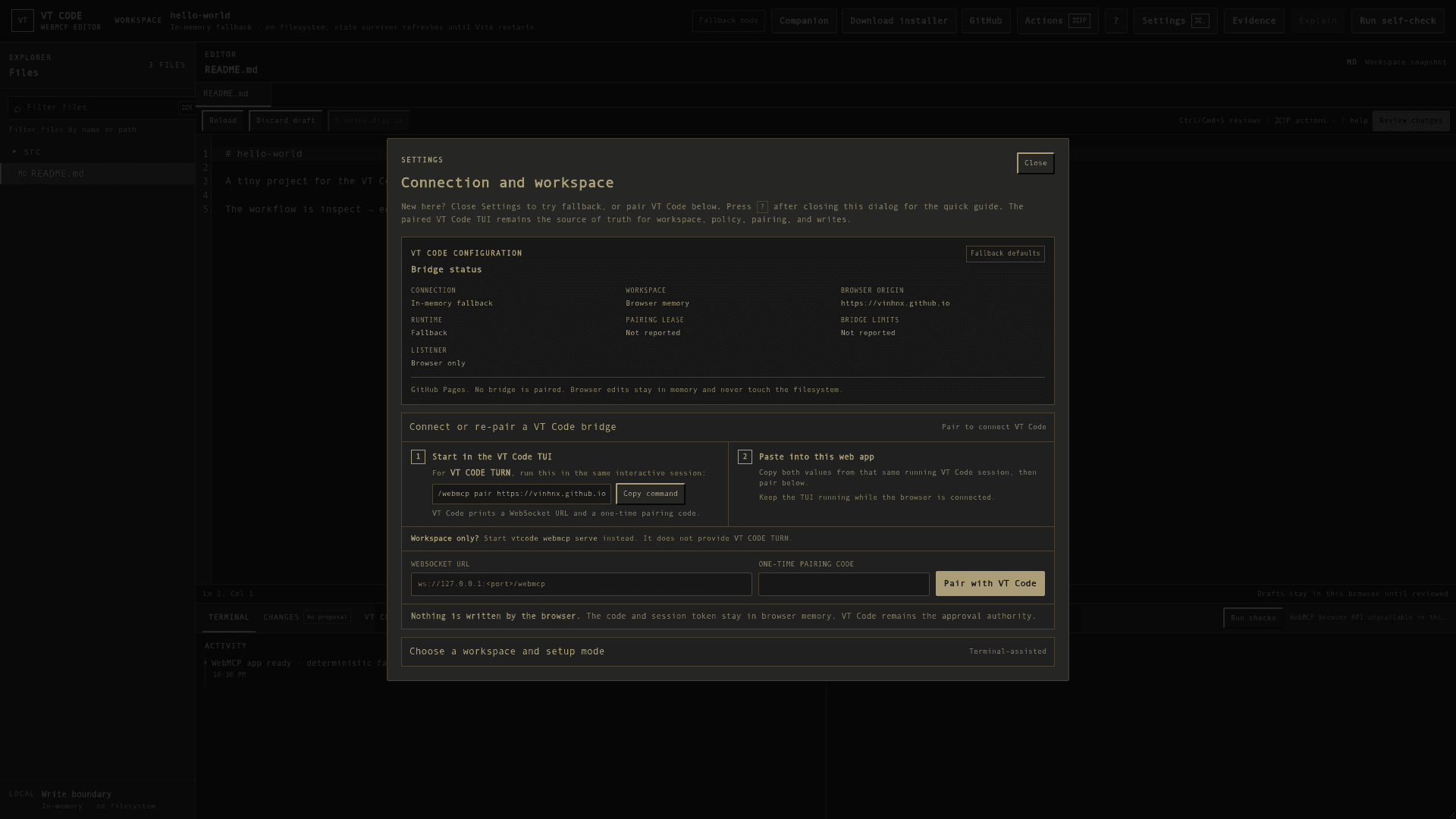
A browser editor on GitHub Pages works in an in-memory fallback mode with no filesystem access. It can be paired with a running VT Code session through /webmcp pair, or with a headless vtcode webmcp serve bridge for workspace inspection and proposals. The browser does not write to disk; VT Code approves real writes.
Setup Path
Install options are a shell script, Homebrew, Cargo or a PowerShell script on Windows, where artifacts are described as best-effort. The desktop app needs macOS 15+ and, because builds are ad hoc signed and not notarized, a one-time approval in System Settings on first launch.
Community Discussions
Be the first to start a conversation about VT Code
Share your experience with VT Code, ask questions, or help others learn from your insights.
Pricing
Open Source
Self-hosted VT Code core (CLI/TUI and desktop app) with first-party code licensed MIT OR Apache-2.0; the repository declares Apache License 2.0.
- First-party code is MIT OR Apache-2.0 (LICENSE-MIT or Apache-2.0 LICENSE)
- Third-party code keeps its original licenses
- Terminal TUI and native macOS desktop app
- Works with hosted or local model providers per task (provider costs are external)
- MCP, skills, plugins, and editor bridges
Capabilities
Key Features
- Terminal TUI and CLI coding agent
- Native macOS desktop app
- Read-only planning and turn diff review
- Auditable command policy with sandboxing
- HOVER self-correction loop
- Headless exec mode with resume and compaction
- Scheduled recurring tasks
- Session continue and trajectory inspection
- MCP, skills, plugins and hooks support
- Editor bridges via ACP
- WebMCP browser editor with pairing
- Hosted or local model providers
- Secure credential storage
Integrations
Demo Video