
Wave Terminal
An open-source, AI-integrated terminal for macOS, Linux, and Windows with file previews, remote editing, SSH sessions, and built-in web browsing.
At a Glance
About Wave Terminal
Wave Terminal is an open-source, AI-native terminal built by Command Line Inc. and backed by Unusual Ventures. It goes beyond traditional terminal emulators by integrating file previews, a built-in VSCode-like editor, an inline web browser, SSH connection management, and a context-aware AI assistant — all in a single cross-platform desktop application. The project is licensed under Apache 2.0, requires no account or login, and stores all data locally.
What It Is
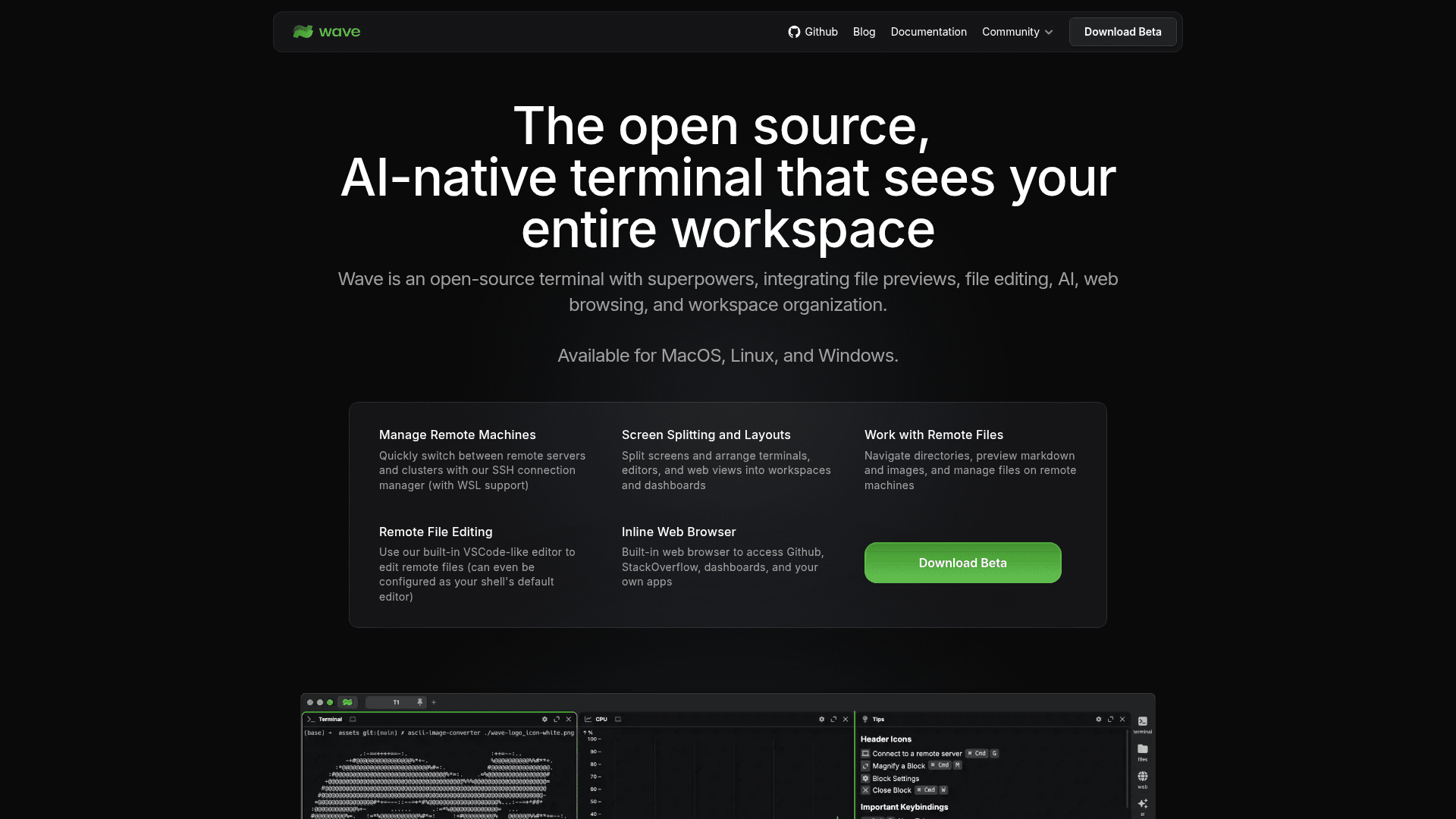
Wave Terminal is a desktop terminal emulator that combines the core shell experience with a flexible, drag-and-drop workspace of blocks. Each block can be a terminal session, a file editor, a file preview, a web browser, or an AI chat widget. Users can split screens, arrange blocks into dashboards, and switch between local and remote environments without leaving the app. The project is written primarily in Go and is publicly available on GitHub under the Apache License 2.0.
Wave AI: Context-Aware Terminal Assistant
The built-in Wave AI assistant reads terminal output and scrollback, performs file operations with user approval, and integrates directly with the CLI via the wsh ai command. It supports bring-your-own-key (BYOK) access to OpenAI, Claude, Gemini, Azure, and Perplexity, as well as local model inference through Ollama and LM Studio. The README notes that command execution with approval is coming soon, and that AI credits are included during the beta period while the experience is being refined.
Remote Workflow and Durable SSH Sessions
Wave's SSH connection manager supports one-click connections to remote servers and clusters, including WSL. A standout feature is durable SSH sessions: remote terminal sessions survive network interruptions, connection drops, and Wave restarts, with automatic reconnection. Remote file management is handled through the built-in graphical editor (with syntax highlighting and mouse support) and a rich file preview system covering markdown, images, video, PDFs, CSVs, and directories. The wsh file command enables seamless file copying and syncing between local and remote SSH hosts.
Workspace Organization and Customization
Wave's interface is built around a flexible drag-and-drop layout system. Users can organize terminal blocks, editors, web views, and AI assistants into named workspaces and dashboards. Customization options include tab themes, terminal styles, and background images. Custom widgets can be built with HTML and populated with CLI data, and pre-built dashboard layouts can be imported or shared with teammates. Secure secret storage uses native system backends to keep API keys and credentials local and accessible across SSH sessions.
Platform Support and System Requirements
Wave Terminal runs on macOS 11 or later (arm64 and x64), Windows 10 1809 or later (x64), and Linux distributions based on glibc-2.28 or later (including Debian 10, RHEL 8, and Ubuntu 20.04) in both arm64 and x64 variants. Installation options for Linux include Snap, AppImage, .deb, .rpm, .zip, and pacman packages.
Update: Wave Terminal v0.14.5
The latest release is v0.14.5, published on April 16, 2026. The GitHub repository shows active development with the main branch last pushed in late June 2026 and over 21,500 stars. The project publishes a public roadmap and accepts feature requests and contributions via GitHub Issues.
Community Discussions
Be the first to start a conversation about Wave Terminal
Share your experience with Wave Terminal, ask questions, or help others learn from your insights.
Pricing
Open Source
Fully free and open-source under Apache 2.0. No account required, all data stored locally.
- All terminal features
- Wave AI with included beta credits
- BYOK for OpenAI, Claude, Gemini, Azure, Perplexity
- Local model support via Ollama and LM Studio
- Durable SSH sessions
Capabilities
Key Features
- AI-integrated terminal assistant (Wave AI)
- Context-aware terminal output reading and analysis
- Durable SSH sessions with automatic reconnection
- Built-in VSCode-like remote file editor
- Rich file preview (markdown, images, video, PDFs, CSVs)
- Inline web browser
- Drag-and-drop workspace with block layout
- SSH connection manager with WSL support
- BYOK support for OpenAI, Claude, Gemini, Azure, Perplexity
- Local model support via Ollama and LM Studio
- Custom HTML widgets populated from CLI data
- Secure secret storage using native system backends
- wsh command system for workspace management
- wsh file for local/remote file sync
- Tab themes, terminal styles, and background image customization
- Command Blocks for isolating individual commands
- Quick full-screen toggle for any block
- Import and share dashboard layouts