
Kaku
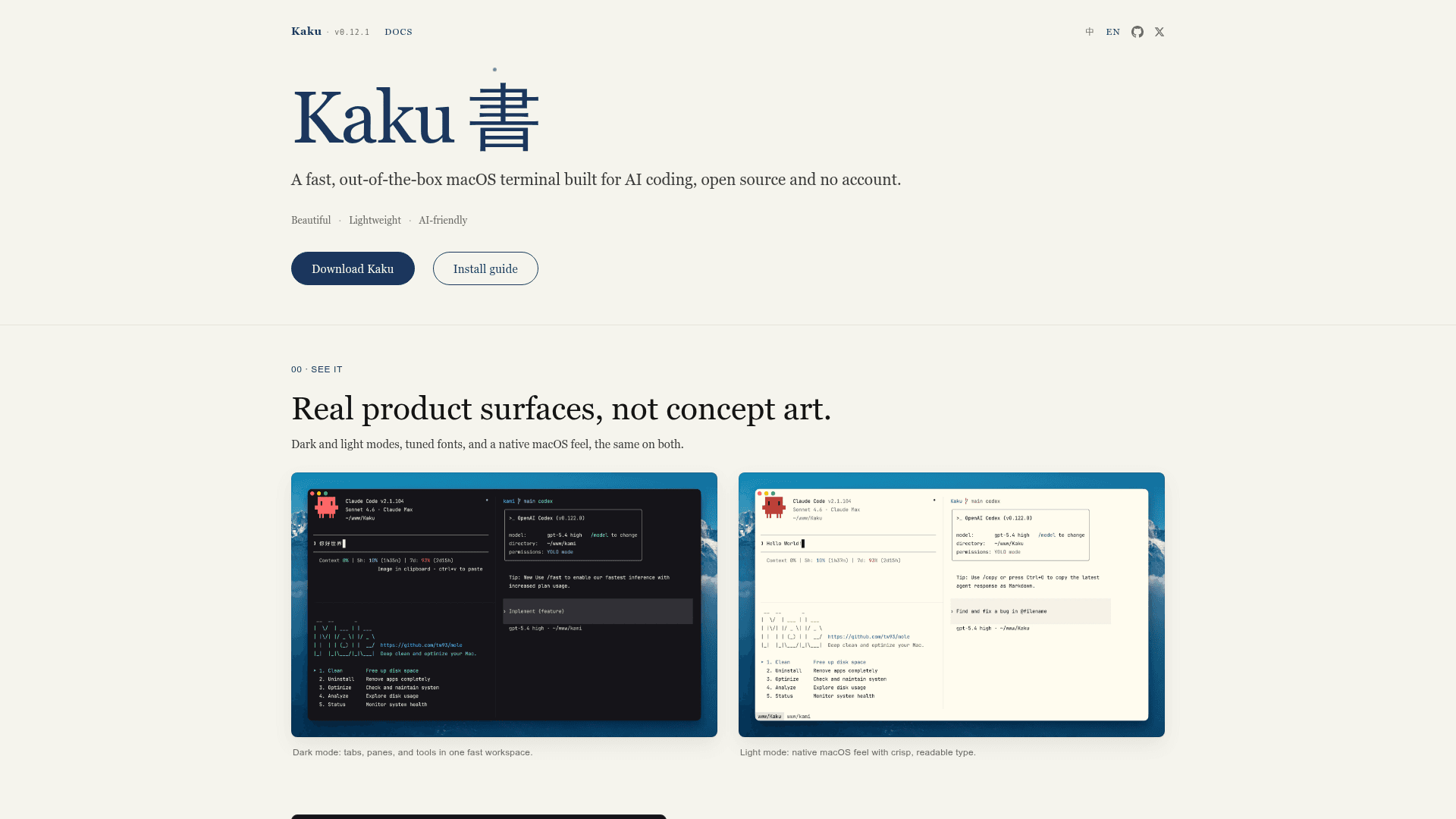
A fast, out-of-the-box macOS terminal built for AI coding, open source and no account required.
At a Glance
Fully free and open source under the MIT license. No account required.
Engagement
Available On
Alternatives
Updated Jun 2026
About Kaku
Kaku (書く, かく — Japanese for "to write") is a macOS terminal emulator built by Tw93 as a deeply customized fork of WezTerm, tuned for AI-assisted coding workflows. It is MIT-licensed, requires no account, and ships with practical defaults on day one while retaining full Lua configuration compatibility. The project is actively developed, with version V0.12.1 ("Smoother") released in June 2026.
What It Is
Kaku is a native macOS terminal emulator in the category of GPU-accelerated terminal apps, sitting alongside tools like Alacritty, Ghostty, Kitty, Warp, and iTerm2. Its core job is to provide a fast, polished daily-driver terminal that integrates an AI assistant without requiring a cloud account or subscription. It is built on WezTerm's Rust engine, strips the binary down to roughly 40 MB (compared to ~67 MB upstream), and adds curated defaults, shell tooling, and an inline AI assistant.
Architecture and Performance
Kaku inherits WezTerm's GPU-accelerated rendering core but applies aggressive symbol stripping and feature pruning to reduce binary size and startup latency. According to the project's own benchmarks:
- Executable size: ~40 MB vs ~67 MB upstream
- Shell bootstrap latency: ~100 ms vs ~200 ms upstream
- Launch: described as "instant" via just-in-time initialization
- Full WezTerm Lua API compatibility — existing configs migrate without changes
The primary language is Rust, and the app is notarized by Apple, so it opens without security warnings on macOS.
AI Assistant and Workflow
Kaku's AI assistant operates in two modes and is entirely opt-in — no requests leave the machine until a provider is configured via kaku ai:
- Error recovery: When a command fails, Kaku drafts a suggested fix. The user presses
Cmd + Shift + Eto paste it to the prompt; nothing runs automatically. - Natural language to command: Typing
#followed by a plain-language description at the prompt sends the query to the configured LLM and injects the resulting command back into the prompt for review. - AI Tools Config: The settings page manages Claude Code, Codex, Gemini CLI, Copilot CLI, Kimi Code, and other coding tools.
Provider presets include OpenAI and a custom/manual option. The AI panel opens with Cmd + L once configured.
Defaults and Shell Suite
Kaku ships with a curated set of defaults that remove the usual day-one configuration burden:
- Font: JetBrains Mono with macOS font rendering and low-res font sizing
- Themes: Auto-switches between dark and light modes with macOS system preference
- Tabs and panes: Native macOS shortcuts —
Cmd + Tfor new tab,Cmd + D/Cmd + Shift + Dfor vertical/horizontal splits, pane broadcast for driving multiple panes at once - Shell suite: zsh/fish integration, Starship prompt, Delta diff, Lazygit (
Cmd + Shift + G), Yazi file manager (Cmd + Shift + Y), z navigation, completion, and syntax highlighting - Polished touches: Copy on select, clickable file paths, history peek from full-screen apps, visual bell on background tab completion
Update: V0.12.1 Smoother
The latest release, V0.12.1 "Smoother," was published on June 8, 2026. The repository shows active monthly commit activity and 5,300+ GitHub stars with 263 forks as of mid-2026. The project is macOS-only by design; the author states the current focus is getting the native macOS experience solid before considering other platforms. Kaku is part of a self-described trilogy alongside Waza (habit drilling) and Kami (document shipping), all built by Tw93.
Tradeoffs to Know
Kaku is macOS-only and has no Windows or Linux support currently. It is a fork of WezTerm, so users who already have a WezTerm Lua config can bring it over without migration. Compared to Warp, Kaku is open source and requires no cloud account; compared to iTerm2, it is lighter and faster with AI built in. The AI features require the user to supply their own API key and provider — there is no bundled model or hosted inference.
Community Discussions
Be the first to start a conversation about Kaku
Share your experience with Kaku, ask questions, or help others learn from your insights.
Pricing
Open Source
Fully free and open source under the MIT license. No account required.
- Full terminal emulator
- AI assistant (bring your own API key)
- Tabs and split panes
- Shell suite (Lazygit, Yazi, Starship, Delta)
- Full WezTerm Lua API compatibility
Capabilities
Key Features
- AI error recovery with suggested command fixes
- Natural language to command via # prefix
- AI Tools Config for Claude Code, Codex, Gemini CLI, Copilot CLI, Kimi Code
- Tabs and split panes with native macOS shortcuts
- Pane input broadcast
- JetBrains Mono with macOS font rendering
- Auto dark/light theme switching
- Lazygit integration (Cmd+Shift+G)
- Yazi file manager integration (Cmd+Shift+Y)
- zsh/fish shell integration
- Starship prompt, Delta diff, z navigation
- Copy on select
- Clickable file paths
- History peek from full-screen apps
- Visual bell on background tab completion
- Full WezTerm Lua API compatibility
- 40% smaller binary vs upstream WezTerm
- Instant startup with just-in-time initialization
- kaku doctor health check command
- Homebrew tap installation support
- Apple notarized app bundle