
WebBrain
Free, open-source AI browser agent extension for Chrome, Firefox, and Edge that reads pages, extracts data, and automates web tasks using your choice of LLM.
At a Glance
About WebBrain
WebBrain is a free, MIT-licensed browser extension built by Emre Sokullu that puts an AI agent in a side panel next to your browser tabs. It supports Chrome (Manifest V3), Firefox (Manifest V2), and Microsoft Edge, and works with local models like llama.cpp and Ollama as well as cloud APIs including OpenAI, Claude, and OpenRouter — with no account required for the core extension.
What It Is
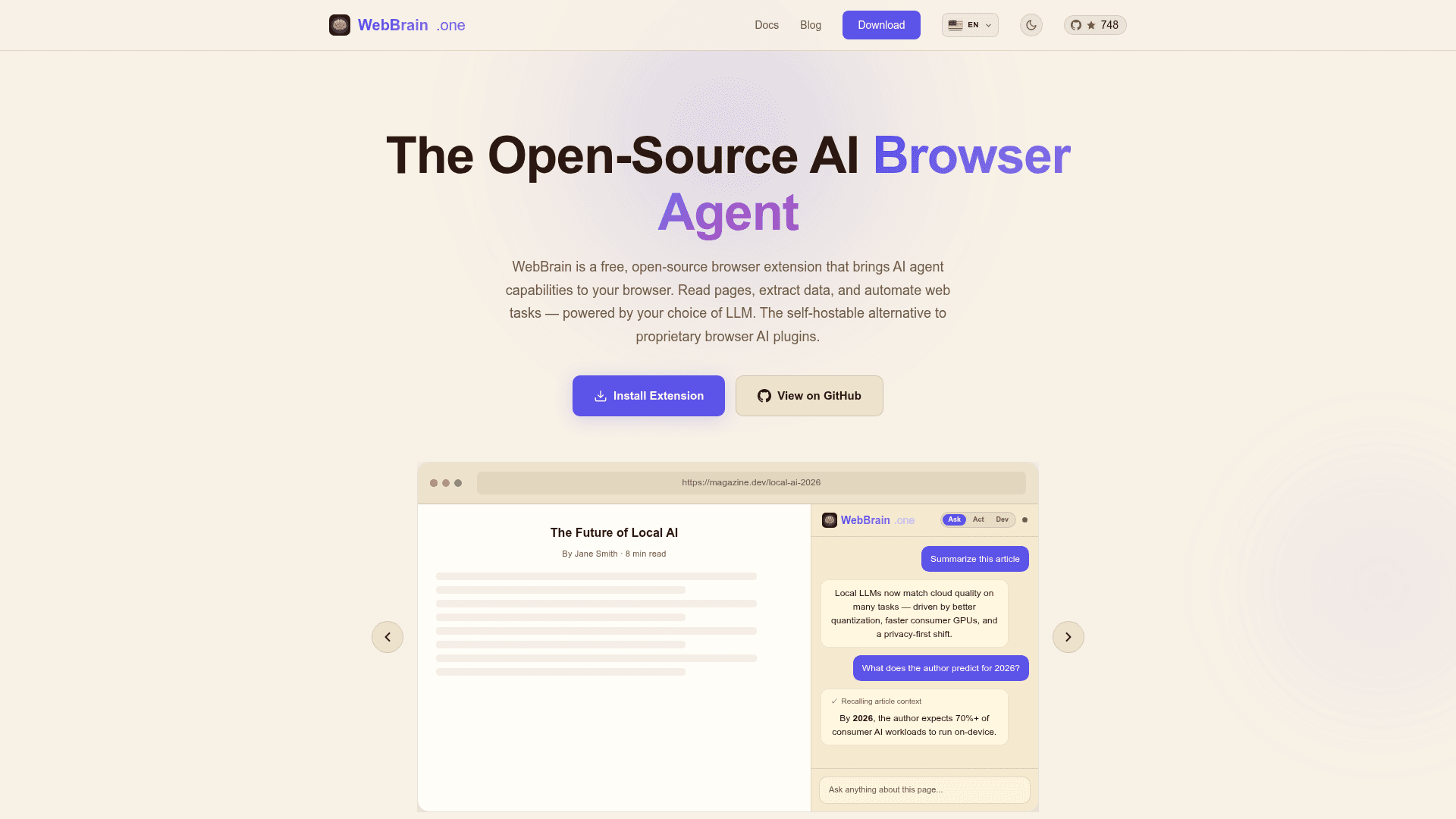
WebBrain is an open-source AI browser agent that lives in your browser's side panel and understands any web page. It operates in three distinct modes: Ask (read-only, for questions and extraction), Act (full agent that clicks, types, navigates, and fills forms), and Dev (adds page-source, style, DOM, and debugging tools for technical work). The extension uses the Chrome DevTools Protocol (CDP) via the standard chrome.debugger API for trusted input events in Act mode, while Ask mode uses only ordinary content scripts and never modifies the page.
Multi-Provider LLM Architecture
WebBrain ships with 105 built-in provider cards covering local and cloud options. Local providers include llama.cpp, Ollama, LM Studio, vLLM, Jan, LocalAI, and GPT4All — any OpenAI-compatible endpoint works. Cloud providers include OpenAI, Anthropic Claude, Google Gemini, Azure OpenAI, AWS Bedrock, Mistral, DeepSeek, xAI Grok, MiniMax, Groq, Together, Fireworks, OpenRouter, and more. A dedicated vision model setting lets users pair a fast text-only model for planning with a separate vision-capable model for screenshots, reducing cloud costs on long sessions. For fully offline use, llama.cpp is the default provider and requires no API key.
Security and Privacy Model
WebBrain starts in read-only Ask Mode by default and asks before consequential actions. Key privacy and safety properties include:
- No telemetry, no tracking, no accounts required
- Fully open-source and auditable under MIT license
- Prompt-injection defenses documented in the repository
- Screenshot redaction option (pixelates form fields and detected PII before sending to vision models)
- Profile auto-fill stored locally in the browser, never transmitted to WebBrain servers
- Token-conscious screenshots: images are resized and JPEG-compressed before leaving the machine to keep cloud bills predictable
MCP Server and LM Studio Integration
WebBrain includes an MCP (Model Context Protocol) server that lets coding agents like Claude Code, Codex, Cursor, and OpenCode delegate browser tasks to the user's real signed-in Chromium session. The server is launched via npx -y @webbrain/mcp-server and exposes six task-level tools: run, structured extraction, status, clarification response, abort, and connection diagnostics. A separate standalone LM Studio plugin (webbrain/web-tools) provides fetch_url and research_url tools as pure Node HTTP without requiring the browser extension, with optional browser delegation when the extension is installed.
Update: v31.0.1
The GitHub repository shows the latest release as v31.0.1, published on August 14, 2026, with the repository last pushed the same day. The project was created in April 2026 and has accumulated 748 stars and 91 forks. The docs reference version 22.3.1 for the settings walkthrough video, and the FAQ mentions version 27.0.0 as the point when tab-switching during agent runs was improved. As of April 21, 2026, the recommended local model is Qwen 3.6 35B based on the project's own vision benchmark. The changelog is maintained at CHANGELOG.md in the repository. Dry-run mode is noted as planned but not yet available as of version 7.0.0.
Community Discussions
Be the first to start a conversation about WebBrain
Share your experience with WebBrain, ask questions, or help others learn from your insights.
Pricing
Open Source
Free, MIT-licensed browser extension with no account required. Use your own LLM provider or run fully offline with a local model.
- Ask, Act, and Dev modes
- 105 built-in provider cards
- Local LLM support (llama.cpp, Ollama, vLLM, LM Studio)
- Cloud API support (OpenAI, Claude, Gemini, OpenRouter, and more)
- Fully offline operation
WebBrain Cloud
Managed cloud LLM provider linked to a device profile. Includes optional encrypted Cloud Sync for memories, profile, and provider config.
- No API key or local setup required
- Unlimited usage under fair use policy
- Optional encrypted Cloud Sync (memories, profile, provider config)
- Linked to device identifier (browser + OS GUID)
- Manage billing from plugin settings
Capabilities
Key Features
- Ask Mode (read-only page Q&A and extraction)
- Act Mode (click, type, navigate, fill forms)
- Dev Mode (page source, styles, DOM, console tools)
- Multi-provider LLM support (105 built-in provider cards)
- Local LLM support (llama.cpp, Ollama, LM Studio, vLLM)
- Cloud API support (OpenAI, Claude, Gemini, OpenRouter, and more)
- Fully offline operation with local models
- MCP server for coding agent integration
- LM Studio plugin (web-tools)
- Structured data extraction from any page
- PDF support
- Smart context trimming and token-aware auto-compaction
- Dedicated vision model pairing
- Profile auto-fill (stored locally)
- Cookie banner auto-dismissal (OneTrust, Cookiebot, Didomi, Quantcast)
- Optional CAPTCHA solver (CapSolver, BYO key)
- Screenshot redaction for PII
- Saved workflows and reusable task templates
- Scheduled tasks (/schedule) and page watches (/watch)
- Skills system for trusted add-ons
- Per-tab conversation history
- Multilingual UI (22 languages)
- Prompt-injection defenses
- No telemetry, no accounts required
- Slash command interface
- Keyboard shortcuts
- Plan before Act mode with approval step