
Agent World
A desktop app that runs Claude Code and Antigravity agents through a written process of plan, build, checks, review and pull request, with git holds until you approve.
At a Glance
Agent World core app is open source under the Apache License 2.0; use, change and redistribute it at no charge. Requires your own Claude Code or Antigravity sessions (external cost).
Engagement
Available On
Alternatives
Listed Nov 2026
About Agent World
Agent World is an open-source desktop app, published under Apache 2.0 by hodkep, that runs a user's own Claude Code or Antigravity sessions through a process the user writes down: plan, build, checks, review, pull request. Each agent works in its own git worktree and branch, and nothing is pushed until the user presses Run. The latest release listed is v0.16.0, for macOS, with a Linux beta.
What It Is
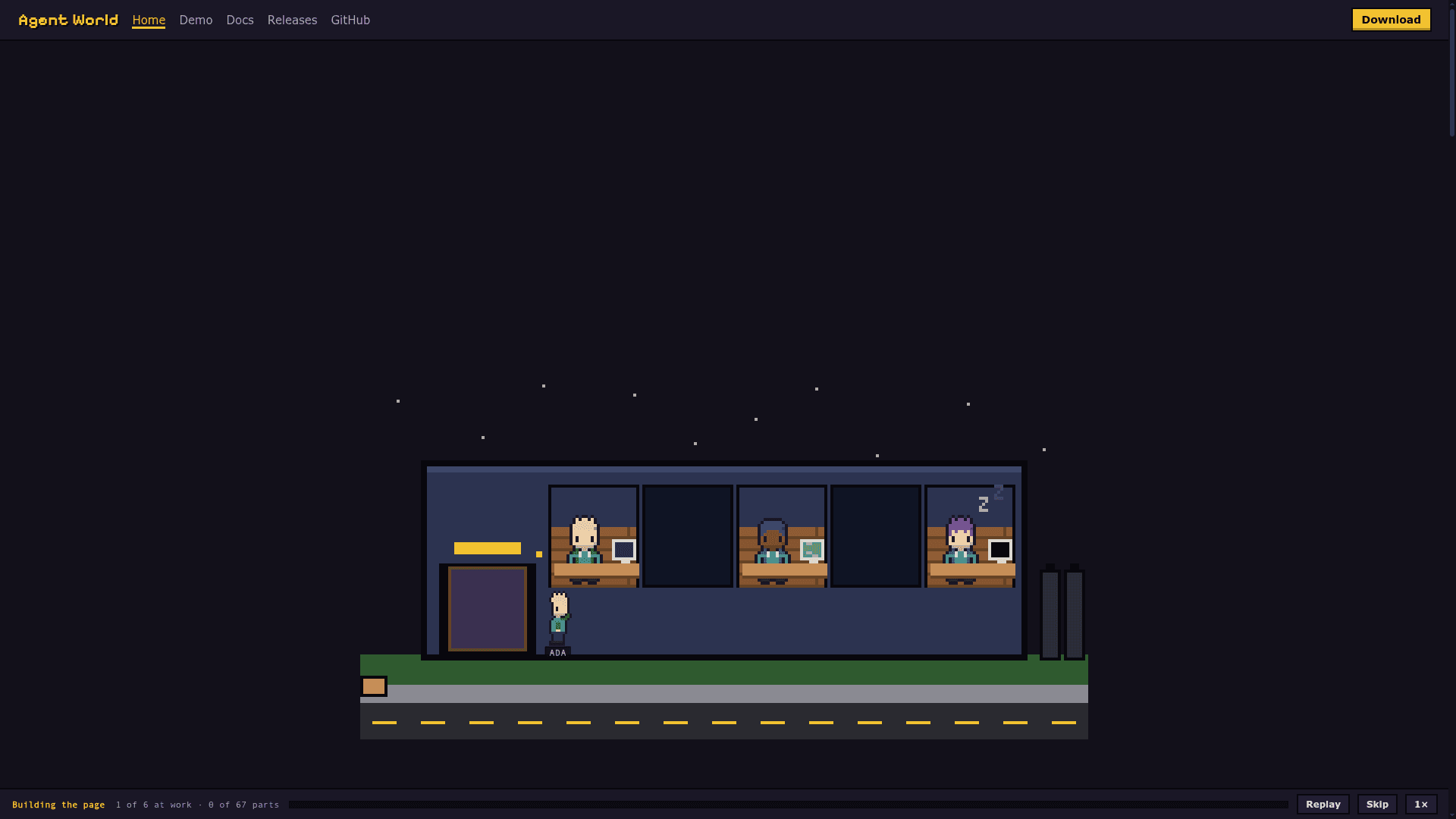
Agent World is an agent management and workflow-control app for coding agents. It launches and hooks the claude (Claude Code) or agy (Antigravity) sessions it shows, presenting each agent as a character in a pixel-art office whose activity reflects the agent's real state: thinking, running, waiting for you or asleep. Clicking a character opens its chat, with tool cards, edits as diffs and a Code tab for changes and history.
How the process holds work
A workflow is a plan the user approves, checks that run, a review of the branch against the plan, and the pull request. With workflows on, git itself holds an agent's edits until the plan is approved, and holds commits and the push until the plan, review and findings are settled. The project states these holds are a guard rail against an agent that follows its instructions getting ahead of the user, not a lock against an agent set on getting round them. Each run appears as a flow diagram in the agent's Workflow tab, and a builder agent can propose or modify workflows.
Playbook, skills and tools
Skills, instructions and prompts are kept in one library, and a playbook says which agent is told what, and when. A Usage tab measures how often each rule was reminded, read or ignored and suggests fixes for weak ones. A separate window lists skills, MCP servers and tools, lets users connect and test MCP servers, and sets each tool to Allow, Ask or Deny for the agents the app runs.
Preview, todos and usage tracking
A built-in Preview shows the page an agent serves beside the chat, with device-size resizing and element selection. Agents can open pages, click, resize and take screenshots through a browser tool. The app also includes a shared todo board, Markdown notes, terminals per project, multiple Claude accounts, and views of usage limits and token counts.
Setup path
Users download a dmg (Apple silicon or Intel), or a deb or AppImage for Linux beta, or install through a Homebrew tap. Setup installs the Claude Code CLI and has the user sign in once inside the app; Antigravity is optional. The Mac app is not signed with an Apple Developer ID yet, so the first launch needs Open Anyway. Windows is not supported yet.
Community Discussions
Be the first to start a conversation about Agent World
Share your experience with Agent World, ask questions, or help others learn from your insights.
Pricing
Open Source (Apache 2.0)
Agent World core app is open source under the Apache License 2.0; use, change and redistribute it at no charge. Requires your own Claude Code or Antigravity sessions (external cost).
- Apache License 2.0 core
- macOS and Linux (beta)
- Workflows with plan gate, checks, review and pull request
- Playbook, skills, MCP servers and tools manager
- Built-in Preview
Capabilities
Key Features
- Workflows with plan approval, checks, branch review and pull request steps
- Git holds on edits, commits and push until plan and review are settled
- Per-agent git worktree and branch (aw/<name>)
- Pixel-art office showing real agent states
- Chat with tool cards, diffs, rewind, queued messages and /btw side questions
- Library and playbook for skills, instructions and prompts with Usage analysis
- Skills, MCP server and tool manager with Allow, Ask or Deny settings
- Built-in Preview with element selection and agent-driven browser tool
- Shared todo board with subtasks and labels
- Permission requests answered from the office
- Usage limits, token tracking and Weekly Rewind
- Multiple Claude Code accounts
- Per-project terminals and Markdown notes
- Diagrams and forms in chat
- Appearance customization via agent-driven themes and widgets