
MausBot
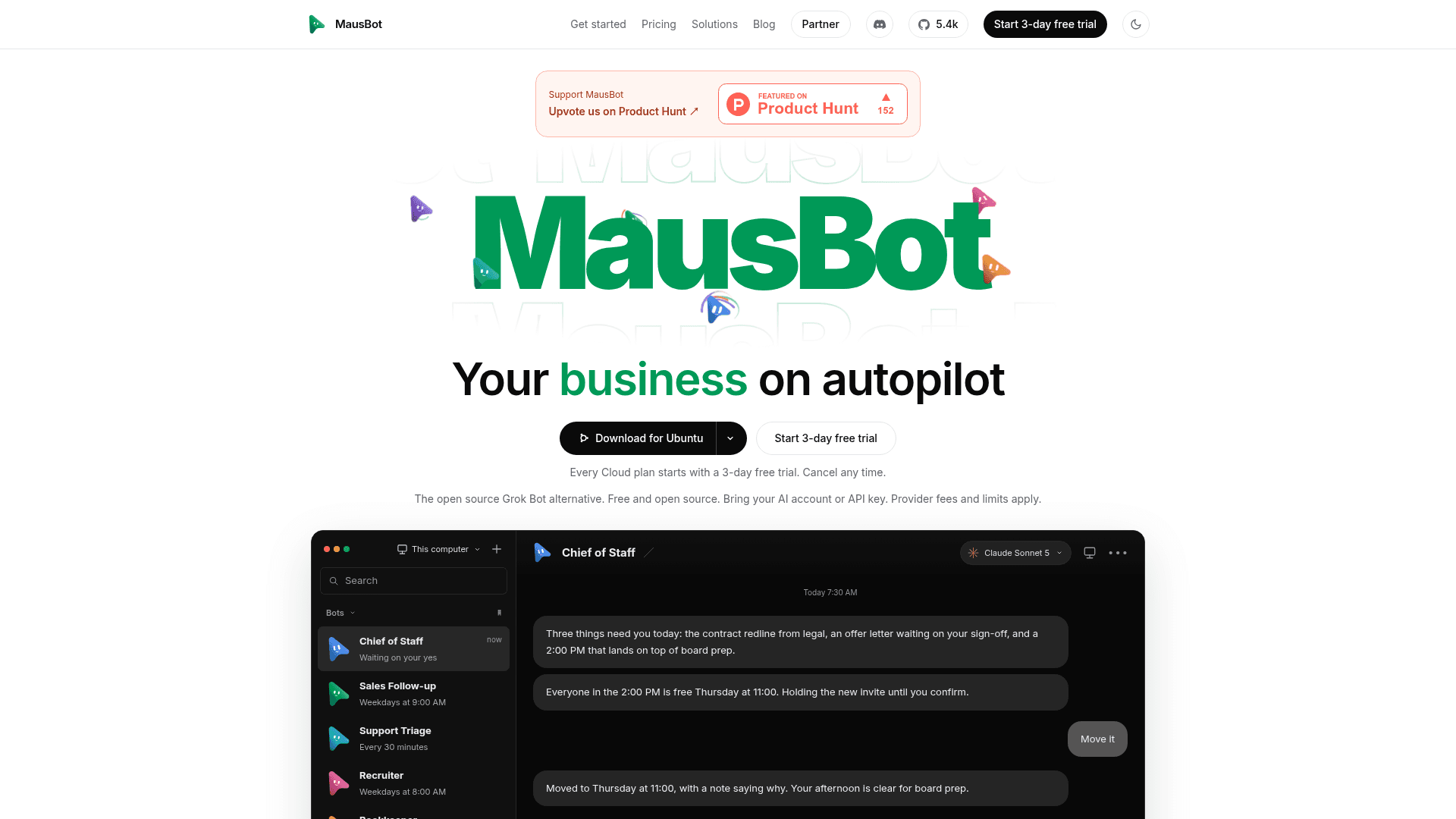
Open-source desktop chat app that runs a team of AI bots on local Claude, Codex and Grok CLIs, with connected apps, computer use and automations.
At a Glance
Free open-source (Apache 2.0) desktop and companion apps on your own computer; model usage billed by your own provider.
3-day free trial of any Cloud plan (Starter, Pro or Max), with $5 of Claude credit included; one per person.
Engagement
Available On
Alternatives
Listed Oct 2026
About MausBot
MausBot (also known as OpenMausBot) is an open-source, Apache 2.0 licensed chat app for running a team of AI bots, published by Supamaus Software Private Limited. Each bot is a real agent backed by a locally installed CLI such as Claude, Codex or Grok, with its own personality, model, computer and connected apps. Desktop builds exist for macOS, Windows and Ubuntu, with phone companion apps.
What It Is
MausBot treats AI agents like contacts in a messaging app. A single harness server on 127.0.0.1 owns every agent process and normalizes each provider's native protocol into one event stream. Transcripts, keys and events are stored in ~/.openmausbot on the user's own disk. Users bring their own provider accounts or API keys, and provider fees and limits apply. The project describes itself as an independent open-source alternative to Grok Bot and not affiliated with xAI.
How the bot workflow works
A user installs the desktop app, connects one supported provider, creates a bot with a chosen engine and model, and sends a task. Bots can use a cloud Linux desktop, an isolated Local VM or, where supported and after explicit opt-in, the user's own computer. Shell commands, file edits and questions surface as approval cards in chat, though approval coverage depends on the engine and tool. Bots can reach 500+ apps such as Gmail, Slack, GitHub, Notion and Linear through Composio.
Automations, voice and team sharing
Triggers let a bot run on schedules shown on a calendar, on webhooks, or when an event occurs in a connected app. Bots can read replies aloud and take live calls using ElevenLabs, Fish Audio, Grok (xAI), built-in Mac voices or a local Chatterbox server. Whole teams can be exported or imported as portable Markdown packages that omit credentials and conversations. An openmausbot command-line tool and an MCP server allow scripted or external orchestration, and a npm package supports terminal and server use.
Cloud and enterprise options
The desktop app is free; optional Cloud plans give bots an always-on hosted machine so they keep working with a laptop closed. The enterprise page describes white-label workspaces for software companies, and the site presents MausBox as a concept for a home device running MausBot and open models.
Community Discussions
Be the first to start a conversation about MausBot
Share your experience with MausBot, ask questions, or help others learn from your insights.
Pricing
Free
Free open-source (Apache 2.0) desktop and companion apps on your own computer; model usage billed by your own provider.
- Unlimited bots
- Every AI model, on your own plan or key
- Mac, Windows, Linux and phone apps
- Live voice calls, on your own OpenAI key
- Bots work while your computer is on
Free trial
3-day free trial of any Cloud plan (Starter, Pro or Max), with $5 of Claude credit included; one per person.
- $5 of Claude credit included
- 500 app events a day during trial
- 3/30 of each monthly allowance
Starter
Always-on cloud workspace for your bots.
- Always on: automations run around the clock, even with your laptop off
- 100 computer-hours a month
- About 30 minutes of speech a month
- 2,000 app events a day
- 2 shared CPUs and 2 GB of memory
- Storage up to 20 GB, daily backups kept 14 days
- Email support
Pro
Always-on cloud workspace with more compute, voice and priority support.
- 300 computer-hours a month
- About an hour of speech a month
- 2,000 app events a day
- 4 shared CPUs and 4 GB of memory
- Storage up to 100 GB, daily backups kept 14 days
- $10 a month of Claude credit
- Priority email support
- Free 30-minute setup call
Max
Biggest cloud machine for bots that use computers all day.
- 800 computer-hours a month
- About 3 hours of speech a month
- 2,000 app events a day
- 8 shared CPUs and 8 GB of memory
- Storage up to 100 GB, daily backups kept 14 days
- $20 a month of Claude credit
- Priority email support
- Free 30-minute setup call
Team
For small teams; every plan starts with a call.
- Up to 5 people, one shared workspace
- Shared bots, rooms and roles
- Your bots in Slack
- 4 bots browsing the web at the same time
- Priority email support
- 250 computer-hours a month, shared
Business
For a whole company, hosted by MausBot.
- Up to 20 people, $25 a month for each extra
- 10 bots browsing the web at the same time
- 4 times as much bot work a month as Team
- Admin console: people, activity and usage
- An onboarding call
- 1,000 computer-hours a month, shared
Business self-hosted
Runs on your own servers for data kept in-house.
- Runs on your own servers
- Up to 20 people, $10 a month for each extra
- No limit on bot work: it is your hardware
- Admin console: people, activity and usage
- Next-business-day support
Capabilities
Key Features
- Team of AI bots in a chat-style app
- Per-bot model selection across Claude, Codex, Grok and other CLIs
- Cloud, Local VM or host computer use with live screen preview
- Approval cards for shell commands, file edits and questions
- 500+ connected apps via Composio
- Schedules, webhooks and app-event triggers shown on a calendar
- Voice replies and live calls with bots
- Team sharing and import via portable Markdown packages
- Channels with separate transcripts and rosters
- MCP server for external orchestration
- Headless openmausbot CLI for scripts and CI
- Local-first storage in ~/.openmausbot
- Desktop app available in 10 languages
- Optional always-on Cloud workspace