
Alas
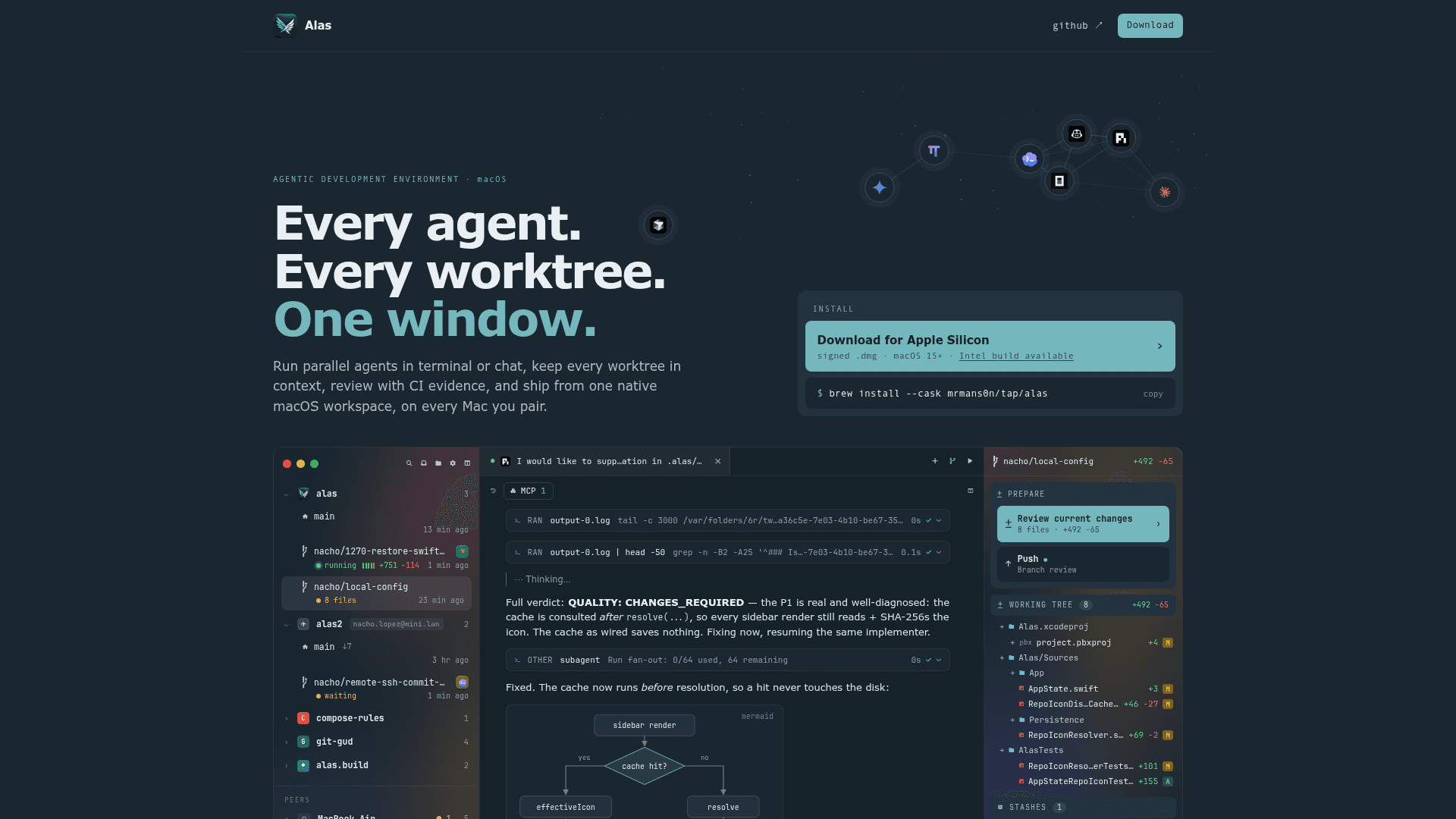
A native macOS agentic development environment that runs coding agents across git worktrees with terminals, review, shipping, and phone access in one window.
At a Glance
About Alas
Alas is an open-source, MIT-licensed agentic development environment for macOS, published by Nacho Lopez (mrmans0n). It lets developers run coding agents in a terminal or a native chat pane across multiple git worktrees, review their changes, and ship pull requests from a single window. The latest release listed is v0.24.5, and it requires macOS 15 or later.
What It Is
Alas is a native SwiftUI and AppKit workspace that keeps each task in its own worktree, together with its terminals, agent conversations, files, and diffs. Terminal tabs are built on libghostty. Agent chat runs over the Agent Client Protocol (ACP) and works with agents such as Claude Code, Codex, Cursor, Gemini, Antigravity, OpenCode, Pi, OMP, and Copilot. More chat agents can be installed from the ACP Registry.
Review and shipping loop
Reviews can cover a branch, commit, or range, with inline comments anywhere in the code. Agents read, reply to, and resolve those comments through built-in review tools, so feedback turns into fixes. For shipping, Alas detects GitHub PRs and GitLab MRs, drafts titles and descriptions, shows CI logs, check results, and test output beside the diff, and can merge in-app, including through merge queues. A PR shepherd can send failed checks, conflicts, and review threads back to the agent as fix turns.
Multiple Macs, SSH, and phone
Projects can live on SSH hosts, where a helper runs terminals, agents, editing, search, and git remotely. Alas instances on a network discover and pair with each other over Bonjour, so other Macs' worktrees and agents appear in the sidebar. A phone web client, paired by QR code, can follow sessions live, take over a running turn, and answer permission prompts. A headless host mode (alas-host) can keep agents running on an always-on Mac.
Repo configuration and on-device AI
A repository can ship an .alas/config.json with MCP servers, an icon, and a default agent, plus startup hooks and run scripts. Repo-defined MCP servers require a one-time trust approval. Optional on-device AI uses Apple Intelligence or a locally downloaded Qwen3 model for worktree names, commit drafts, session summaries, and conflict explanations. Agents can also use a built-in CLI/MCP server to open files, delegate to child sessions, and work through review comments, and can use per-worktree macOS or Linux VMs on Apple Silicon.
Community Discussions
Be the first to start a conversation about Alas
Share your experience with Alas, ask questions, or help others learn from your insights.
Pricing
Open Source
Alas, a native macOS agentic development environment, is released under the MIT License, so the core app is free to use, copy, modify and distribute.
- MIT-licensed core application
- Run parallel agents in terminal or chat across worktrees
- Review local work or hosted pull requests
- Pair multiple Macs and use a phone client
- Install via Homebrew or signed DMG (macOS 15+)
Capabilities
Key Features
- Parallel agents across git worktrees in one window
- Terminal tabs built on libghostty
- Native ACP chat pane with plans, tool calls, and permission prompts
- Support for Claude Code, Codex, Cursor, Gemini, Antigravity, OpenCode, Pi, OMP, and Copilot
- Install additional agents from the ACP Registry
- Inline code review with comments agents can answer and resolve
- GitHub PR and GitLab MR detection with CI review evidence and in-app merge
- PR shepherd that returns failed checks and review threads as fix turns
- SSH remote projects with a helper on the host
- Bonjour peer pairing across Macs
- Phone web client with QR pairing and session takeover
- Headless host mode for always-on agent Macs
- Repo-defined MCP servers, icon, and default agent via .alas/config.json
- Startup hooks and run scripts with approval
- On-device AI via Apple Intelligence or local Qwen3 model
- Standalone alas CLI and built-in MCP server for agents
- Tree-sitter syntax highlighting and LSP support
- Markdown and Mermaid rendering
- Web preview tabs with agent browser tools
- Per-worktree macOS and Linux VMs on Apple Silicon
- Plugins, schedules, checkpoints, and multi-repo workspaces