
Autohand Code
A fast, terminal-native AI coding agent for planning, editing, testing, and automating work across your codebase from the CLI.
At a Glance
Free and open-source under Apache License 2.0. Free for individuals, non-profits, educational institutions, open source projects, and companies with ARR under $5M.
Engagement
Available On
Alternatives
Listed May 2026
About Autohand Code
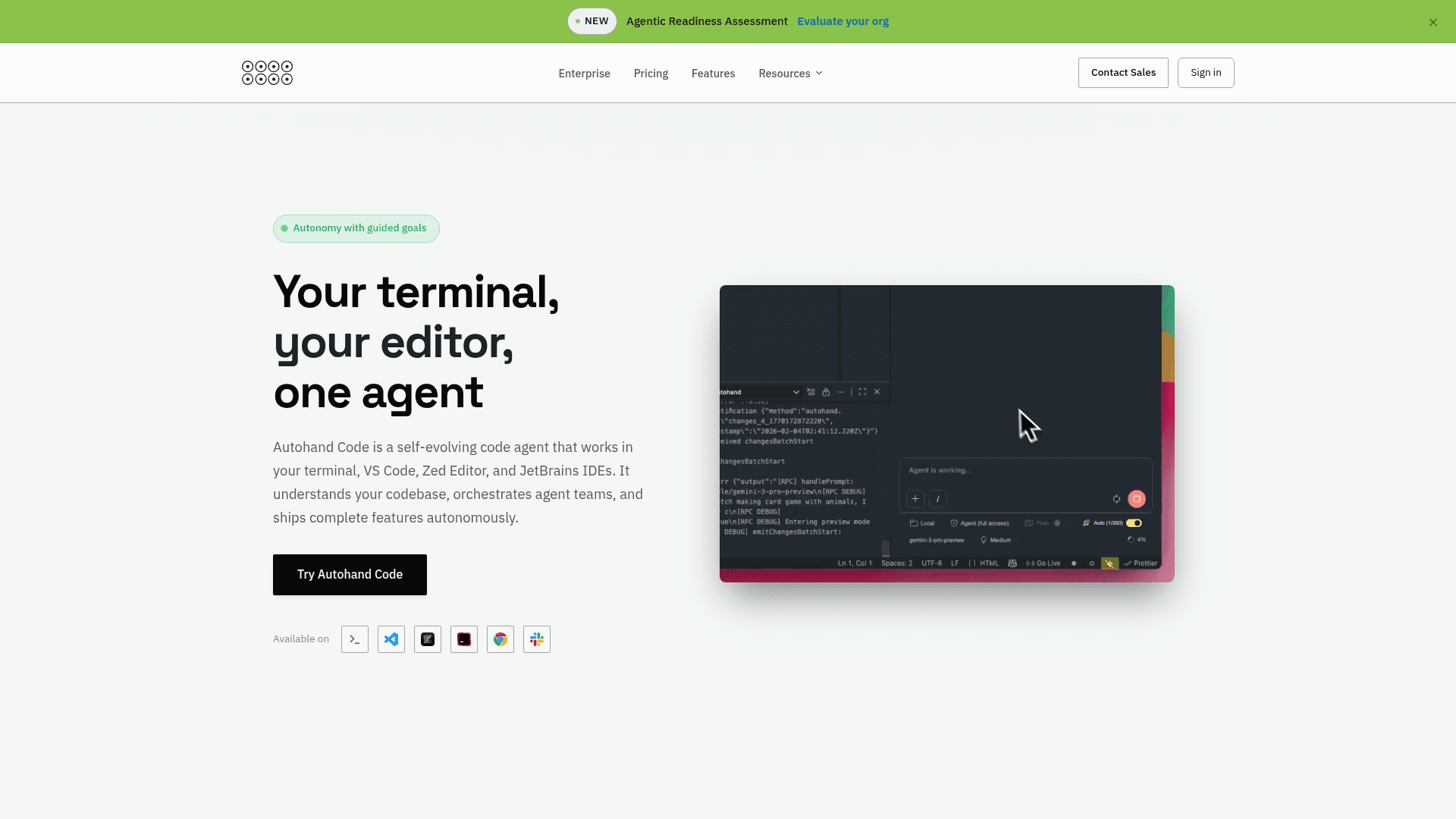
Autohand Code CLI is an open-source, terminal-native AI coding agent built with TypeScript and distributed under the Apache License 2.0. It runs directly in your terminal, reads project context, plans changes, edits files, executes shell commands, and asks for approval before risky operations. The project is hosted at github.com/autohandai/code-cli and has a companion website at autohand.ai/code/.
What It Is
Autohand Code CLI is a command-line AI coding agent designed to keep developers in their terminal without context switching. It combines a reasoning loop with file editing, shell execution, web search, and version control into a single interactive REPL or non-interactive command mode. The agent supports 40+ built-in tools covering file operations, git workflows, planning, memory, browser automation, and multi-agent team coordination.
How the Workflow Works
The agent operates in two primary modes:
- Interactive REPL: Launch
autohandfor a full session with file mentions (@src/index.ts), slash commands (/model,/skills,/review), skill autocomplete ($frontend-design), and inline terminal commands (! git status). - Command Mode: Pass
--promptfor single-instruction execution suitable for CI/CD pipelines, scripts, or quick tasks. Flags like--yes,--auto-commit, and--dry-runcontrol confirmation and output behavior.
An auto-mode (--auto-mode) runs an autonomous loop with configurable iteration limits, checkpoint intervals, and cost caps, handing off to interactive mode when complete.
Multi-Provider and Model Support
Autohand Code CLI is provider-agnostic. Supported backends include OpenRouter (Claude, GPT-4, Grok), LLMGateway, OpenAI, DeepSeek, Azure Foundry Models, Z.ai, Ollama, llama.cpp, and MLX for Apple Silicon. The active model can be switched mid-session with /model or overridden at launch with --model.
Agent Skills and Extensibility
Skills are modular instruction packages that extend the agent with specialized workflows, functioning like on-demand AGENTS.md files. They can be auto-generated from project analysis (--auto-skill), installed from the community registry at skilled.autohand.ai, or created interactively. The CLI also supports MCP server management (/mcp, /mcp install), custom meta-tools, git hooks, and a Code Agent SDK available in TypeScript, Go, Python, Java, and Swift for embedding the agent runtime in other tools.
Editor and Platform Integration
Beyond the terminal, Autohand Code CLI ships a VS Code extension (AutohandAI.vscode-autohand) available on the VS Code Marketplace and a Zed Editor extension. It runs on macOS, Linux, and Windows. Docker support is documented for containerized workflows. Session checkpointing integrates with Entire (entire.io) for git-backed session rewind and sharing.
Team Workflows and Background Agents
Autohand Code includes a Slack integration so teams can invoke and collaborate with agents from chat, alongside the CLI and editor surfaces. Background agents run autonomously to continue coding, testing, and refactoring across multi-file changes while you're away from the terminal, returning completed work rather than just suggestions.
Update: v0.9.0
The latest release is v0.9.0, published on 2026-05-07, with the repository last pushed on 2026-05-12. The project was created in December 2025 and has accumulated 106 stars and 19 forks on GitHub as of the last recorded update. The roadmap lists enhanced AI model support, a plugin system, advanced test generation, and AI-powered code review as upcoming directions.
Community Discussions
Be the first to start a conversation about Autohand Code
Share your experience with Autohand Code, ask questions, or help others learn from your insights.
Pricing
Open Source
Free and open-source under Apache License 2.0. Free for individuals, non-profits, educational institutions, open source projects, and companies with ARR under $5M.
- Full CLI agent with 40+ tools
- Multi-provider LLM support
- Agent Skills system
- VS Code and Zed extensions
- Code Agent SDK
Start
Pay as you go. Cancel anytime.
- Autonomous task completion
- Ask Autohand Code
- Access to Autohand Code on Terminal, Zed Editor, VSCode, Chrome, or agentic IDEs
- Access to Autohand Code cloud memory up to 1GB
- Platform API
- 100 Autohand Code credits per billing cycle
- Up to 10 users
- Share and collaborate
Team
For growing engineering teams. Coming soon.
- Everything in Start
- Early feature releases
- Research previews
- Unlimited concurrent sessions
- Unlimited users
- 10K Autohand Code credits included monthly
- Dedicated Slack Connect
- Optional onboarding call
Enterprise
For organizations requiring maximum security & control.
- Everything in Team
- Composer Enterprise
- Autohand Evolve
- Custom Agents (Genies)
- VPC Deployment
- SAML/OIDC SSO
- Centralized admin controls
- Workspace isolation
- Dedicated account team
- Custom terms
- Centralized billing
Capabilities
Key Features
- Terminal-native AI coding agent (REPL and command mode)
- 40+ built-in tools for file ops, git, shell, planning, memory, and browser
- Multi-provider LLM support (OpenRouter, OpenAI, DeepSeek, Ollama, llama.cpp, MLX, Z.ai)
- Agent Skills system with community registry at skilled.autohand.ai
- Auto-skill generation from project analysis
- Interactive REPL with file mentions, slash commands, and keyboard shortcuts
- Permission system (interactive, unrestricted, restricted) with whitelist/blacklist
- Git integration with auto-commit, worktree isolation, and full git toolset
- Auto-mode with iteration limits, cost caps, and checkpoint intervals
- Multi-agent team coordination and sub-agent delegation
- Chrome browser integration (screenshot, navigate, click, type)
- Session management with auto-save and resume
- MCP server management and installation
- Code Agent SDK in TypeScript, Go, Python, Java, and Swift
- VS Code and Zed Editor extensions
- Entire integration for git-backed session checkpointing
- Context compaction toggle
- Dry-run mode for previewing changes without applying
- Configurable via JSON, TOML, or YAML
- Cross-platform: macOS, Linux, Windows