
autoMate
An open-source, self-hosted AI tool hub that acts as a personal NAS for AI — storing notes, files, reminders, and memory across sessions, with 40+ tools and MCP integration for any AI client.
At a Glance
Fully open-source under MIT license. Self-hosted on your own machine with all core features included.
Engagement
Available On
Alternatives
Listed Jul 2026
About autoMate
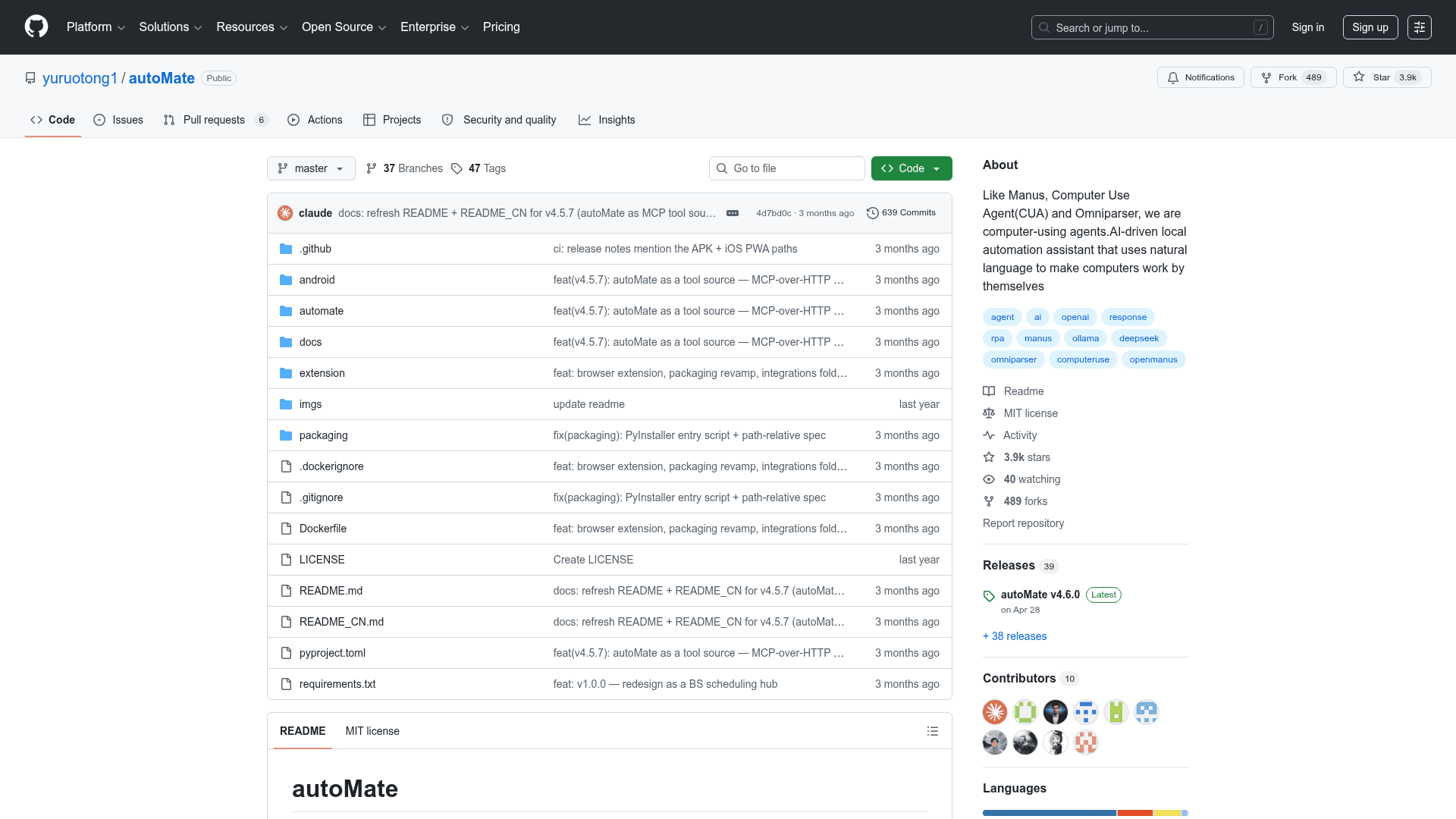
autoMate is an open-source, self-hosted backend layer for AI workflows, built by GitHub user yuruotong1 and released under the MIT license. It runs locally on your machine and exposes 40+ tools — notes, files, reminders, memory, shell execution, browser automation, and 31 SaaS integrations — to any AI client that supports MCP or HTTP. The project has accumulated over 3,900 GitHub stars and 489 forks since its creation in January 2024.
What It Is
autoMate describes itself as "a smart NAS for AI." Rather than being a chat interface itself, it is the persistent data and tool layer that sits behind whichever AI client you prefer — OpenClaw, Claude Desktop, Cursor, Cline, Kimi, or your own scripts. The core idea is that AI vendors provide chat and reasoning, but none of them persist memory across vendors, store your files, or send push notifications. autoMate fills that gap: it stores everything in ~/.automate/ using SQLite and Fernet encryption, and any connected client can read and write to the same warehouse.
How It Works
autoMate runs a FastAPI server on 127.0.0.1:8765 and exposes tools over MCP-over-HTTP. Connecting a client is a one-step process: open Settings → Connect to AI clients, click "Copy install text," and paste the resulting markdown blob into your client's config or hand it to another AI to configure automatically. Once connected, the client gains access to all autoMate tools including search.find, notes.read, files.list, audio.transcribe, and a top-level automate tool that runs autoMate's own agent loop on demand.
Two usage modes are supported:
- As a tool source — your preferred AI client (Claude Desktop, Cursor, etc.) acts as the brain and calls autoMate's tools for data and execution.
- Standalone web chat — autoMate's own built-in agent loop handles queries directly via its PWA frontend.
What's in the Box
The tool catalog spans several categories:
- Personal data: markdown notes with BM25 full-text search, a content-addressed file vault with deduplication, a reminder scheduler with Web Push to mobile, and long-term key-value memory readable by any AI.
- Local executors: shell commands, Python/Bash/Node scripts, desktop automation via pyautogui, Playwright browser control, and real-Chrome automation via a Chrome MV3 extension.
- SaaS integrations: 31 platforms including GitHub, GitLab, Notion, Slack, Linear, Jira, Confluence, Trello, Asana, Monday.com, HubSpot, Airtable, Stripe, Shopify, Telegram, Discord, MS Teams, Zoom, Twitter/X, SendGrid, Mailchimp, Twilio, Sentry, and several Chinese platforms (飞书, 钉钉, 企业微信, 微信公众号, 微博, 语雀, 高德地图).
- LLM providers: 25 providers in the catalog, including OpenAI, Anthropic, Gemini, xAI Grok, Mistral, DeepSeek, Ollama, LM Studio, and any OpenAI-compatible endpoint.
Deployment and Installation
autoMate supports four install paths:
pip install automate-hubfor Python users- Standalone binaries for Windows, macOS, and Linux (no Python required)
- Docker via
ghcr.io/yuruotong1/automate:latestfor headless or NAS deployments - An Android APK for a mobile viewer
The server binds to 127.0.0.1 by default; network access requires an explicit --host 0.0.0.0 flag. API keys and OAuth tokens are encrypted with Fernet, and the MCP endpoint requires a Bearer token.
Update: v4.6.0
The latest release is v4.6.0, published April 28, 2026. The README documents v4.5.7 as the current stable feature set, which introduced MCP-over-HTTP tool source mode, one-click "Copy install text" for AI client setup, Coze-style hybrid BM25 retrieval, audio transcription with custom vocabulary, configurable storage paths, and in-app auto-update. A paid autoMate Cloud Pro tier is described as upcoming, with the open-client/closed-server boundary documented in docs/cloud.md.
Community Discussions
Be the first to start a conversation about autoMate
Share your experience with autoMate, ask questions, or help others learn from your insights.
Pricing
Open Source
Fully open-source under MIT license. Self-hosted on your own machine with all core features included.
- 40+ tools including notes, files, reminders, memory
- 31 SaaS integrations
- 25 LLM provider catalog
- MCP-over-HTTP for AI client integration
- Shell, script, browser, and desktop automation
Capabilities
Key Features
- MCP-over-HTTP tool source for AI clients
- Persistent notes with markdown and BM25 full-text search
- Content-addressed file vault with deduplication
- Long-term cross-session AI memory (key-value store)
- Reminder scheduler with Web Push to mobile
- Shell, Python/Bash/Node script execution
- Desktop automation via pyautogui
- Playwright browser automation
- Real Chrome automation via MV3 extension
- 31 SaaS integrations (GitHub, Slack, Notion, Jira, Stripe, etc.)
- 25 LLM provider catalog including Ollama and LM Studio
- Audio transcription via Whisper/Tencent ASR
- Hybrid BM25 retrieval across notes and files
- Standalone web chat with built-in agent loop
- PWA installable frontend
- Android APK viewer
- Docker support for headless/NAS deployment
- Fernet-encrypted local storage
- One-click AI client config copy
- Configurable storage path (external SSD or NAS mount)