
Automater
A free tray app that gathers sessions from AI coding CLIs and desktop apps into one searchable local library with needs-you alerts and usage meters.
At a Glance
Free forever, no account, no trial clock.
Engagement
Available On
Alternatives
Listed Oct 2026
About Automater
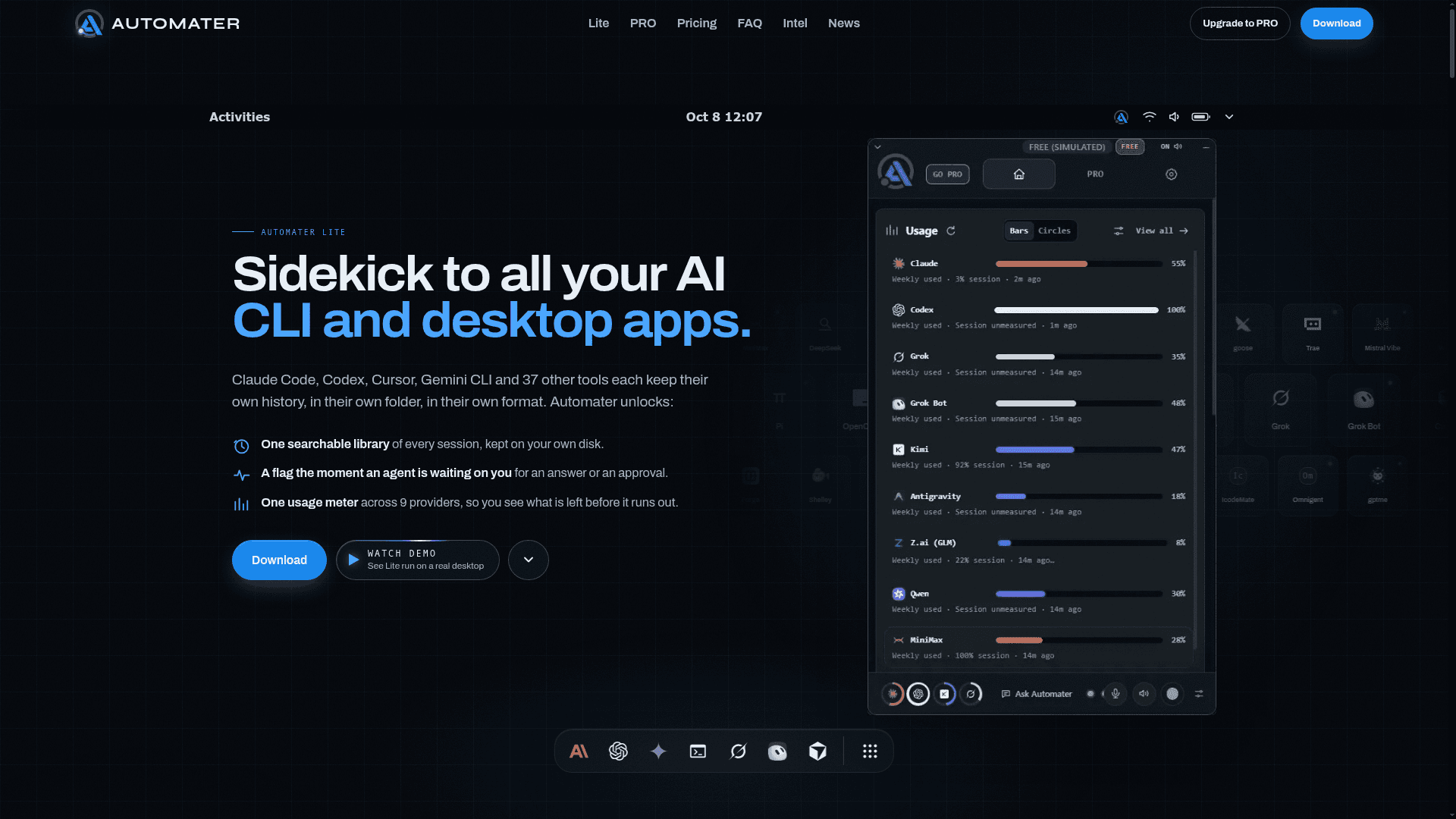
Automater is a tray app from Automater AI that collects the session transcripts written by AI coding CLIs and desktop apps into one local, searchable library. It also flags agents that are waiting on the user and shows usage across several AI providers. Automater Lite is the free tier, and Automater PRO adds actions from the same panel.
What It Is
Automater Lite runs in the system tray on Windows, macOS and Linux. According to the site, it reads the transcript files that 41 AI apps and CLIs already write, in 45 session formats, including Claude Code, Codex, Gemini, Grok, Cursor, Copilot and Aider. It indexes them locally with no plugins or setup, and the site says nothing is uploaded unless the user opts in.
What Lite Does
- Session library: full-text search across vendors, with one-click resume in the original CLI for the 11 CLIs that support it.
- Live activity: a Needs You flag appears when an agent stops for a question, permission prompt or approval.
- Usage: local token counting and quota headroom for nine providers, reading unknown rather than zero when a probe fails.
- Voice: a global hotkey for local dictation into any window using Parakeet, plus spoken agent status using Kokoro.
- Detected AI apps, themes, card layout settings and an opt-in public leaderboard.
What PRO Adds
The site describes PRO as the parts that act: Ask Automater chat with a chosen engine and screen context, managed sessions, inline replies to running sessions, and computer control with permission. It also adds Fleet and Integration Health views, a resource monitor, Live Visualizer, AI News and alerts, cloud voice and pop-out mini-apps. Beta cards include Files, Terminal, Browser and Camera FX.
Data and Platforms
The site says the library is a local file that stays on disk. Builds are available for Windows x64, macOS on Apple silicon, and Linux x86_64 as an AppImage or .deb. Updates are signed and verified. The downloads page currently notes that desktop downloads are paused for new installs during a review, while existing installs keep updating.
Community Discussions
Be the first to start a conversation about Automater
Share your experience with Automater, ask questions, or help others learn from your insights.
Pricing
Lite
Free forever, no account, no trial clock.
- 45 formats in one searchable library, resume where supported
- Usage and quota meters across 9 providers
- Leaderboard card, public profiles and README badges, free and opt-in
- Needs You flags and approval visibility, always free
- Local dictation into any window, spoken status back
PRO
Introductory offer: $15 for the first year, then $50/year; renews automatically until cancelled.
- Enhanced Grok Bots card
- Files repo and file browser (experimental)
- Terminal (experimental)
- Live Visualizer
- Browser and markdown viewer (experimental)
- Camera FX
- Everything in Lite
Capabilities
Key Features
- Searchable local library of AI CLI and desktop sessions across 45 formats
- Resume sessions in their own CLI where supported
- Needs You alerts when an agent awaits approval or an answer
- Usage and quota meters across nine providers
- Local voice dictation and spoken agent status
- Detected AI apps with live presence
- Opt-in public leaderboard and badges
- PRO: chat, managed sessions, computer control, Fleet, Live Visualizer, AI news alerts, cloud voice