
claude-sandbox
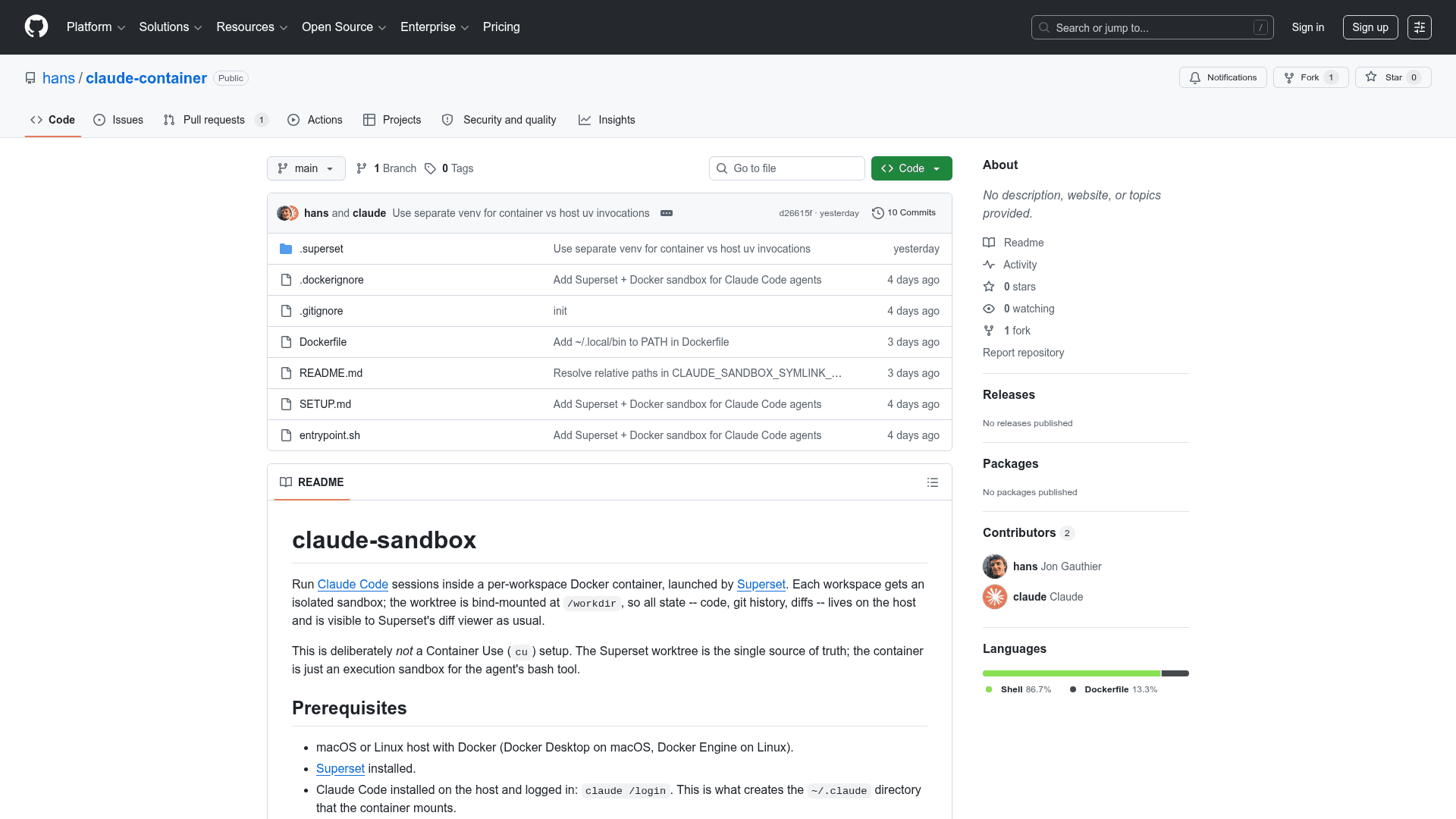
Run Claude Code sessions inside isolated per-workspace Docker containers, launched by Superset, with the worktree bind-mounted for full host visibility.
At a Glance
Free and open-source project available on GitHub.
Engagement
Available On
Alternatives
Listed May 2026
About claude-sandbox
claude-sandbox is an open-source Shell project by GitHub user "hans" that wraps Claude Code agent sessions in per-workspace Docker containers orchestrated by Superset. The worktree is bind-mounted at /workdir inside the container, so all code, git history, and diffs remain on the host and are visible to Superset's diff viewer. The project was created in May 2026 and is actively maintained on GitHub.
What It Is
claude-sandbox is a Docker-based execution sandbox for Claude Code, Anthropic's agentic coding tool. Rather than running Claude Code directly on the host, it launches each Superset workspace inside its own container, providing process and filesystem isolation while keeping the source of truth — the git worktree — on the host. It is explicitly not a Container Use (cu) setup; there is no nested branch namespace or auto-commit to a separate remote.
How the Sandbox Architecture Works
The core design centers on a single bind mount: the Superset worktree is mounted at /workdir inside the container. Several additional mounts are managed automatically by launch.sh:
- Git worktree pointer resolution: In a git worktree,
.gitis a file pointing to an absolute host path.launch.shwalks up to find the common.gitdirectory and bind-mounts it at the same absolute path inside the container so git commands work correctly. - Symlink escape handling: Symlinks in the worktree that point outside
$PWD(e.g., aresults/directory on a scratch disk) are detected, and their targets are bind-mounted at the same absolute path inside the container. Targets are read-only by default; opt-in env vars control read-write access. - Credential forwarding: On macOS, OAuth tokens live in the system keychain;
launch.shextracts theClaude Code-credentialsentry and stages it at~/.claude/.credentials.jsonon every launch.
Configuration and Environment Variables
The sandbox is configured through environment variables split into two categories: host-side variables read by launch.sh before Docker runs (set in Superset's agent environment field or exported in the shell), and container-side variables sourced from a .env file at the worktree root. Key host-side variables include CLAUDE_SANDBOX_IMAGE (which Docker image to run), CLAUDE_SANDBOX_NETWORK (bridge/host/none), and CLAUDE_SANDBOX_MOUNT_SSH (to enable SSH key forwarding for git push). Network mode tradeoffs are documented: bridge provides NAT isolation, host allows reaching localhost services, and none creates a fully hermetic sandbox.
Per-Project Extension Model
The global claude-sandbox image is kept generic. Per-project customization is handled by creating a project-local Dockerfile.project that extends FROM claude-sandbox:latest and adds project-specific dependencies (e.g., Python packages). The custom image is then referenced via the CLAUDE_SANDBOX_IMAGE environment variable. Ad-hoc one-off installs can also be done via docker exec into the running container, though those changes are lost when the container exits due to the --rm flag.
Deliberate Constraints
The project documents several things it intentionally does not do: no Container Use or nested branch namespaces, no multi-agent orchestration (Superset handles parallel workspaces by launching one container per workspace), no GPU passthrough (CPU-only), and no Windows support (macOS and Linux only). These constraints reflect a design philosophy of keeping the container as a thin execution sandbox rather than a full agent runtime environment.
Community Discussions
Be the first to start a conversation about claude-sandbox
Share your experience with claude-sandbox, ask questions, or help others learn from your insights.
Pricing
Open Source
Free and open-source project available on GitHub.
- Full source code access
- Docker-based Claude Code sandboxing
- Superset integration
- Per-project Dockerfile extension
Capabilities
Key Features
- Per-workspace Docker container isolation for Claude Code sessions
- Worktree bind-mounted at /workdir for host visibility
- Automatic git worktree pointer resolution inside container
- Symlink escape detection and bind-mounting for external targets
- macOS keychain credential extraction and forwarding
- Configurable network modes: bridge, host, none
- SSH key forwarding via CLAUDE_SANDBOX_MOUNT_SSH
- Per-project Dockerfile extension support
- Environment variable forwarding via .env file
- Superset agent integration via launch.sh