ClaudeCode Launchpad CLI
A free installer and folder-picker launcher that sets up Claude Code, Codex, GitHub Copilot CLI or Antigravity CLI for non-coders on Windows and macOS.
At a Glance
Free, MIT-licensed installer and launcher. Users pay only for the agent accounts they use, such as Claude Pro/Max/Team or an API key.
Engagement
Available On
Alternatives
Listed Nov 2026
About ClaudeCode Launchpad CLI
ClaudeCode Launchpad CLI is a free, MIT-licensed installer and launcher by Noam Brand that puts a normal window in front of terminal-based AI agents. It installs Node.js, Git and the official Claude Code, then lets users pick a folder and start working in their own language. On Windows it can set up OpenAI's Codex, GitHub Copilot CLI or Google's Antigravity CLI instead; macOS sets up Claude Code only.
What It Is
Launchpad is a setup-and-launch layer for command-line AI agents, aimed at people who do not write code. A single installer detects what is already present, installs the required tools, a light-blue terminal theme and a status bar, and then opens a folder picker. The agent works on real files in the chosen folder and saves results back, rather than relying on uploads to a chat window. It installs Anthropic's official agent rather than a wrapper, and users still need their own account for the chosen agent (for Claude Code, a Pro, Max or Team plan or an API key).
How the Launch Workflow Works
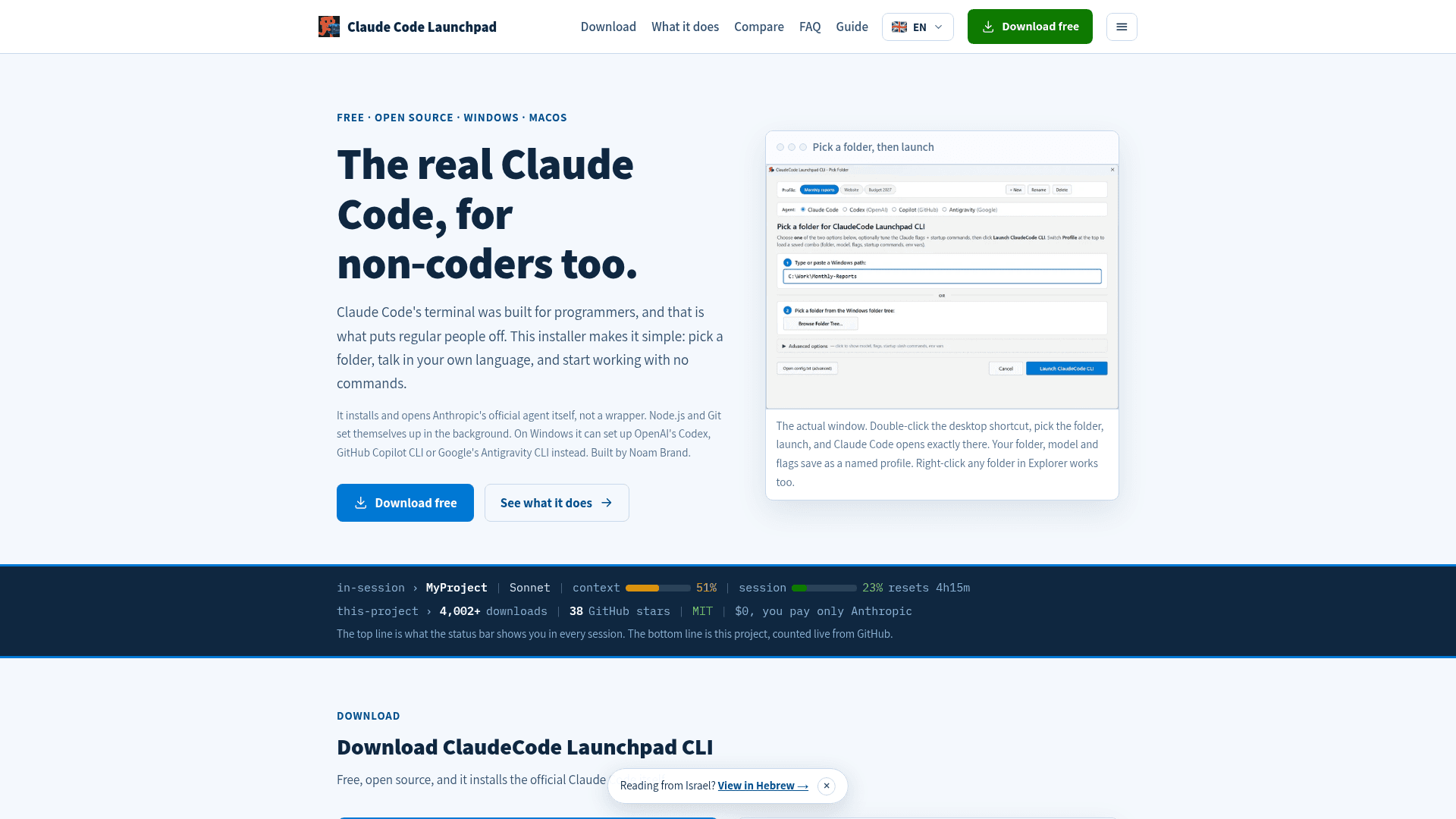
- Double-click the desktop shortcut, choose a folder by path or tree, and launch; Windows Explorer right-click entries open the agent in any folder.
- Folder, model, flags, startup slash commands and environment variables save as named profiles, with each profile keeping its own agent.
- Advanced options cover model choice (Opus, Sonnet, Haiku), quick option chips, continuing or resuming sessions, and terminal background colour.
- A two-line status bar shows project, model, context use, tokens, and 5-hour and weekly usage with reset times.
Voice Alerts, Auto-Continue and RTL
Short voice clips play when Claude finishes, needs permission or is waiting, with regular or funny modes and a global on/off switch. An opt-in auto-continue option waits for the real usage-limit reset and then resumes work; the docs state it does not bypass the limit, requires the PC to stay awake, and is off by default. On Windows with Claude Code, Hebrew, Arabic and other right-to-left replies display right to left via the bundled rtl-terminal plugin; other agents show them left to right.
Multiple Agents and Codex Hand-Off
Windows users choose among Claude Code (default), Codex, GitHub Copilot CLI and Antigravity CLI, each with its own account requirement. When both Claude Code and Codex are installed, an optional add-on lets Claude hand reviews or jobs to Codex only when asked.
Openness
The project is MIT licensed, installs only official tools, and states it has no telemetry.
Community Discussions
Be the first to start a conversation about ClaudeCode Launchpad CLI
Share your experience with ClaudeCode Launchpad CLI, ask questions, or help others learn from your insights.
Pricing
Free (MIT open source)
Free, MIT-licensed installer and launcher. Users pay only for the agent accounts they use, such as Claude Pro/Max/Team or an API key.
- MIT licensed, no account or subscription to the tool, no markup
- No telemetry
- Installs Node.js, Git, Claude Code, theme and status bar
- Windows and macOS (macOS sets up Claude Code only)
- Windows can also set up Codex, GitHub Copilot CLI or Antigravity CLI
Capabilities
Key Features
- One-click installer for Node.js, Git, Claude Code, theme and status bar
- GUI folder picker with browse tree or pasted path
- Named profiles with folder, model, flags, startup commands and env vars
- Choice of AI agent: Claude Code, Codex, GitHub Copilot CLI, Antigravity CLI (Windows)
- Two-line live status bar with context and usage limits
- Opt-in auto-continue after 5-hour usage limit reset
- Voice alerts with regular and funny modes and selectable voices
- Right-to-left Hebrew/Arabic reply display with Claude Code on Windows
- Windows Explorer right-click Open with entries
- Light-blue terminal theme with configurable background colour
- Claude-to-Codex hand-off add-on (/codex:review, /codex:rescue)
- 24+ response languages
Integrations
Demo Video