
Clinch
A local-first macOS terminal fork of Warp built for agentic engineering with Claude Code and Codex, featuring automatic session resume, remote control via Tailscale, and no telemetry.
At a Glance
About Clinch
Clinch is a free, open-source macOS terminal application built specifically for developers running AI coding agents like Claude Code and Codex. It is an independent AGPL-3.0 fork of the Warp terminal, created by Elliot (elliot-ylambda on GitHub), and is distributed as an unnotarized public preview for macOS 14 and later on both Intel and Apple Silicon.
What It Is
Clinch is a macOS terminal emulator purpose-built for agentic engineering workflows — specifically for people who run multiple Claude Code and Codex sessions simultaneously across many projects. It extends the Warp terminal's Rust-based renderer and blocks model with a layer of agent-aware features: automatic session resume, project-scoped tab organization, remote control from a phone, and real-time agent status badges. The core app runs entirely without a Clinch or Warp account, has no telemetry, no analytics, and no crash reporting by design.
How Session Resume Works
The headline feature is persistent agent context. When session capture is enabled (on by default), Clinch hooks into Claude Code and Codex via managed entries in ~/.claude/settings.json and ~/.codex/config.toml. On restart, Clinch starts a new provider process and asks it to resume the recorded conversation in the pane that originally owned it. Recovery is best-effort — provider retention, deleted transcripts, and abrupt power loss can prevent an exact restore — but the system handles normal quit, relaunch, and undo-close flows.
Agent-Focused Feature Set
Clinch ships a dense set of features aimed at managing many parallel AI coding threads:
- Automatic worktree tabs: new agent tabs in a Git repo open in auto-generated linked worktrees on unique branches
- Usage meter in tab bar: Claude Code and Codex transcript totals, estimated cost, and model names visible per tab
- Rate-limit auto-continue: Clinch counts down a recognized rate-limit window and sends "continue" automatically
- Attention badges and cycling: tab badges and macOS notifications when an agent is waiting; one shortcut cycles to the next waiting agent
- Quick-reply buttons: Continue and LGTM buttons under live Claude Code and Codex panes; Clinch can also detect repeated prompts and offer to turn them into custom quick-insert buttons
- Fork and compact: invoke the provider CLI to fork a recorded session into a new tab, or send /compact from the pane footer
- Skills panel: browse Claude Code and Codex skills discovered for the active project
- Project hover overview: hover a project tab to see live agent status without switching
Remote Control (Beta)
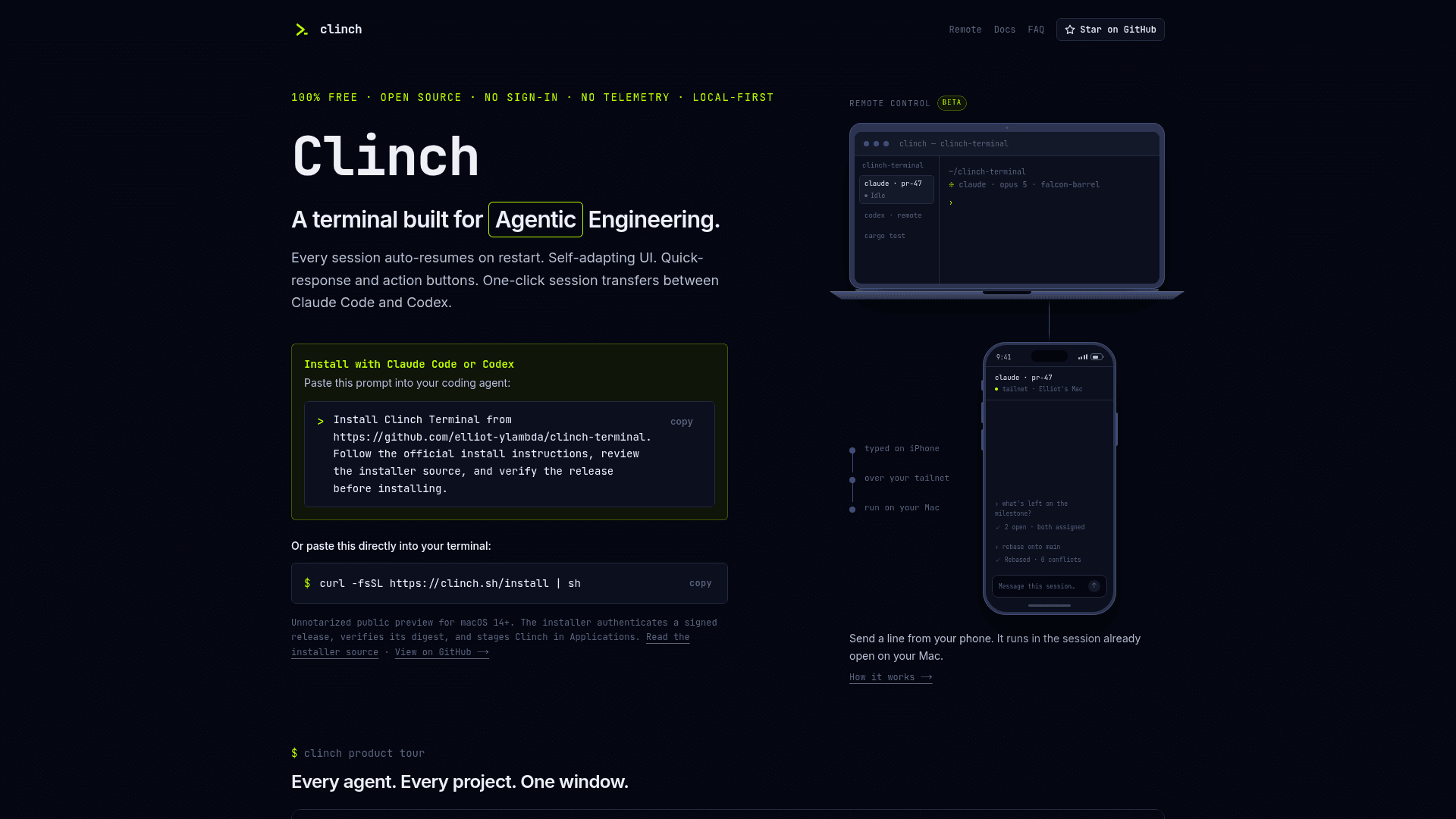
Clinch includes a beta Remote Control feature that lets users send input to running agent sessions from Safari on an iPhone, over a private Tailscale network. There is no hosted relay and no terminal traffic through clinch.sh — the Mac stays the host and the phone acts as a view and keyboard. Pairing uses a single-use QR invitation that expires in five minutes; paired devices stay authorized for 90 days. Remote Control is off by default and requires Tailscale on both devices.
Privacy and Open-Source Architecture
Clinch is built on a strict no-telemetry architecture. The stable channel ships with telemetry_config: None and crash_reporting_config: None; every inherited Warp backend URL is replaced with an unroutable RFC 5737 black-hole address so no code path can deliver data to a Warp service. The binary links no crash-reporting framework and contains no RudderStack destination, Sentry DSN, or analytics SDK. The only automatic network request is an at-most-daily signed update check against the GitHub releases page, which can be disabled. These invariants are enforced by automated tests in the build.
Update: v0.2026.08.17.1605
The latest release as of August 2026 is v0.2026.08.17.1605, published on 2026-08-18. The project introduced an in-app updater in v0.2026.07.20.1643; installations older than that version require one bootstrap reinstall via the curl installer. The release process is fully local — no GitHub Actions jobs run for publication — and each release ships signed checksums, a CycloneDX SBOM, and a vendored Corresponding Source archive for offline builds. The project is actively maintained with recent pushes and open issues tracked on GitHub.
Community Discussions
Be the first to start a conversation about Clinch
Share your experience with Clinch, ask questions, or help others learn from your insights.
Pricing
Free & Open Source
Fully free, open-source macOS terminal with all features included. No account, no telemetry, no paid tiers.
- All agent-aware terminal features
- Session resume for Claude Code and Codex
- Remote Control (beta) via Tailscale
- Usage meter and rate-limit auto-continue
- No account required
Capabilities
Key Features
- Automatic session resume for Claude Code and Codex on restart
- Project tabs for organizing terminal tabs, splits, and agent sessions
- Remote control via Tailscale from Safari on iPhone
- Usage meter showing transcript totals, estimated cost, and model names in tab bar
- Rate-limit auto-continue for Claude Code and Codex
- Attention badges and macOS notifications when agents are waiting
- Agent attention cycling shortcut to focus next waiting agent
- Quick-reply buttons (Continue, LGTM) under live agent panes
- Automatic worktree tabs for isolated Git branches per agent
- Fork and compact session controls
- Skills panel for browsing Claude Code and Codex skills
- Project hover overview with live agent status
- Conversation finder to reopen recent captured sessions
- Agent file links with Cmd-click to open files from TUI output
- Shell command status indicators for background commands
- Image preview pane for SVG, PNG, JPEG, GIF, WebP
- Tab tear-off into separate windows
- Vertical tab rail layout for running many agents
- Project header colors for visual window differentiation
- No telemetry, no analytics, no crash reporting, no account required