
Clopen
Open-source web workspace that combines AI coding agents, terminal, git, browser preview, and database client in one interface.
At a Glance
Self-hosted Clopen workspace under the MIT License; free to use, copy, modify and distribute.
Engagement
Available On
Listed Nov 2026
About Clopen
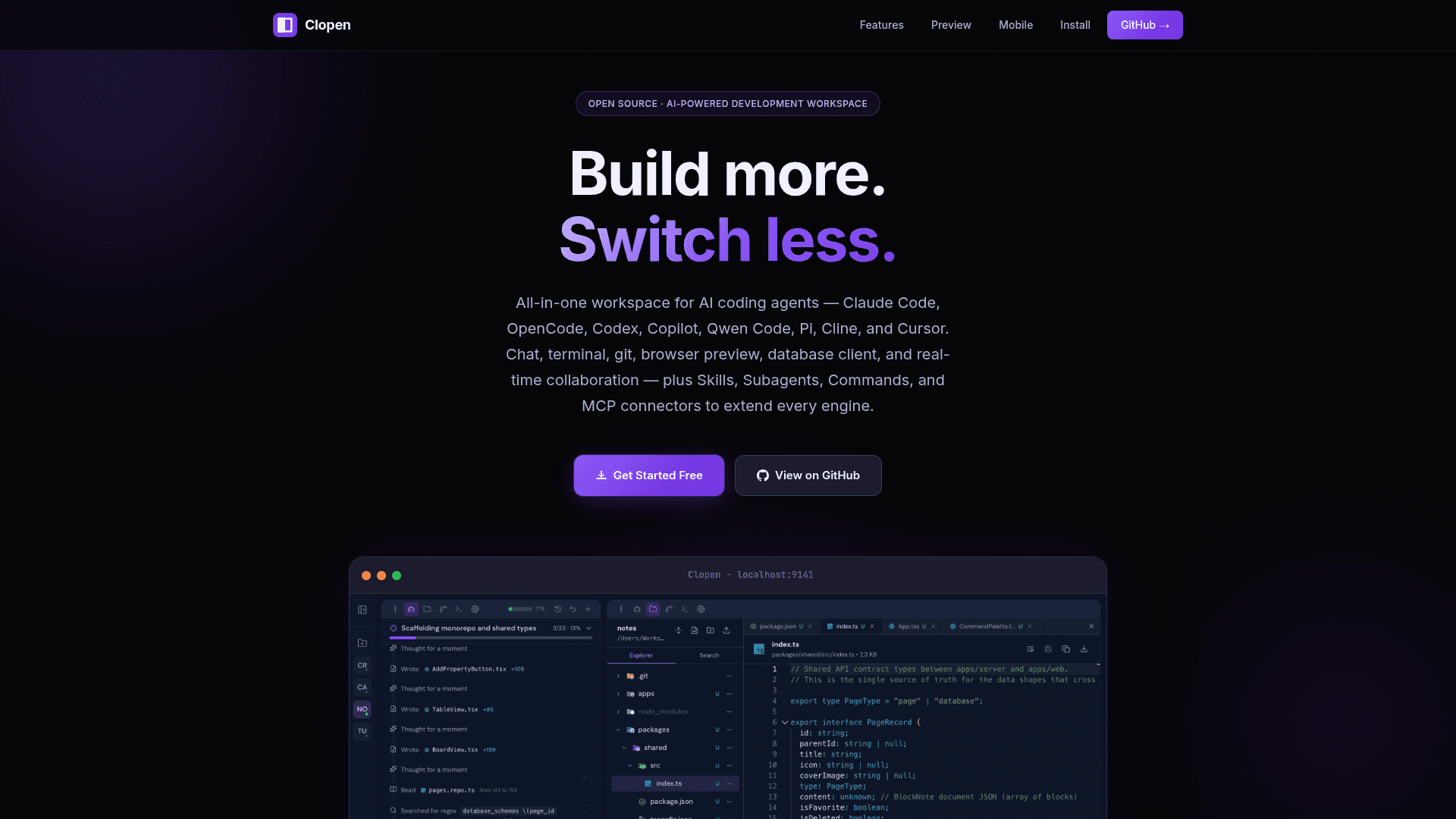
Clopen is an open-source workspace from MyriaLabs that brings multiple AI coding agents into a single browser-based interface. It runs locally as a server on localhost:9141 and combines AI chat, a terminal, git management, a Monaco file editor, a live browser preview, and a database client. It is published under the MIT License and installed through Bun.
What It Is
Clopen is a development workspace built around AI coding engines rather than a single assistant. It supports Claude Code, OpenCode, Codex, GitHub Copilot, Qwen Code, Pi, Cline, and Cursor, and lets you pick the engine per chat session. Multiple accounts can be managed per engine and switched per session, with credentials isolated per account.
Workspace Tools
The workspace includes a multi-tab xterm.js terminal, a git UI covering stage, commit, branch, push, pull, stash, log, and conflict resolution, and a Monaco editor with live file watching. A live Chromium browser preview streams into the workspace, where you can interact manually or let the AI click, type, and scroll for visual testing. The built-in database client connects to PostgreSQL, MySQL, SQLite, MongoDB, and Redis, with optional SSH tunneling.
Extending and Sharing
Connectors let you browse the Model Context Protocol registry, connect via OAuth or custom env vars and headers, and sync them across engines. Skills, Commands, Subagents, shared Instructions, and Permissions can be defined once and synced across every engine. Git-like checkpoints snapshot files so you can branch and roll back AI sessions without touching your git history. A Cloudflare Tunnel option creates a public HTTPS URL with a QR code, and remote access lets other devices join with a one-time link.
Setup Path
Clopen requires Bun v1.2.12+ and at least one supported AI engine, which can be installed from the in-app Stack panel. Install with the global Bun package, then run the clopen command; a first-run wizard covers authentication mode (No Login or With Login), stack installation, engine sign-in, and preferences. Chat, terminal, and other processes keep running in the background if the browser is closed.
Community Discussions
Be the first to start a conversation about Clopen
Share your experience with Clopen, ask questions, or help others learn from your insights.
Pricing
Open Source (MIT)
Self-hosted Clopen workspace under the MIT License; free to use, copy, modify and distribute.
- Multi-engine support: Claude Code, OpenCode, Codex, Copilot, Qwen Code, Pi, Cline, Cursor
- Integrated terminal, git management, browser preview, database client
- Checkpoints, MCP connectors, Skills, Commands and Subagents
- Cloudflare Tunnel public URL and remote access
- Requires Bun.js v1.2.12+ and at least one supported AI engine (engine accounts/subscriptions are external costs)
Capabilities
Key Features
- Multi-engine support (Claude Code, OpenCode, Codex, Copilot, Qwen Code, Pi, Cline, Cursor)
- Multiple accounts per engine
- Reasoning effort control
- Integrated multi-tab terminal
- Full git management UI
- Live browser preview with AI-driven visual testing
- Database client for PostgreSQL, MySQL, SQLite, MongoDB, Redis with SSH tunneling
- Git-like checkpoints with branching undo/redo
- Remote access via one-time link or QR code
- Monaco file editor
- Cloudflare Tunnel public HTTPS URL
- MCP connectors with registry browsing and OAuth
- Skills, Commands, Subagents, Instructions and Permissions synced across engines
- Flexible authentication modes
- One-click stack installer for engines and tools
- Background processing
- Responsive on desktop and mobile