
Continue
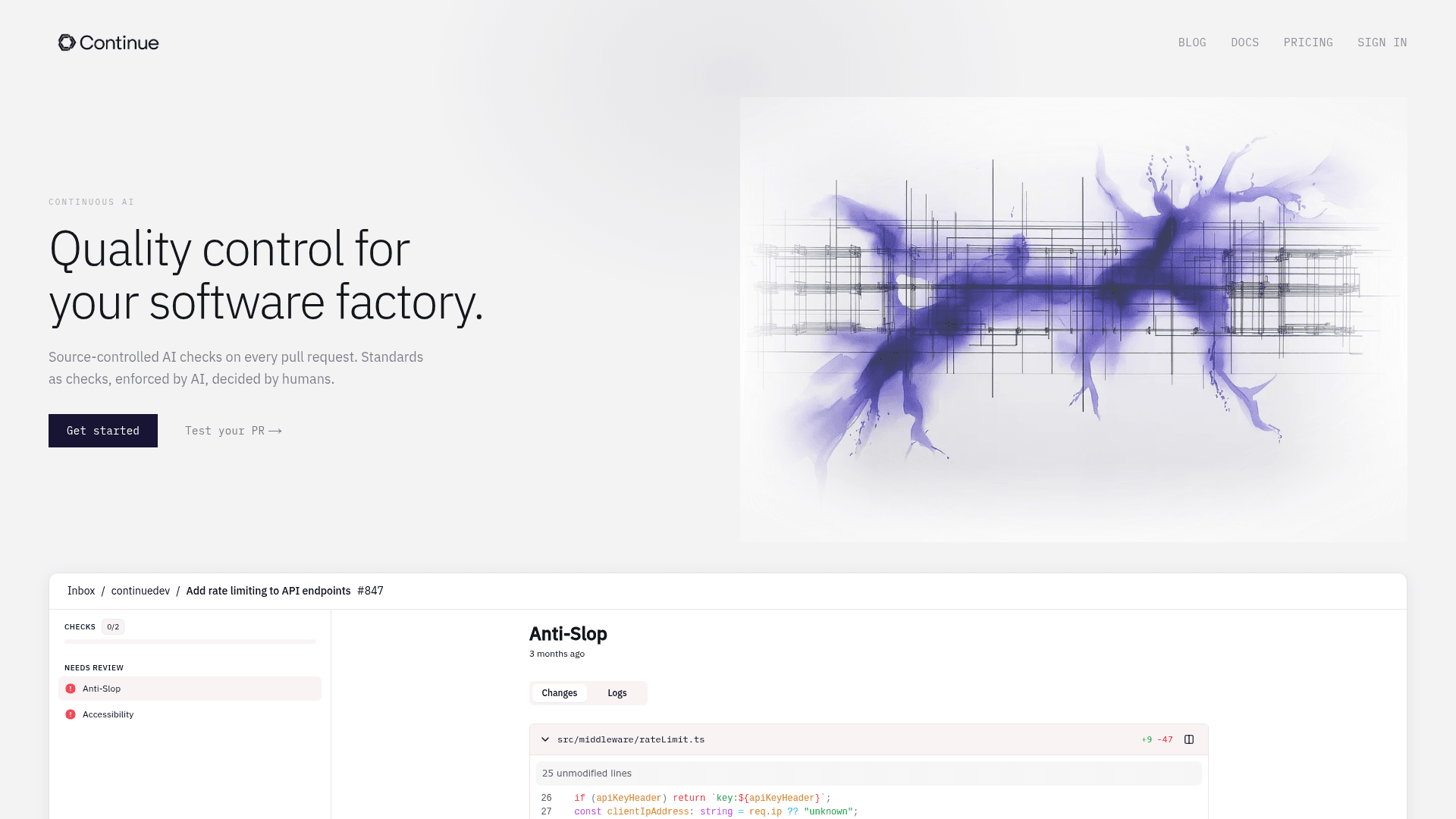
Source-controlled AI checks that run on every pull request as native GitHub status checks, enforcing your engineering standards automatically.
At a Glance
About Continue
Continue is an open-source platform built by Continue Dev, Inc. that brings AI-powered quality control to software development workflows. It runs agents on every pull request as native GitHub status checks, enforcing coding standards defined as markdown files stored directly in your repository. The project is licensed under Apache 2.0 and backed by Y Combinator and Heavybit.
What It Is
Continue sits in the "Continuous AI" category — a layer of automated enforcement that wraps around your existing code review process rather than replacing it. Each AI check is a markdown file placed at .continue/checks/ in your repo. When a pull request opens, Continue runs agents against those files and returns a green pass or a red failure with a suggested diff. The checks are source-controlled, meaning they evolve with your codebase and are versioned like any other engineering artifact.
How the Check System Works
The core workflow is straightforward:
- Write a check as a YAML-frontmatter markdown file describing what to look for (e.g., "no hardcoded secrets," "all new API endpoints have input validation").
- Continue runs that check as a GitHub status check on every PR.
- If code misses the mark, the agent returns a suggested fix diff rather than just a failure message.
- Checks are scoped to what you define — the platform does not inject unsolicited opinions or catch bugs outside your stated standards.
The homepage describes this as "consistency over breadth": only enforce what you told them to catch, and never miss it.
Open-Source CLI and Extension Ecosystem
The underlying engine is the open-source Continue CLI (cn), installable via shell script on macOS/Linux, PowerShell on Windows, or npm (requires Node.js 20+). The GitHub repository also hosts a VS Code extension and a JetBrains plugin. As of the latest GitHub data, the repository has accumulated over 33,000 stars and more than 4,500 forks, with active development continuing through early 2026.
Architecture and Deployment Model
Continue integrates directly with GitHub as a native status check provider. Checks are defined in the repository itself, making them portable and auditable. The platform connects to integrations including Slack, Sentry, and Snyk. Teams can bring their own API keys (BYOK) at the enterprise tier, and the agent runtime supports frontier models purchased via credits.
Update: v1.2.22-vscode
The latest tagged release is v1.2.22-vscode, published March 27, 2026. The repository shows active pushes as recently as May 2026, indicating ongoing development. The project's stated direction — framed as "Continuous AI" — positions the checks system as the primary product surface, with the CLI and IDE extensions serving as the open-source foundation underneath.
Community Discussions
Be the first to start a conversation about Continue
Share your experience with Continue, ask questions, or help others learn from your insights.
Pricing
Starter
Try agents and get started with pay-as-you-go credits
- Create and run AI agents
- Connect integrations like Slack, Sentry, and Snyk
- Buy credits for frontier models
Team
For teams that need centralized management
- Everything in Starter, plus:
- Manage and share private agents across your team
- Control which agents your team can use
- Gmail/GitHub SSO login
Company
For enterprises with security and compliance needs
- Everything in Starter & Team, plus:
- Custom SSO with SAML or OIDC
- Bring your own API keys (BYOK)
- Commitment, invoicing, and SLA
Capabilities
Key Features
- AI checks on every pull request
- Source-controlled checks as markdown files
- Native GitHub status checks
- Suggested fix diffs on failures
- Open-source CLI (cn)
- VS Code extension
- JetBrains plugin
- Slack, Sentry, and Snyk integrations
- Bring your own API keys (BYOK)
- Custom SSO with SAML or OIDC
- Team agent management and sharing
- Credits for frontier models
Integrations
Demo Video