
At a Glance
Free on any account. Install the Cosyra CLI on your Mac, Linux computer or VPS to use its terminals and agents from your phone.
Eligible new users can start a 7-day free trial in the App Store app.
Engagement
Available On
Alternatives
Updated Nov 2026
About Cosyra
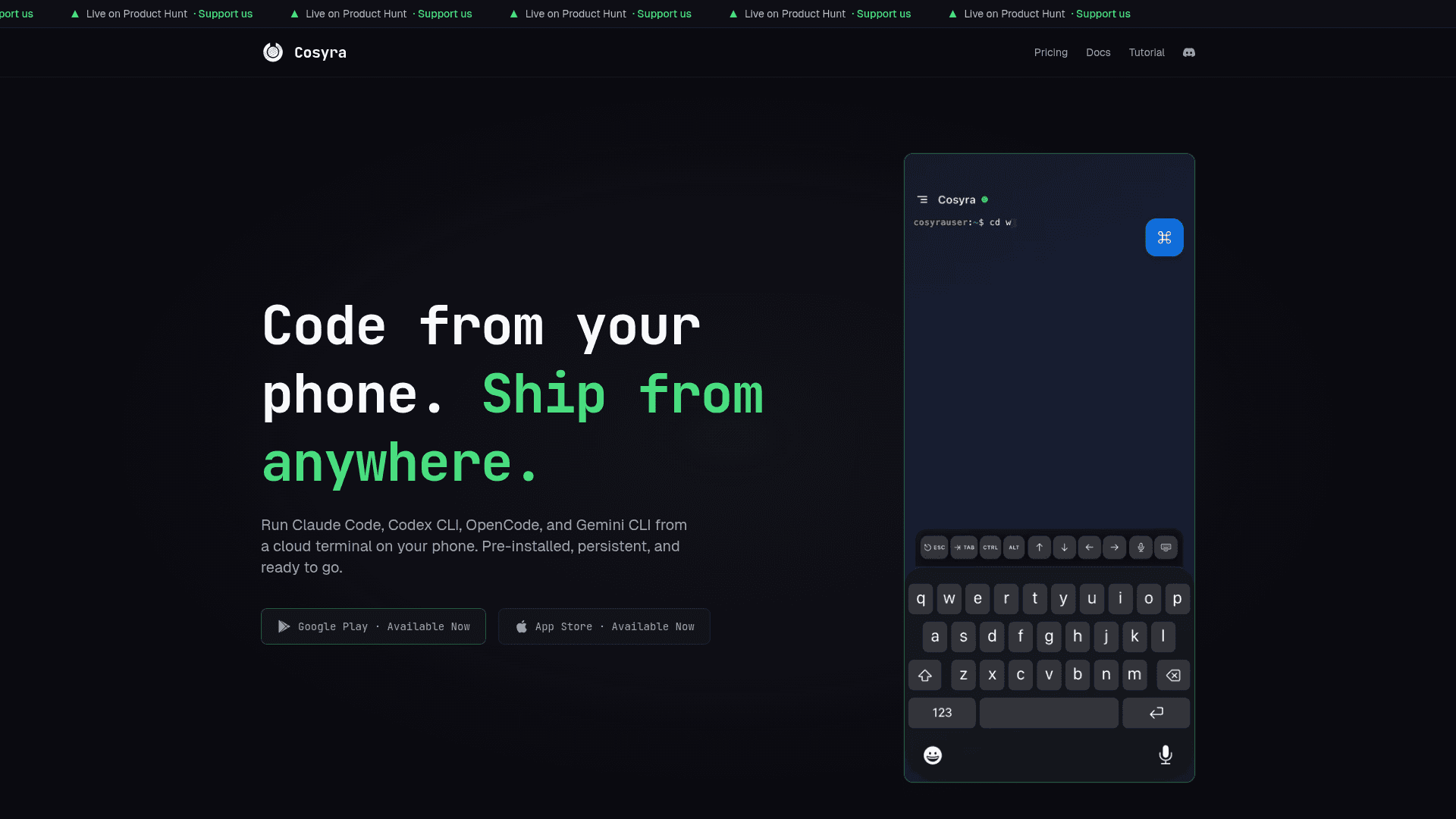
Cosyra is a mobile development terminal that brings AI coding agents to your phone, eliminating the need for a laptop or SSH setup. It provides an isolated Ubuntu cloud container with Claude Code, Codex CLI, OpenCode and Antigravity CLI pre-installed, so developers can build, review, and ship code from anywhere. Users bring their own API keys from Anthropic, OpenAI, or other providers, keeping full control over usage and billing. The app is available on both iOS and Android with a consistent terminal experience across devices.
- Pre-installed AI coding agents — Claude Code, Codex CLI, OpenCode and Antigravity CLI are ready to use out of the box; just bring your API key and start coding.
- Full Linux terminal — Ubuntu container with Node.js, Python, Git, tmux, vim, and cloud CLIs included; install additional packages as needed.
- 30 GB persistent storage — Files and projects persist between sessions so your work is always where you left it.
- Persistent workspace and hibernation — Core and Pro workspaces persist and can hibernate between sessions.
- GitHub integration — Connect your GitHub account, browse repositories, and clone projects directly into your Cosyra workspace from the app.
- Localhost preview — Run development servers and preview applications inside the app; Cosyra detects the port and surfaces the task in the sidebar.
- Mobile terminal toolbar — On-screen ESC, TAB, CTRL, ALT, and arrow keys make terminal navigation practical on a phone keyboard.
- Voice dictation — Dictate terminal commands using the built-in microphone button for hands-free input.
- Bring-your-own-key model — API keys are stored using platform-native encryption on your device and transmitted to your container over an encrypted connection.
- Isolated cloud containers — Each user gets a private environment; code and files are not shared across accounts.
Community Discussions
Be the first to start a conversation about Cosyra
Share your experience with Cosyra, ask questions, or help others learn from your insights.
Pricing
Remote Control
Free on any account. Install the Cosyra CLI on your Mac, Linux computer or VPS to use its terminals and agents from your phone.
7-day App Store trial
Eligible new users can start a 7-day free trial in the App Store app.
Core (Monthly)
Core (Monthly) plan with Up to 2 vCPU and 4 GB guaranteed memory.
- Up to 2 vCPU
- 4 GB guaranteed memory
- 120 workspace hours per month
- Persistent workspace and hibernation
Pro (Monthly)
Professional plan with Up to 2 vCPU and 8 GB burstable memory for power users.
- Up to 2 vCPU
- 8 GB burstable memory
- 120 workspace hours per month
- Persistent workspace and hibernation
- Priority support
Capabilities
Key Features
- Pre-installed Claude Code, Codex CLI, OpenCode and Antigravity CLI
- Full Ubuntu Linux terminal
- 30 GB persistent storage
- Persistent workspace and hibernation
- GitHub integration and repository cloning
- Localhost development server preview
- Mobile terminal toolbar (ESC, TAB, CTRL, ALT, arrow keys)
- Voice dictation for terminal commands
- Bring-your-own-key model
- Isolated cloud containers per user
- tmux, vim, Node.js, Python, Git pre-installed
- In-app subscription management
Integrations
Demo Video