Decode
A multiplayer infinite canvas that connects coding agents via MCP so teams can plan, prototype, and review UI with diagrams, wireframes, and live app previews.
At a Glance
Get started free with the Decode canvas and MCP server.
Engagement
Available On
Alternatives
Updated Jul 2026
About Decode
Decode is a multiplayer infinite canvas built for teams working with AI coding agents. It connects to agents like Cursor and Claude Code via a Desktop MCP Server, letting developers show agents exactly what to build using diagrams, wireframes, markdown plans, and reference screenshots — all on one shared board. The tool is currently in public alpha.
What It Is
Decode sits at the intersection of visual collaboration and AI-assisted development. Instead of writing long text prompts to describe UI intent, developers put plans, sketches, and live app previews directly on a canvas that agents can read. The core idea is replacing the "2,000-word prompt describing user experiences" with a visual board that agents interpret directly.
How the Canvas Workflow Works
The board supports a full plan-build-review loop in one place:
- Plan: Write markdown specs, draw wireframes, paste reference screenshots, and create flow diagrams side by side.
- Build: Connect agents via the Desktop MCP Server; they read the board and generate code from what's on it.
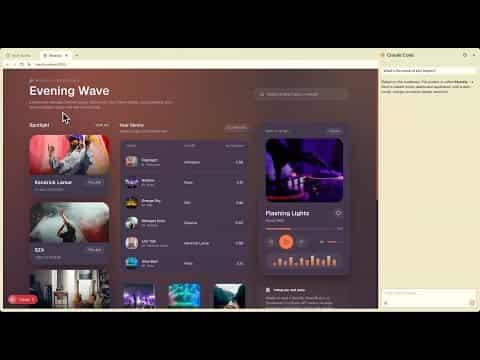
- Review: Add live previews of your running app — every route and state — and circle what's wrong directly on the UI in ink. Agents read the ink annotations and fix exactly what was marked.
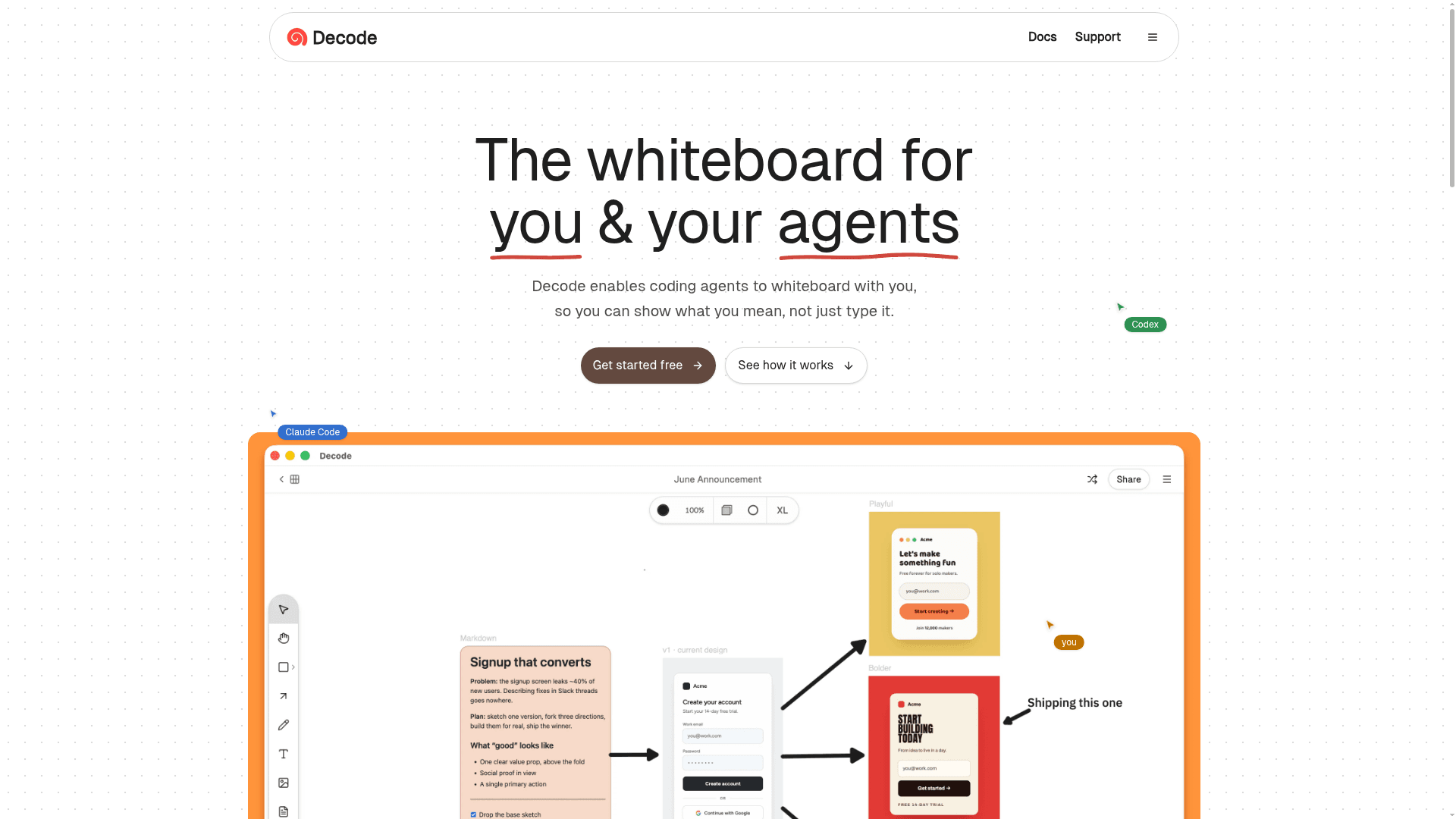
- Prototype in parallel: Fork a sketch into multiple design directions (e.g., playful, bold, minimal), compare them side by side, then graduate the winning version into real production code.
MCP Integration and Agent Connectivity
Decode exposes a Desktop MCP Server that coding agents connect to. The homepage explicitly lists Cursor and Claude Code (with Codex mentioned) as supported agents. Once connected, agents can read the full board context — diagrams, plans, sketches, and ink annotations — rather than relying solely on text chat. This positions Decode as a context-engineering layer between human intent and agent execution.
Multiplayer and Team Review
The canvas is multiplayer: named cursors, real-time ink annotations, and sticky notes let PMs, designers, engineers, and agents collaborate on the same board simultaneously. The live preview feature renders actual app screens from source code so the whole team can annotate the running UI together, not static mockups.
Why It Got Attention
Decode launched into public alpha and collected reactions from developers at Replit, Luma, and others (quoted on the homepage), as well as from Joshua McKenty, co-founder of OpenStack. Public comments describe it as filling a long-felt gap — a visual layer for communicating intent to AI coding tools. One commenter from the VS Code extension community called it "one of the more innovative vscode extensions I've seen," reflecting its roots as a developer-facing canvas tool.
Community Discussions
Be the first to start a conversation about Decode
Share your experience with Decode, ask questions, or help others learn from your insights.
Pricing
Free
Get started free with the Decode canvas and MCP server.
- Infinite canvas
- Desktop MCP Server
- Live app previews
- Multiplayer collaboration
- Ink annotations
Capabilities
Key Features
- Infinite multiplayer canvas
- Desktop MCP Server for agent connectivity
- Live app preview panels (rendered from real source code)
- Ink annotation on live UI for agent-readable feedback
- Markdown plan editor
- Wireframe and diagram creation
- Reference screenshot embedding
- Parallel prototype forking and comparison
- Real-time multiplayer cursors and sticky notes
- Supports Cursor, Claude Code, and Codex agents
Integrations
Demo Video