
EveryDev.ai
Subscribe
Home
Tools

4,376+ AI tools

  • New
  • Trending
  • Featured
  • Rate tools
  • Compare
  • Arena
Categories
  • Agents3274
  • Coding2275
  • Infrastructure1000
  • Projects696
  • Marketing636
  • Research587
  • MCP532
  • Design508
  • Analytics506
  • Testing394
  • Security376
  • Data327
  • Integration244
  • Prompts244
  • Communication235
  • Extensions217
  • Voice193
  • Learning190
  • Commerce170
  • DevOps153
  • Web103
  • Finance36
AI Tools by Topic
  • AI Coding Assistants
  • Agent Frameworks
  • MCP Servers
  • AI Prompt Tools
  • Vibe Coding Tools
  • AI Design Tools
  • AI Database Tools
  • AI Website Builders
  • AI Testing Tools
  • LLM Evaluations
Follow Us
  • X / Twitter
  • LinkedIn
  • Reddit
  • Discord
  • Threads
  • Bluesky
  • Mastodon
  • YouTube
  • GitHub
  • Instagram
Get Started
  • Users
  • Rate Tools
  • About
  • Editorial Standards
  • Corrections & Disclosures
  • Community Guidelines
  • Advertise
  • Contact Us
  • Newsletter
  • Submit a Tool
  • Start a Discussion
  • Write A Blog
  • Share A Build
  • Terms of Service
  • Privacy Policy
Explore with AI
  • ChatGPT
  • Gemini
  • Claude
  • Grok
  • Perplexity
Agent Experience
  • llms.txt
Theme
With AI, Everyone is a Dev. EveryDev.ai © 2026
    1. Home
    2. Tools
    3. Giotto
    Giotto icon

    Giotto

    MCP Tools
    Featured

    A live diagram canvas that coding agents draw on via MCP, with versioned edits, animated scenes, and SVG, PNG and MP4 export.

    Visit Website

    At a Glance

    Pricing
    Open Source

    The project's package.json declares MIT. Install and run locally with your own MCP-compatible coding agent. Agent/model-provider costs are separate; no vendor-hosted paid plan was found.

    Engagement

    Available On

    CLI
    Web
    API

    Resources

    WebsiteDocsGitHubllms.txt

    Topics

    MCP Tools3D and AnimationDocumentation

    Alternatives

    DecodePolyporeArmature
    Developer
    Nicolò BoschiItaly

    Listed Oct 2026

    About Giotto

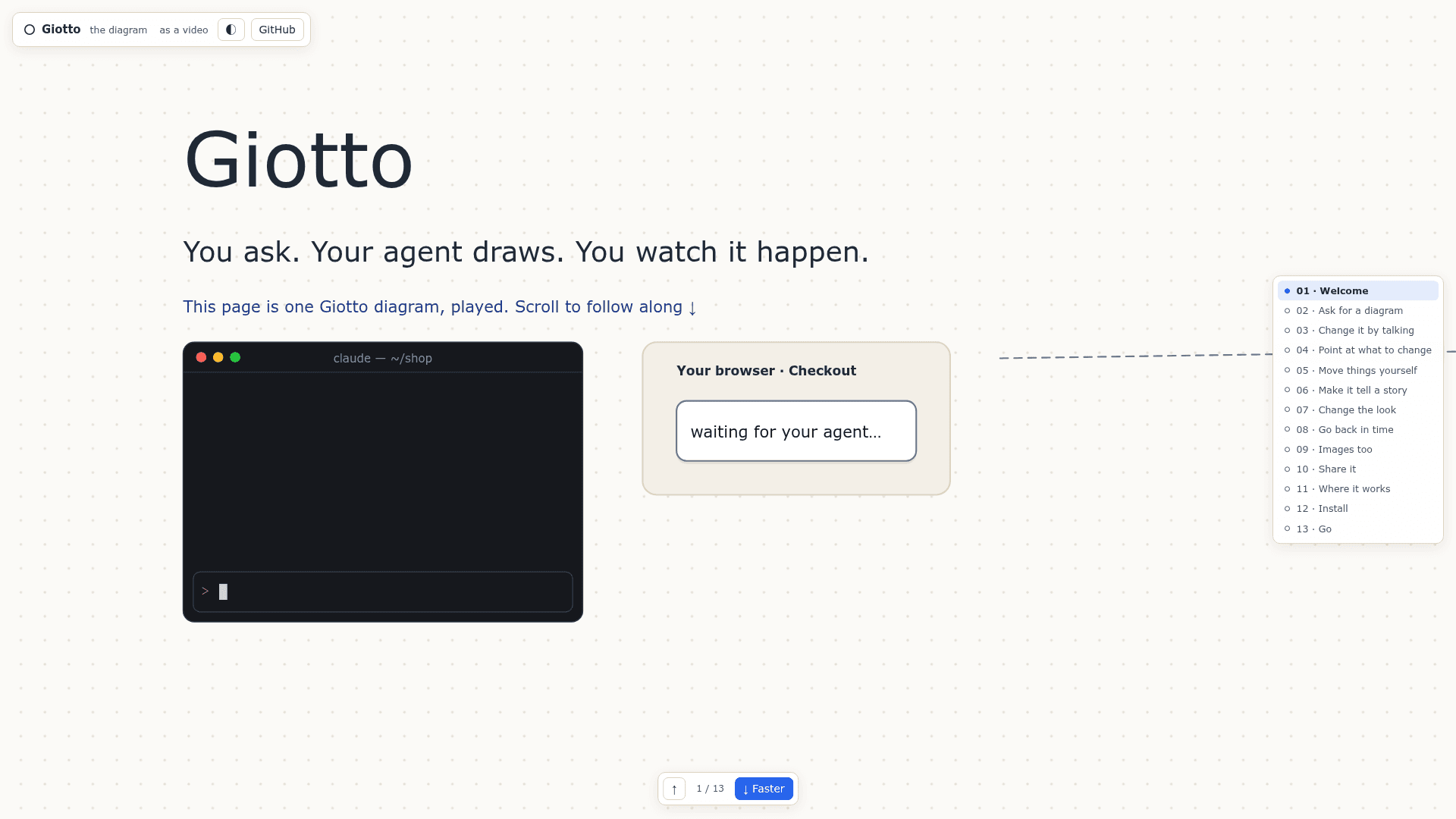
    Giotto gives coding agents such as Claude Code and Codex, or any agent that speaks MCP, a canvas for drawing diagrams. You ask in chat, the agent draws, and the diagram appears live in your browser. It is hosted on GitHub by nicoloboschi.

    What It Is

    Giotto is an MCP-based diagram tool for coding agents. The agent already knows your repository, and Giotto supplies a live canvas at localhost:4321 where its diagrams appear. Diagrams are stored as JSON files in ~/.giotto, and agents can edit them but never delete them.

    How the workflow works

    Groups lay out their children, boxes fit their text, notes stay pinned and arrows route around boxes, so no coordinates are needed. You can move, resize and rename elements by hand, and the agent sees where you placed them. You can also draw areas on the canvas, write what should change in each, and copy them as one "Requested changes" note for the agent. Every change is saved as a numbered version that can be restored.

    Styles, scenes and exports

    Styles are separate from diagrams: the active style controls appearance, including dark mode and export headers and footers, and agents can make and change styles. Scenes animate a diagram with packets traveling along arrows, boxes filling in, narration, camera moves and a terminal or cursor, and they can be exported as an animated SVG or MP4. Pages let the agent write HTML for non-diagram images such as cards, posters and charts, exported as PNG, which needs Chrome. Diagrams export to SVG or PNG, and the agent gets the picture back with warnings about overlaps or text that does not fit.

    Setup path

    Install with the npx skills command, then ask your agent for a diagram. It requires git and Node.js 20+. Other agents can point their MCP config at the giotto CLI. For ChatGPT and Claude.ai, the MCP server can run over HTTP behind a tunnel so diagrams render inside the chat. A hosted mode serves MCP from any Node host.
    Giotto - 1

    Community Discussions

    Be the first to start a conversation about Giotto

    Share your experience with Giotto, ask questions, or help others learn from your insights.

    Pricing

    OPEN SOURCE

    Local edition (MIT declared)

    The project's package.json declares MIT. Install and run locally with your own MCP-compatible coding agent. Agent/model-provider costs are separate; no vendor-hosted paid plan was found.

    Capabilities

    Key Features

    • Live browser canvas with diagram sidebar
    • Automatic layout without coordinates
    • Rich boxes with titles, lists, tags, chat bubbles and code
    • Visual change requests via drawn areas
    • Numbered version history with restore
    • Separate styles with gallery and dark mode
    • Animated scenes exported as SVG or MP4
    • HTML pages exported as PNG
    • SVG and PNG export with overlap and fit warnings
    • MCP tools for creating, editing, exporting and restoring diagrams

    Integrations

    Claude Code
    Codex
    ChatGPT
    Claude.ai
    MCP
    ngrok
    Manufact
    API Available
    View Docs

    Ratings & Reviews

    No ratings yet

    Be the first to rate Giotto and help others make informed decisions.

    Rate other tools you’ve used

    Developer

    Nicolò Boschi

    Lead Software Engineer @vectorize-io Hindsight | ASF Member | Apache Pulsar PMC, Committer | Apache BookKeeper Committer

    Italy
    Read more about Nicolò Boschi
    WebsiteGitHubX / Twitter
    1 tool in directory

    Similar Tools

    Decode icon

    Decode

    A multiplayer infinite canvas that connects coding agents via MCP so teams can plan, prototype, and review UI with diagrams, wireframes, and live app previews.

    Polypore icon

    Polypore

    Agentic desktop IDE with a modular dockable panel system, built-in MCP server, and support for Claude and Codex CLIs across Windows, macOS, and Linux.

    Armature icon

    Armature

    Armature provides MCP analytics and evals for product teams, capturing agent sessions from Claude, ChatGPT, and other AI clients to surface user intent, issues, and regressions.

    Browse all tools

    Related Topics

    MCP Tools

    Tools built with the Model Context Protocol for specific tasks.

    113 tools

    3D and Animation

    AI-powered tools for creating, manipulating, and animating 3D models, characters, and environments with intelligent rigging, texturing, and motion synthesis.

    48 tools

    Documentation

    AI-driven tools that automatically generate, maintain, and organize technical documentation, user guides, and project artifacts with context-aware content and intelligent updating.

    105 tools
    Browse all topics
    Back to all toolsSuggest an edit
    ratings
    discussions