
DevIntern
Self-hosted worker that picks up ready Jira, Linear and other tracker tickets, runs your coding agent, and opens pull requests for review.
At a Glance
The full interactive product, used from your terminal with no time limit. Unattended runs are not included.
Run the unattended worker on your own machine with no task limit. Sign-in required. The 14 days start when the worker is ready to run.
Engagement
Available On
Alternatives
Listed Nov 2026
About DevIntern
DevIntern is a self-hosted worker built by Daniil Pokrovsky that turns ready tracker tickets into pull requests using the coding agent a team already uses. It polls trackers such as Jira, Linear and GitHub Issues, runs agents like Claude Code, Codex, Cursor or OpenCode in isolated worktrees, and follows up on review feedback on the same branch. The source is public under the Functional Source License, and each release converts to Apache-2.0 after two years.
What It Is
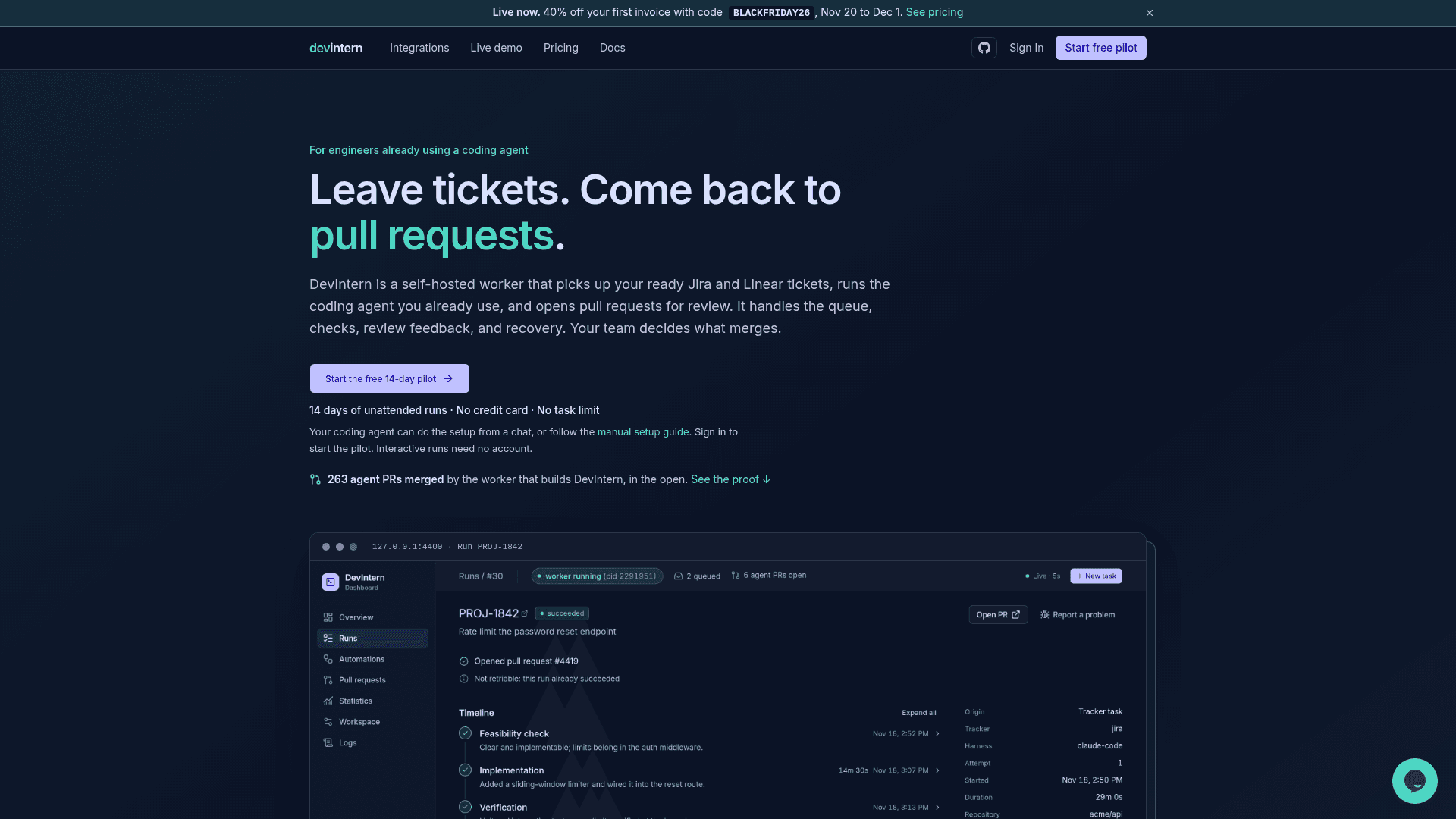
DevIntern is a long-running daemon (devintern worker) that watches a backlog for tickets matching a query you choose, such as a status, label or JQL filter. For each ready ticket it routes the work to the right repository, runs a feasibility check, implements the change with your configured coding agent, verifies it, and opens a pull request. The implementation summary and PR link are posted back to the ticket. Humans remain responsible for specs, review and merge decisions.
How the Review Loop Works
- A feasibility gate flags vague tickets back to the tracker with questions instead of producing a wrong PR.
- Optional auto-review lets the agent critique and fix its own diff before human review.
- Reviewer comments are picked up and addressed as commits on the same branch, and merge conflicts can be resolved by merging the base branch tip into the PR branch.
- Commenting an @mention on a PR directs the bot, limited to users with push access.
- A persistent local SQLite queue, crash recovery and rate-limit pause and resume keep runs going unattended.
Dashboard and Workspaces
A local dashboard on loopback (port 4400 by default) shows active work, run history stage by stage, pull requests awaiting review, and scheduled automations. A workspace.toml connects multiple teams, trackers and repositories to one worker, with per-repository agent and pipeline settings. Scheduled automations turn a cron schedule plus a prompt into the ticket-to-PR pipeline, and Sentry monitoring can turn recurring errors into bugfix tasks.
Setup Path
Setup requires Bun, an installed and authenticated coding agent, and access to your tracker and source-control host. Install with bun install -g @getdevintern/code and run devintern worker init for guided setup. Interactive single-ticket runs (devintern PROJ-123 --create-pr) need no account; unattended automation starts with a 14-day pilot that requires sign-in. Agent execution runs on your machine with your own keys. Optional agent skills let a coding agent handle setup, workspace configuration and delegation, and DevIntern PM is optional intake for turning prompts, logs or Figma frames into tickets.
Community Discussions
Be the first to start a conversation about DevIntern
Share your experience with DevIntern, ask questions, or help others learn from your insights.
Pricing
Free
The full interactive product, used from your terminal with no time limit. Unattended runs are not included.
- Interactive use from your terminal, no time limit
- All 8 trackers: Jira, Linear, GitHub Issues, GitLab Issues, Azure DevOps, Asana, Trello, Markdown files
- All coding agents, on your own keys
- Feasibility gate plus optional self-review loop
- No signup required
Worker Pilot
Run the unattended worker on your own machine with no task limit. Sign-in required. The 14 days start when the worker is ready to run.
- Unattended worker
- No task limit
- Sign-in required
Team
The unattended worker for the whole team, self-hosted on infrastructure you already have.
- Everything in Free
- Up to 10 developers
- Ready-ticket pickup and pull-request review handling
- Polling by default; optional zero-port relay for faster events
- Unlimited repos, no per-repo metering
- Email support
- 30-day money-back guarantee
Business
For larger teams that want priority support and room to grow.
- Everything in Team
- Up to 30 developers, three times the Team limit
- Priority support
- Early price locked in while you stay subscribed
- 30-day money-back guarantee
Supporter License
Solo automation for one named person: own repos and freelance client work. Work for an employer needs the Team tier.
- Unattended automation for one named person
- Own repos and freelance client work
Enterprise
More than 30 developers, procurement and invoicing, security questionnaires, custom terms.
- More than 30 developers
- Procurement and invoicing
- Security questionnaires
- Custom terms
Capabilities
Key Features
- Picks up ready tickets via a tracker query such as JQL or labels
- Runs coding agents in isolated git worktrees
- Feasibility gate that flags vague tickets back to the tracker
- Optional self-review loop
- Review comments become follow-up commits on the same branch
- Automatic merge conflict resolution
- @mention commands on pull requests
- Scheduled automations via cron-style prompts
- Sentry error monitoring that creates bugfix tasks
- Local dashboard for runs, PRs and automations
- Multi-team workspaces via workspace.toml
- Persistent queue with crash recovery and rate-limit pause/resume
- Agent skills for setup, workspace config, delegation and bug reports