
devpit
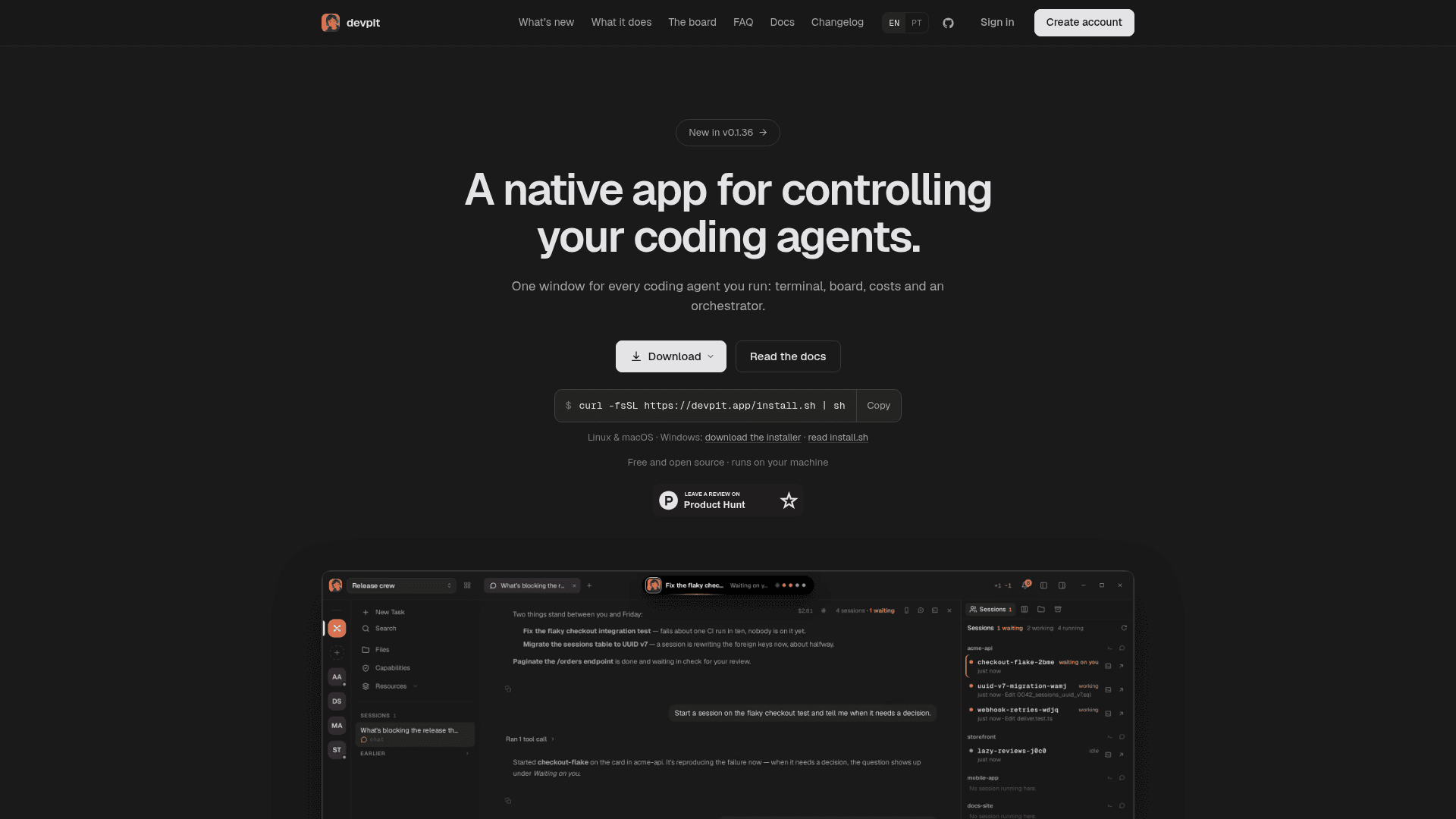
A native desktop app that puts terminals, a kanban board, cost tracking and an orchestrator in one window for controlling coding agents like Claude Code.
At a Glance
Free and open source native app for controlling coding agents; runs on your machine and uses your existing Claude Code plan.
Engagement
Available On
Listed Oct 2026
About devpit
devpit is a free, open-source native app from jhol.dev for running and supervising coding agents in one window. It combines a tmux-backed terminal, a per-project board, chat with cost tracking, and an orchestrator that spans projects. Claude Code is the supported agent today; the site lists Codex, Cursor, Gemini CLI and opencode as coming.
What It Is
devpit is a desktop workspace for people who run several coding agents at once. Each project gets its own board, panes, terminal and costs, kept in ~/.devpit rather than in the repository, so nothing needs gitignoring and nothing shows up in the diff. It is built with Rust and Tauri, with each terminal a real pty behind tmux (psmux on Windows).
How the Workflow Runs
A board per project has columns you define, and moving a card into a column starts that column's step: an agent, a session or a command. A step records its output, exit code and real cost, then stops. Moving on is manual, or follows a lane you set to ask or move automatically. Columns set a spending cap on each call, and worktrees are created when a step needs a checkout and are not removed while they hold uncommitted work.
Orchestrator and the Island
The orchestrator is a chat that reads the boards you link. You can hand it a card, and it starts a session and reports back. According to the FAQ, it never moves a card into a lane that runs a step, acts on a timer, or approves anything in another session, and drafted replies go out only when you send them. The island is a capsule above your windows showing what each agent is doing, where you can allow or deny requests. Reminders only notify and start nothing.
Workspace and Remote Access
Panes sit side by side: chat, terminal, board, files, diffs, a browser pane, and per-project capabilities (Notes and Excalidraw). Sessions keep running after the window closes because tmux holds the processes. Over Tailscale you can pair a phone or another computer with a one-time code and choose what it may do. Your own agents are markdown files that devpit reads without copying.
Setup Path
Install with a one-line script on Linux and macOS, or a per-user installer on Windows (the Linux build also runs in WSL 2). It uses your existing Claude Code plan with no new API keys, and an account is optional and currently only signs you in.
Community Discussions
Be the first to start a conversation about devpit
Share your experience with devpit, ask questions, or help others learn from your insights.
Pricing
devpit
Free and open source native app for controlling coding agents; runs on your machine and uses your existing Claude Code plan.
- Open source under Apache 2.0
- Uses your existing Claude Code plan: no new API keys
- Terminal, board, costs and orchestrator in one window
- No account needed; an account only signs you in today
- Runs on Linux, macOS and Windows
Capabilities
Key Features
- Orchestrator chat across linked projects
- Per-project kanban board where moving a card starts a step
- Agent, session and command steps
- tmux-backed terminals that outlive the window
- Git worktree per line of work
- Per-call spending caps and per-run cost tracking
- Island capsule showing agent status with allow/deny
- Reminders
- Files, diffs and browser panes
- Notes and Excalidraw capabilities
- Remote access over Tailscale
- Workspace data stored in ~/.devpit, not the repository