Director
A native macOS app that puts your coding agents on a visual canvas, enabling parallel planning, building, and reviewing in isolated git worktrees.
At a Glance
No account, no trial clock. Evaluate the real app for as long as you like.
Engagement
Available On
Listed Sep 2026
About Director
Director is a native macOS application for orchestrating AI coding agents on a freeform canvas. Built with SwiftUI and AppKit, it runs at 120fps and requires no Electron shell or browser runtime. The app is available as a free download with a one-time purchase to unlock the full feature set.
What It Is
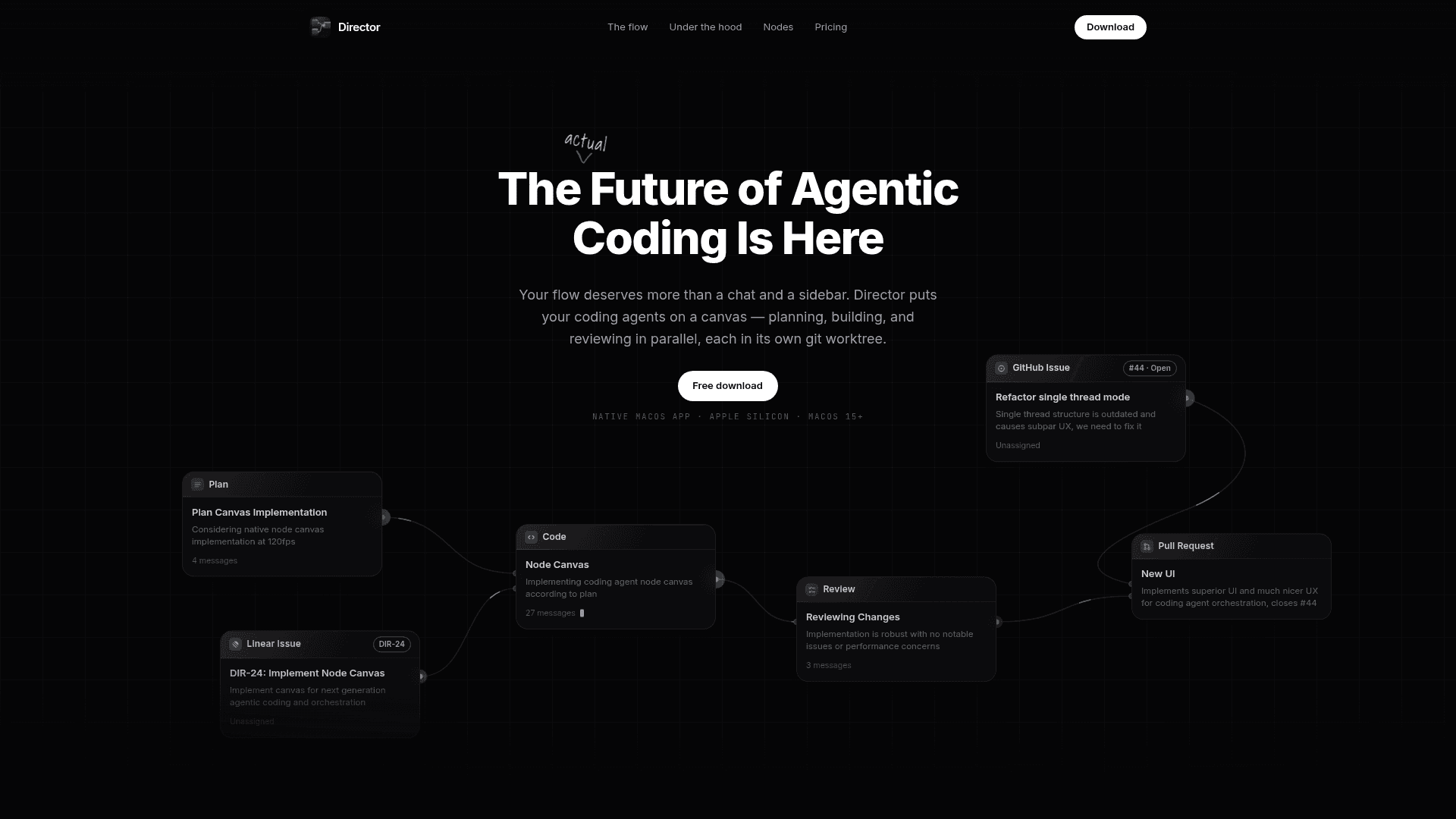
Director is an agentic coding orchestration tool that replaces the typical chat-and-sidebar interface with a node-based canvas. Each agent — whether planning, implementing, or reviewing — operates in its own isolated git worktree, so multiple agents can work on real branches simultaneously without conflicting. Users connect nodes on the canvas to pass context downstream between agents and humans.
The Node-Based Canvas Model
Everything in Director is represented as one of nine node types on the canvas:
- Plan — sketch the approach before an agent touches code
- Code — an implementation agent with a specific job
- Review — a second-pass agent over the diff before it ships
- Subagent — fan a task out and collect results
- Pull Request — open, review, and merge without leaving the app
- GitHub Issue — pull work in with full context attached
- Linear Issue — live backlog on the canvas
- Note — Markdown that stays where the work is
- Routing — for keeping things organized
Nodes connect so context flows downstream to whoever needs it, human or agent.
Architecture and Native Design
Director is built as a real Mac app using SwiftUI and AppKit — not Electron. The homepage explicitly contrasts this with "Chromium" and "Node runtime" as things Director does not use. The result is smooth 120fps rendering even with hundreds of nodes on the canvas. Each workspace gets an isolated git worktree checkout, so agents work on real branches side by side without stepping on each other's changes.
A director.json file can be dropped in the repo root to codify setup scripts, base branch, and review preferences for the whole team.
Integrations and Workflow
Director connects directly to GitHub and Linear, pulling issues onto the canvas and supporting PR creation, review, and merge using existing gh auth credentials. It also supports full Codex Plugin compatibility. Additional workflow features include:
- Voice input for dictating prompts
- Slash commands for reusable prompt workflows
- Skills to teach agents project-specific workflows
- Command palette for quick navigation
- Plan mode where agents ask clarifying questions before proceeding
- Syntax-highlighted diff review before changes ship
- Terminal tabs streaming setup and run script output beside the chat
Platform and Audience
Director targets macOS 15+ on Apple Silicon exclusively. It is aimed at engineers who run agents on real codebases daily and want more control and visibility than a chat interface provides. The free version allows 1 project, 1 workspace, and up to 4 nodes with no account or trial clock required.
Community Discussions
Be the first to start a conversation about Director
Share your experience with Director, ask questions, or help others learn from your insights.
Pricing
Free
No account, no trial clock. Evaluate the real app for as long as you like.
- 1 project
- 1 workspace
- Up to 4 nodes
Full License
One-time purchase that unlocks the whole canvas. Launch price.
- Unlimited local workspaces
- Commercial use allowed
- Linear & GitHub on the canvas
- 3 Mac activations
- Use your Codex subscription
- In-app updates
Capabilities
Key Features
- Freeform node-based canvas for agent orchestration
- One git worktree per workspace for isolated parallel work
- Nine node types: Plan, Code, Review, Subagent, Pull Request, GitHub Issue, Linear Issue, Note, Routing
- Native SwiftUI + AppKit app at 120fps
- GitHub and Linear integration
- Codex Plugin support
- Voice input for prompts
- Slash commands for reusable workflows
- Skills to teach agents project workflows
- Syntax-highlighted diff review
- Command palette
- Plan mode with agent clarifying questions
- Terminal tabs for setup and run scripts
- director.json repo configuration
- In-app updates
- 3 Mac activations per license