
Forkbench
A macOS terminal app for running AI coding agents in parallel, with secret management via Vault, persistent task boards per Thread, and remote access via Talk.
At a Glance
Everything you need to run your agents, your Notebooks, and a board on every Thread. Stays after the trial ends.
30-day free trial of Pro, no credit card required. Drops to free tier if no action taken.
Engagement
Available On
Listed Aug 2026
About Forkbench
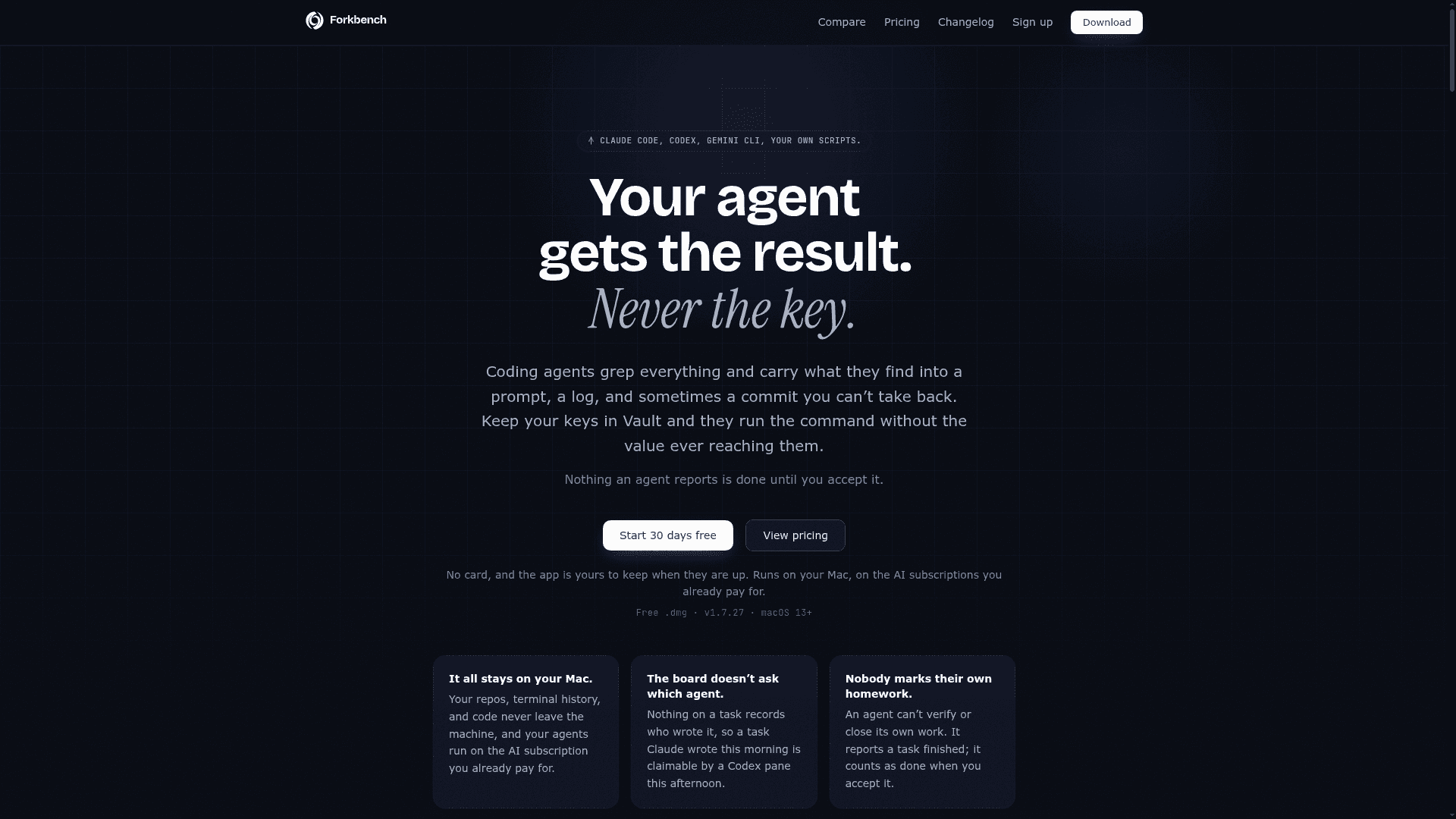
Forkbench is a native macOS terminal application built specifically for developers running AI coding agents like Claude Code, Codex, Gemini CLI, and Aider. It organizes terminal sessions into isolated "Threads," each carrying its own task board, notes, and secrets, so work from one agent context never bleeds into another. The app is currently available as a signed, notarized .dmg for macOS 13 and newer, at version 1.7.27.
What It Is
Forkbench is a terminal emulator and agent coordination layer for macOS. Every tab is a real PTY login shell — tmux, vim, fzf, lazygit, and your existing dotfiles all work unchanged. What Forkbench adds on top is a structured environment for running multiple AI coding agents in parallel: a per-Thread task board, a secrets vault that keeps API keys out of agent prompts, a notebook system for persistent context, and a web/mobile interface called Talk for remote access. It is positioned as a replacement for iTerm2 or Ghostty specifically for developers whose primary use case is running AI agents.
How Threads and the Task Board Work
The central organizing concept is the Thread — one unit of work containing terminal tabs, a folder, granted notes, granted secrets, and a durable task board. Key mechanics:
- Boards are persistent: closing a pane, quitting the app, or rebooting leaves tasks, progress notes, and blockers exactly where they were.
- Agent-agnostic task claiming: nothing on a task records which agent wrote it, so a task Claude started can be claimed by a Codex pane later without re-explanation.
- Human-in-the-loop verification: an agent can report a task finished, but it only counts as done when the user accepts it. Agents cannot verify their own work.
- Lease-based claiming: if an agent crashes or its pane closes, the claim releases and the task returns to the pool with progress notes intact.
- Cross-Mac boards: pair multiple Macs to one account and agents on different machines claim from the same backlog.
Vault: Secrets Agents Use but Never See
Vault is Forkbench's credential management system. API keys, tokens, and passwords are stored on the Mac and injected into commands at runtime via forkbench-secret exec, so the value never enters the agent's prompt, command line, or transcript. Specific behaviors:
- Assign a key a destination and the agent never receives the value at all; without a destination, the value still stays out of the prompt but the spawned program can read it (described by Forkbench as "a seatbelt rather than a guarantee").
- Touch ID can be required on every use, or a standing grant can be set for the duration of a work session.
- Keys sync across paired Macs sealed under keys Forkbench does not hold; removing a Mac immediately revokes what it had.
Notebooks and Talk
Notebooks are a persistent, end-to-end encrypted store of briefs, conventions, and decisions. Notes are written once in Markdown, filed by notebook, and granted per Thread at read or read-write level. They sync across all signed-in Macs under keys the server cannot read.
Talk is the remote access layer: a web interface that attaches to a conversation already open on the user's Mac, allowing the user to check on any Thread from a browser or answer a blocked agent from a phone. The conversation is relayed through Forkbench's servers while live and deleted a few minutes after the pane goes quiet; notes and Vault keys never pass through.
Setup Path and Compatibility
Installation is a standard macOS drag-to-Applications flow from a signed .dmg — no Homebrew, no setup scripts. The app self-updates. Supported agents include Claude Code, Codex, Gemini CLI, Aider, Cursor, Antigravity CLI, and any custom script runnable in a terminal. One-click integrations for named agents are available from Settings → Integrations. The fb CLI command is available inside every Forkbench tab for driving the Thread board from the command line, and forkbench . opens any directory in Forkbench from an external terminal.
Update: v1.7.27
The homepage lists the current build as v1.7.27 on macOS 13+. The changelog is available at forkbench.com/changelog. The product is actively shipping, with Talk described as "new" on the pricing page, indicating recent feature additions. The team plan and enterprise tier are also listed as current offerings alongside the free and Pro tiers.
Community Discussions
Be the first to start a conversation about Forkbench
Share your experience with Forkbench, ask questions, or help others learn from your insights.
Pricing
Free
Everything you need to run your agents, your Notebooks, and a board on every Thread. Stays after the trial ends.
- Unlimited Threads, panes and splits on real login shells
- Visual branch and worktree management
- Unlimited Notebooks, synced and granted per Thread
- A board on every Thread with one agent working it
- Work any board you are invited to at the level you were given
Pro Trial
30-day free trial of Pro, no credit card required. Drops to free tier if no action taken.
- All Pro features including Vault, Talk, Collaboration, and multi-agent boards
Pro
Adds Vault, multi-agent boards, Talk, collaboration, and cross-Mac sync.
- Vault: agents run commands with your keys and never read the value
- More than one agent on the same board, claiming and handing off
- Talk: answer a blocked agent from your phone or the web
- Collaboration: own a shared board and invite colleagues
- Note history: open a note's timeline and restore any earlier version
- The same board on every Mac you run (up to 10 Macs)
- Everything shipped to Pro next, included
Team
Managed per-seat billing for a whole team. Several Pro licences on one invoice, with per-seat price dropping as the team grows. Every seat is exactly Pro.
- All Pro features per seat
- Single invoice for multiple seats
- Per-seat price drops as team grows
- Minimum 2 seats
Enterprise
Everything in Team plus SSO, invoicing, and a security/procurement agreement.
- All Pro features
- SSO
- Custom invoicing
- Security and procurement agreement
- Keys stay per user, always
Capabilities
Key Features
- Real PTY login shells — tmux, vim, fzf, lazygit, and aliases work unchanged
- Thread-based session organization: one folder, tabs, notes, secrets, and task board per job
- Durable task board: survives closed panes, app quits, and reboots
- Agent-agnostic task claiming: any vendor's agent can claim any task
- Human-in-the-loop verification: agents cannot sign off their own work
- Vault: API keys injected into commands without entering agent context
- Touch ID support for per-use secret authorization
- Notebooks: end-to-end encrypted persistent notes granted per Thread
- Talk: web/mobile interface to check on and unblock agents remotely
- One-click git worktree creation to isolate agent sessions
- Git panel following the focused tab for live diff, stage, and commit
- Prompt countdown: schedule a prompt to run when a rate limit resets
- Sleep Control: keeps Mac awake with lid closed for overnight runs
- Cross-Mac board sync: agents on multiple Macs claim from one backlog
- Collaboration: invite colleagues to a Thread board at configurable permission levels
- Agent Hooks: opt-in configurations to mirror agent thinking in the UI
- fb CLI for driving Thread boards from within any Forkbench tab
- forkbench . command to open any directory from an external terminal
- Peer review: raise one agent to reviewer to verify another agent's work