
DockTerm
A free, open-source terminal-first desktop app for Claude Code that surfaces permission prompts over any app.
At a Glance
Free, MIT-licensed open source desktop terminal for Claude Code on macOS, Windows and Linux. Requires Claude Code installed separately.
Engagement
Available On
Alternatives
Listed Nov 2026
About DockTerm
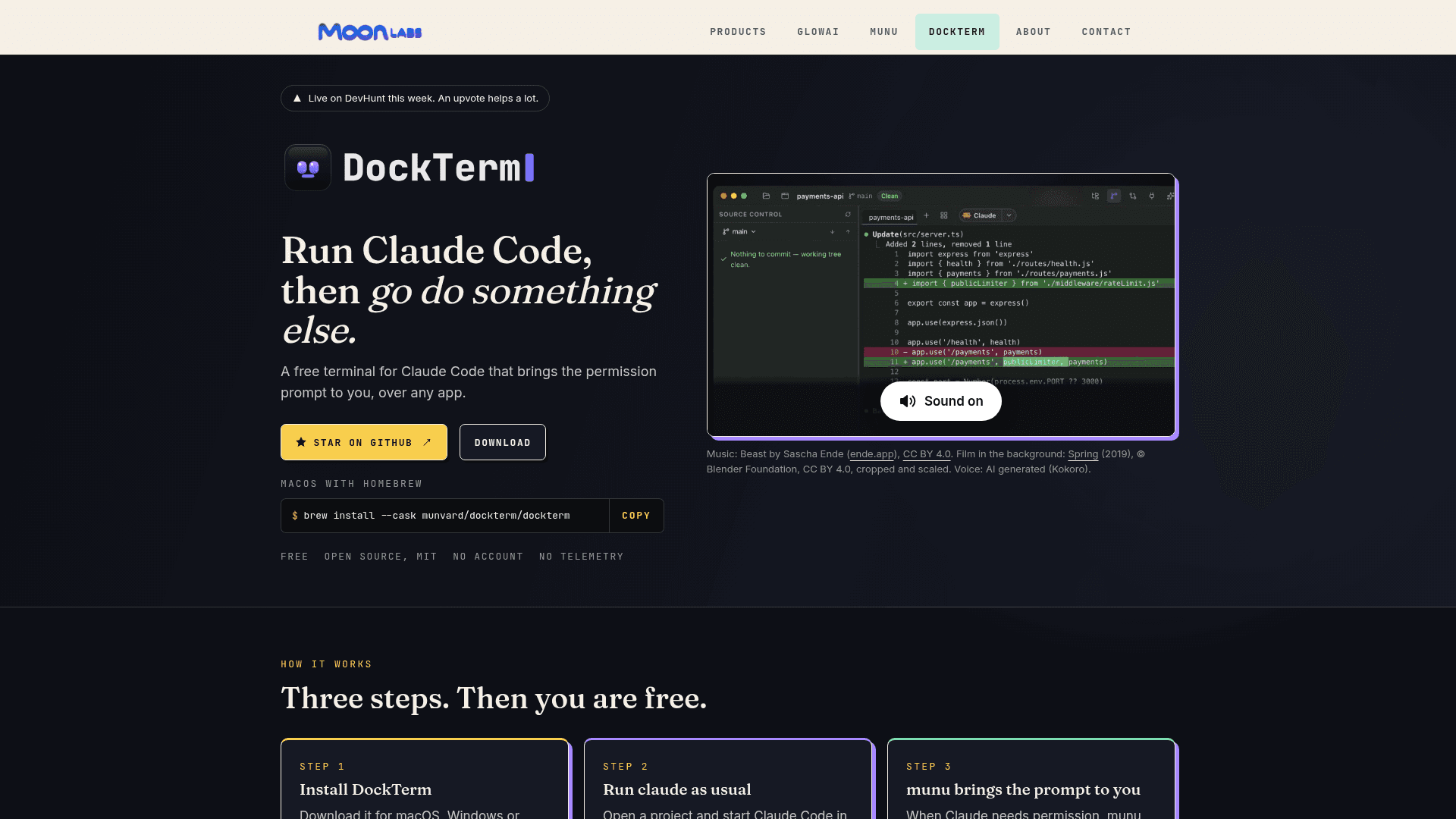
DockTerm is a free, open-source (MIT) desktop terminal for Claude Code made by Moon Labs. It runs a real shell on a native PTY and uses a mascot called munu to bring Claude Code's permission prompts to you on top of whatever app is on screen. It is available for macOS, Windows and Linux.
What It Is
DockTerm is a terminal-first desktop workspace for running Claude Code. Each pane is a real terminal running your own shell, with tabs, search and true color. It is not an IDE: it has no code completion, no debugger and no extension store, and it does not replace Claude Code, which must be installed and signed in separately.
How munu handles permission prompts
munu reads Claude's state from the terminal text, so nothing hooks into Claude Code and nothing edits ~/.claude. When Claude asks for permission, munu shows the prompt over any app, including a fullscreen app on another desktop, and you answer with one click. On a Mac it drops out of the notch; on Windows and Linux it appears as a small pill at the top of the screen. munu never answers for you, and a prompt with an unusual layout can be missed, which costs a reminder rather than a wrong action. A mascot face shows states such as resting, working, needs you and done.
Workspace features
- Split the window into panes, each with its own project, without restarting a shell when you move a pane.
- Review the files Claude changed in a side-by-side diff, then pick files and commit in the same window. Risky Git actions ask first.
- A side panel lists the subagents Claude starts and which are still running.
- A chat view renders a session as a conversation, with permission prompts as buttons while the real terminal keeps running underneath.
- Read-only views of MCP servers, skills and agents mask secrets to key names, and nothing is run.
Privacy and setup
DockTerm runs locally with no account and no telemetry, and it makes no AI calls of its own. Install it from the GitHub releases page, or on macOS with Homebrew. The Windows installer is unsigned and may show an unknown publisher warning, and on Linux with Wayland the system decides where munu appears.
Community Discussions
Be the first to start a conversation about DockTerm
Share your experience with DockTerm, ask questions, or help others learn from your insights.
Pricing
DockTerm
Free, MIT-licensed open source desktop terminal for Claude Code on macOS, Windows and Linux. Requires Claude Code installed separately.
- MIT licensed, open source
- No account
- No telemetry
- No AI calls of its own
- macOS, Windows and Linux builds
Capabilities
Key Features
- Permission prompts from Claude Code shown over any app, including fullscreen apps
- munu notch mascot (macOS) or pill (Windows/Linux) with status states
- Multi-pane terminal with a separate project per pane
- Side-by-side diff view of changed files
- Commit from the same window
- Subagent activity panel
- Chat view of Claude Code sessions with clickable permission buttons
- Real terminal on a native PTY with tabs, search and true color
- File tree and editor on demand
- Read-only views of MCP, skills and agents with secrets masked
- Light and dark themes
- No account and no telemetry