
EveryDev.ai
Subscribe
Home
Tools

4,591+ AI tools

  • New
  • Trending
  • Featured
  • Rate tools
  • Compare
  • Arena
Categories
  • Agents3426
  • Coding2391
  • Infrastructure1055
  • Projects732
  • Marketing662
  • Research612
  • MCP593
  • Analytics538
  • Design533
  • Testing420
  • Security410
  • Data358
  • Prompts260
  • Integration256
  • Communication250
  • Extensions222
  • Voice201
  • Learning193
  • Commerce173
  • DevOps161
  • Web122
  • Finance36
AI Tools by Topic
  • AI Coding Assistants
  • Agent Frameworks
  • MCP Servers
  • AI Prompt Tools
  • Vibe Coding Tools
  • AI Design Tools
  • AI Database Tools
  • AI Website Builders
  • AI Testing Tools
  • LLM Evaluations
Follow Us
  • X / Twitter
  • LinkedIn
  • Reddit
  • Discord
  • Threads
  • Bluesky
  • Mastodon
  • YouTube
  • GitHub
  • Instagram
Get Started
  • Users
  • Rate Tools
  • About
  • Editorial Standards
  • Corrections & Disclosures
  • Community Guidelines
  • Advertise
  • Contact Us
  • Newsletter
  • Submit a Tool
  • Start a Discussion
  • Write A Blog
  • Share A Build
  • Terms of Service
  • Privacy Policy
Explore with AI
  • ChatGPT
  • Gemini
  • Claude
  • Grok
  • Perplexity
Agent Experience
  • llms.txt
Theme
With AI, Everyone is a Dev. EveryDev.ai © 2026
    1. Home
    2. Tools
    3. Zap
    Zap icon

    Zap

    Command Line Assistants

    An open, local-first terminal with built-in AI provider support, third-party CLI agent integration, and an SSH host manager.

    Visit Website

    At a Glance

    Pricing
    Open Source

    Self-hosted, local-first terminal with AI and agent support, licensed under AGPL-3.0. BYOP AI providers (user's own keys) are external costs.

    Engagement

    Available On

    CLI

    Resources

    WebsiteGitHubllms.txt

    Topics

    Command Line AssistantsTerminal & Session ManagementAgent Harness

    Alternatives

    HorizonmuxYEN
    Developer
    zerx-labBeijing, ChinaEst. 2020

    Listed Oct 2026

    About Zap

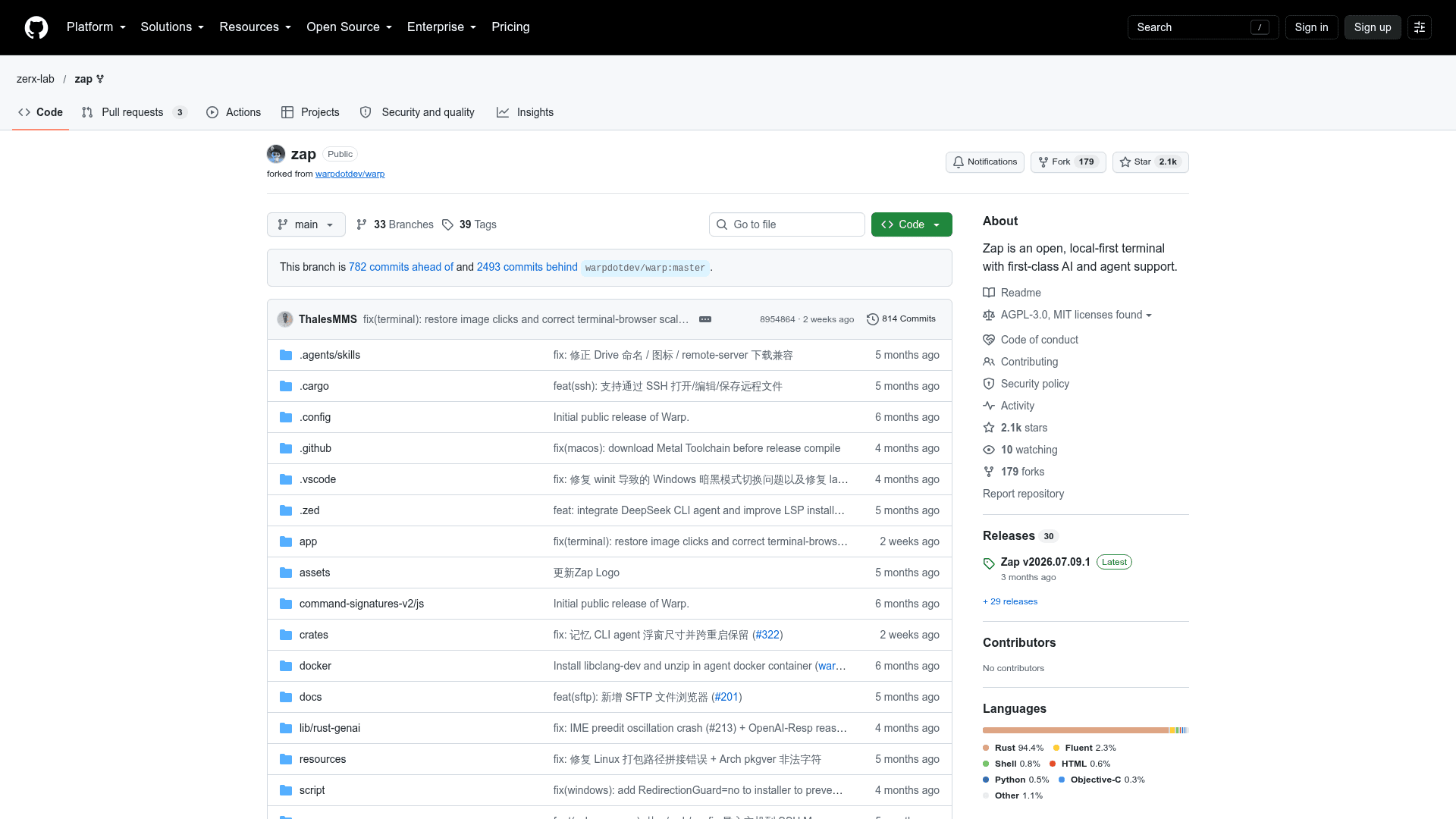
    Zap is an open-source terminal from zerx-lab, built on the Warp terminal and developed independently going forward. It keeps keys, history and agent state on the user's machine by default and lets users connect their own AI providers and CLI agents. The latest release listed is v2026.07.09.1.

    What It Is

    Zap is a local-first terminal with first-class AI and agent support. It does not require an account, login, Drive sync or cloud agent history. Users bring their own AI provider endpoints, including any OpenAI-compatible endpoint, with native support for OpenAI, Anthropic, Gemini, DeepSeek and Ollama protocols.

    Agents and SSH workflow

    Third-party CLI agents such as DeepSeek-TUI, Codex CLI, Claude Code and Google Antigravity (agy) are wired into Blocks and the notification center. A built-in SSH host manager handles hosts, configs and sessions inside the terminal, with tmux integration. System prompts are editable minijinja templates rendered on the client.

    Differences from upstream Warp

    The README lists a tuned Markdown rendering pipeline, CJK soft-wrap caret and bold subpixel fixes, and a localized UI in English, Simplified Chinese, Japanese and Russian. Cloud Agent, Computer Use, Referral and telemetry are off by default. A migration guide covers moving settings over from OpenWarp (the project's former name) or Warp.

    Licensing

    The source is public on GitHub under AGPL-3.0, and the project is written primarily in Rust.
    Zap - 1

    Community Discussions

    Be the first to start a conversation about Zap

    Share your experience with Zap, ask questions, or help others learn from your insights.

    Pricing

    OPEN SOURCE

    Open Source (AGPL-3.0)

    Self-hosted, local-first terminal with AI and agent support, licensed under AGPL-3.0. BYOP AI providers (user's own keys) are external costs.

    • Licensed under GNU Affero General Public License v3.0 (AGPL-3.0)
    • No mandatory cloud, account or login
    • BYOP AI providers (OpenAI-compatible, OpenAI, Anthropic, Gemini, DeepSeek, Ollama)
    • Third-party CLI agents support
    • Built-in SSH host manager

    Capabilities

    Key Features

    • Local-first, no mandatory account or cloud
    • Bring-your-own AI providers (OpenAI-compatible, OpenAI, Anthropic, Gemini, DeepSeek, Ollama)
    • Third-party CLI agent integration (DeepSeek-TUI, Codex CLI, Claude Code, Google Antigravity)
    • Built-in SSH host manager with tmux integration
    • Editable minijinja system prompts
    • Markdown rendering and CJK text fixes
    • Localized UI (English, Simplified Chinese, Japanese, Russian)
    • Privacy defaults with cloud agent and telemetry off

    Integrations

    OpenAI
    Anthropic
    Gemini
    DeepSeek
    Ollama
    DeepSeek-TUI
    Codex CLI
    Claude Code
    Google Antigravity
    tmux

    Ratings & Reviews

    No ratings yet

    Be the first to rate Zap and help others make informed decisions.

    Rate other tools you’ve used

    Developer

    zerx-lab

    zerx-lab is a community open-source group that maintains OpenWarp, a fork of the Warp terminal that opens up the AI layer with Bring Your Own Provider support and first-class internationalization. The team publishes projects publicly on GitHub.

    Founded 2020
    Beijing, China
    1 employees

    Used by

    Community contributors (12+)
    GitHub users (750+ stars)
    Read more about zerx-lab
    WebsiteGitHub
    2 tools in directory

    Similar Tools

    Horizon icon

    Horizon

    GPU-accelerated spatial terminal that places all your sessions on an infinite canvas with built-in AI agent panels, git integration, and workspace management.

    mux icon

    mux

    Mux is an open-source tool for running parallel coding agents, each with its own isolated workspace, accessible from your browser or desktop.

    YEN icon

    YEN

    A GPU-accelerated, terminal-first IDE for macOS with native on-device speech-to-text, 72 curated themes, built-in email/calendar, and local-first privacy — no cloud, no account required.

    Browse all tools

    Related Topics

    Command Line Assistants

    AI-powered command-line assistants that help developers navigate, search, and execute terminal commands with intelligent suggestions and context awareness.

    290 tools

    Terminal & Session Management

    Terminal emulators, multiplexers, and session managers that help developers run parallel AI coding agents, manage multiple workspaces, and maintain persistent terminal sessions.

    59 tools

    Agent Harness

    Infrastructure, orchestrators, and task runners that wrap around LLM coding agents — covering session management, context delivery, worktree isolation, architecture enforcement, and issue-to-PR pipelines.

    250 tools
    Browse all topics
    Back to all toolsSuggest an edit
    ratings
    discussions