
editmd
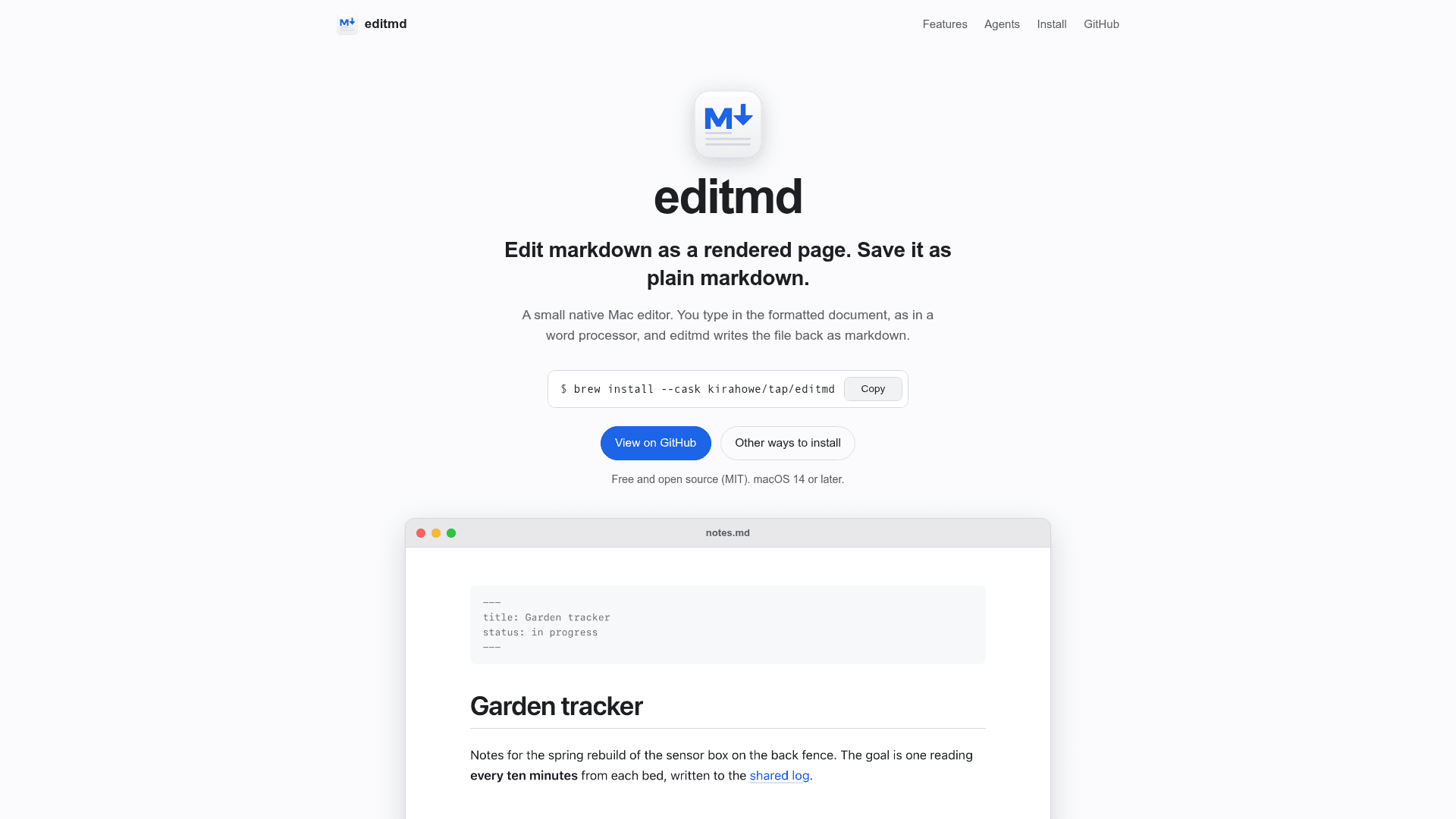
A native macOS markdown editor that renders files as editable documents and saves them back as plain markdown.
At a Glance
Free and open source macOS markdown editor under the MIT license. Requires macOS 14 or later.
Engagement
Available On
Listed Nov 2026
About editmd
editmd is a native macOS editor by Kira Howe that shows a markdown file as a rendered page you edit in place, then writes it back to disk as plain markdown. It is MIT-licensed, requires macOS 14 or later, and its latest listed release is v0.2.0. It also merges changes that coding agents make to an open file and highlights who changed what.
What It Is
editmd is a document-based Mac app for people who work with markdown files. You type in the formatted view as in a word processor, and markdown shortcuts such as # for headings, - for lists and **bold** work as you type. Supported content includes GitHub-flavored tables, strikethrough, clickable task lists, YAML or TOML front matter and fenced Mermaid diagrams that render as diagrams. A source view toggled with Cmd-/ switches between the rendered page and the raw markdown.
Keeping the File Intact
If you open and save a file without editing it, the bytes on disk stay exactly as they were. Once you edit, the document is re-serialized, which normalizes some style choices such as * bullets becoming - and padded table columns. Links, images and reference links keep their form. editmd reads UTF-8, UTF-16 with a byte order mark and Windows-1252, and saves in the original encoding and line endings. It saves automatically shortly after you stop typing.
Working Alongside Coding Agents
When another program, such as a coding agent, edits the open file, editmd merges the changes into the window. Each agent's changes are highlighted in its own color, and a legend lists agents so you can jump to their changes, rename them or clear highlights. editmd identifies running agents by their working folder, and agents can report edits through tool hooks that run editmd --report-edit. With unsaved edits, both sides' changes are kept, and Cmd-Z undoes only your own edits. Internally, each window keeps the document in a Yjs CRDT.
Safe to Open Untrusted Files
Cmd-clicking a link opens web and mail links in the browser or mail app, and text files in editmd. Other local files, folders and apps are only revealed in Finder, and other URL schemes ask first. Remote images do not load until you choose View > Load Remote Images. The editor and Mermaid are bundled in the app, and a content rule list blocks network loads.
Setup Path
Install with Homebrew using the project's tap cask, or build from source with Xcode or the Swift toolchain plus bun using make install. Then open a file with open -a editmd notes.md. The README notes that the app is signed ad hoc rather than with an Apple Developer ID.
Community Discussions
Be the first to start a conversation about editmd
Share your experience with editmd, ask questions, or help others learn from your insights.
Pricing
Open Source
Free and open source macOS markdown editor under the MIT license. Requires macOS 14 or later.
- MIT license
- Requires macOS 14 or later
- Install via Homebrew or build from source
- Edit rendered markdown and save as plain markdown
- Mermaid diagrams
Capabilities
Key Features
- Edit markdown as a rendered page and save as plain markdown
- Byte-exact save for unedited files
- Autosave after typing pauses
- GitHub-flavored tables, strikethrough and clickable task lists
- Mermaid diagram rendering with live source editing
- Source view toggle
- YAML and TOML front matter support
- Image drag-and-drop with relative path links
- Merges outside edits from coding agents with per-agent highlights
- Agent edit reporting via editmd --report-edit hooks
- Safe link handling and blocked remote images
- Bundled editor with no network loads
- Preserves encoding and line endings
- Light and dark appearance