
Fluegel
A macOS menu bar app that lets automation agents run approved CLI tools through a GUI process that owns macOS privacy permissions.
At a Glance
About Fluegel
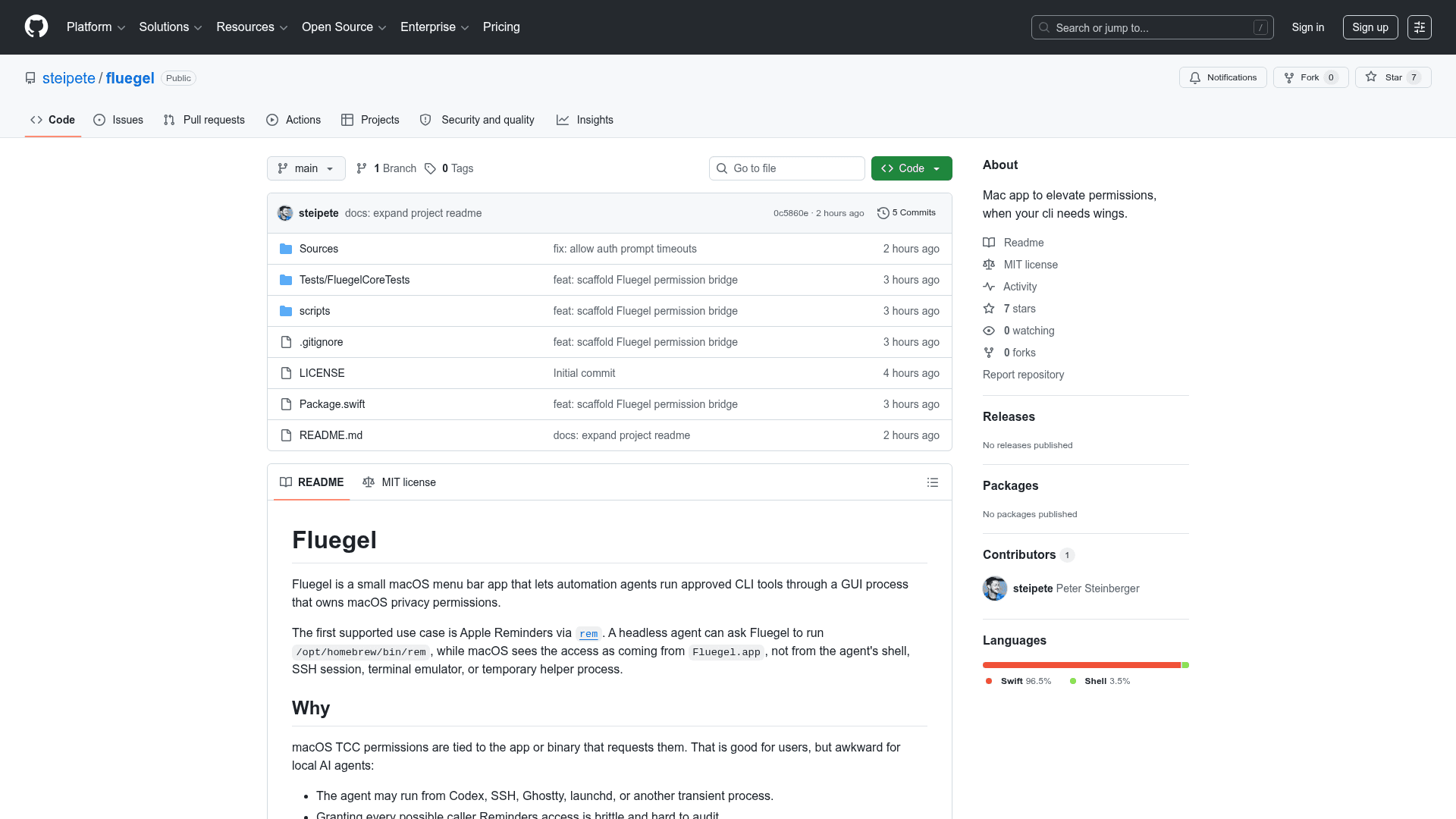
Fluegel is a small macOS menu bar app built by steipete that solves a specific problem for local AI agents: macOS TCC (Transparency, Consent, and Control) permissions are tied to the process that requests them, which makes headless automation awkward. Fluegel gives those permissions a stable, auditable home in a GUI app, then bridges approved CLI tools through it. The project is open source under the MIT License and was created in May 2026.
What It Is
Fluegel sits in the macOS menu bar and acts as a permission proxy for CLI tools that need system-level access — specifically, access to resources like Apple Reminders that macOS only grants to trusted GUI processes. A headless agent (running from Codex, SSH, Ghostty, launchd, or any transient shell) can ask Fluegel to execute a whitelisted command, and macOS sees the request as coming from Fluegel.app rather than from the agent's ephemeral process. The first supported use case is Apple Reminders automation via the rem CLI tool.
The Problem It Solves
macOS TCC permissions are intentionally process-scoped, which is good for user privacy but creates friction for local AI agents:
- Agents may run from many different transient callers, none of which have a stable TCC identity.
- Apple Reminders has no official automation-friendly API or CLI.
- Tools like
remwork correctly only from a process that already holds the right TCC grant. - Granting every possible caller Reminders access is brittle and hard to audit.
Fluegel centralizes the grant in one stable app and enforces a strict whitelist of exact full-path commands that are allowed to use it.
Security Model
The project describes itself as "intentionally narrow." Key design decisions include:
- The bridge listens on a private Unix domain socket inside Fluegel's application support directory.
- The CLI must present a local token created by the app itself.
- Commands are matched by exact executable path — no glob patterns or partial matches.
- Whitelist edits require macOS local authentication (Touch ID / password prompt).
- Every allow and deny decision is written to an append-only audit log recording the executable, arguments, requester, permissions, result size, exit code, and reason.
- Runs are denied when the command is not whitelisted, is disabled, or requests a permission Fluegel does not currently hold.
The README explicitly notes this is a convenience boundary for trusted local automation, not a sandbox or privilege escalation framework.
CLI and Settings UI
Fluegel ships both a menu bar app and a companion fluegel CLI binary. The CLI covers the full workflow:
fluegel status— check connectivity to the running appfluegel run -- /full/path [args...]— execute a whitelisted commandfluegel allow add/remove/list— manage the whitelistfluegel permissions status/request— inspect and request TCC grantsfluegel audit list— read recent allow/deny decisions
The settings window has three tabs: Permissions (shows TCC status and can trigger the macOS prompt), Whitelist (manage approved commands), and Audit (recent run history).
Current Status
The project is in an early stage. The README describes it as an "early project" with the first practical target being reliable Reminders automation via rem. The repository was created on May 20, 2026, and the stated direction is to keep future permission additions explicit and narrow, following the same full-path whitelist and audit-first behavior established for Reminders.
Community Discussions
Be the first to start a conversation about Fluegel
Share your experience with Fluegel, ask questions, or help others learn from your insights.
Pricing
Open Source
Free and open source under the MIT License. Build from source and use freely.
- macOS menu bar app
- CLI bridge
- Full-path command whitelist
- Audit log
- Apple Reminders permission support
Capabilities
Key Features
- macOS menu bar app for permission proxying
- TCC permission bridge for headless agents
- Exact full-path command whitelist
- Append-only audit log for all allow/deny decisions
- CLI bridge for status, whitelist management, and execution
- Local user authentication required for whitelist edits
- Apple Reminders permission support via rem CLI
- Unix domain socket IPC with local token authentication
- Settings UI with Permissions, Whitelist, and Audit tabs