
Grok Bot
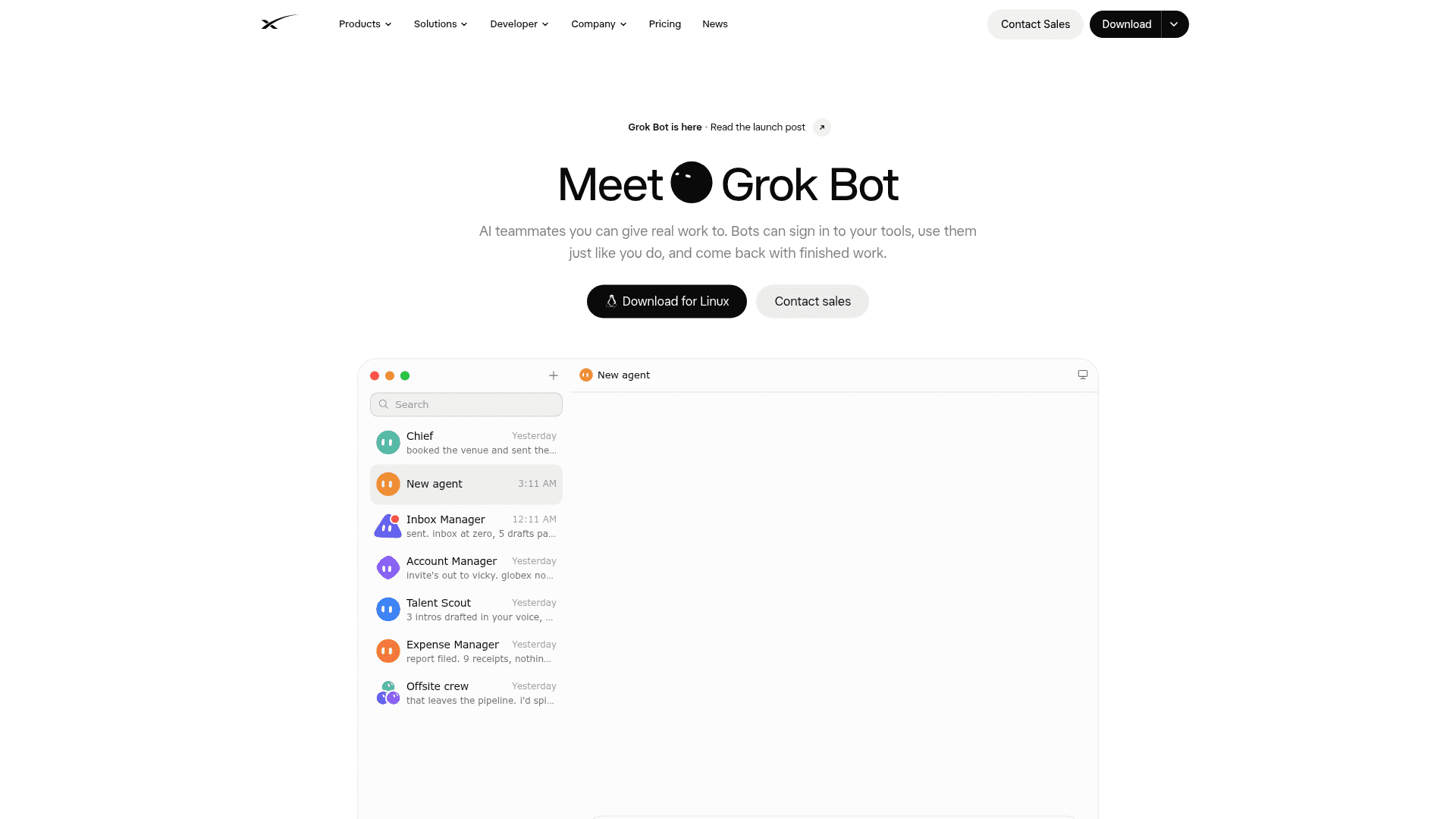
AI teammates with their own cloud computer that sign in to your tools, run tasks and routines in parallel, and return finished work for approval.
At a Glance
Engagement
Available On
Listed Oct 2026
About Grok Bot
Grok Bot is a product from SpaceXAI (the company behind Grok) that lets users hand real work to AI teammates called Bots. Bots have their own computer, sign in to apps and websites, and come back with finished work, asking for approval when needed. It is available as a desktop app (macOS, Windows, with Linux downloads) and an iOS app, and the changelog lists v0.75.2 dated Oct 22, 2026.
What It Is
Grok Bot is an agent platform where each Bot acts like a teammate you message on desktop or iOS. A Bot can use the apps and websites you use, including tools without clean APIs, work 24/7 even when your laptop is closed, and keep context about how you work. Bots share one persistent cloud computer per user (files, browser, logins), which lets them hand work off to each other; isolation is per user, not per Bot.
How the Workflow Runs
You create a Bot, give it a task, and add more Bots as work grows. Bots run in parallel and can be placed in the same thread to pass work between themselves. You can show a Bot a workflow once and it saves it as a routine to run on its own, including on schedules or from triggers such as webhooks. Sensitive actions can go through Auto Review before running, and drafts such as emails and Slack messages wait for approval before sending.
Use Cases and Guides
The use-cases page lists role-based Bots across sales, marketing, support, recruiting, operations and finance, product, and engineering. Examples include Sales Outbound, Paid Media, Account Health, Talent Scout, Expense Manager, Bug Reproduction and Product Performance. The Bot guides cover playbooks for PMs, GTM, support, legal ops, recruiting, engineering and marketing, and describe sharing Bots as templates.
Recent Updates
The changelog lists recent releases adding Pages (reports, memos and dashboards Bots can build and maintain), video creation from a description or image, Bot email addresses, X search, slide deck creation, and Team Bots published to a whole team and usable in Slack. Enterprise features listed include admin controls, audit logs, action recording and data deletion tools. The site states data is encrypted in transit and at rest with training opt-out, and that enterprise admins can set DLP, certificates, proxies and network controls.
Community Discussions
Be the first to start a conversation about Grok Bot
Share your experience with Grok Bot, ask questions, or help others learn from your insights.
Pricing
Premium
Grok Bot's own computer, signs into your tools, scheduled routines, weekly Grok Bot usage included.
- Grok Bot's own computer
- Signs into your tools
- Routines on a schedule
- Work anywhere: desktop, mobile, and more
- Weekly Grok Bot usage included
- Additional usage billed based on token cost
Super
Everything in Premium, plus 3.5x Premium usage and priority model access at peak times.
- Everything in Premium
- 3.5x Premium usage
- Priority model access at peak times
Ultra
Everything in Super, plus 12x Premium usage and earliest access to all products & models.
- Everything in Super
- 12x Premium usage
- Earliest access to all products & models
Teams
Grok Bot is included with Teams plan; per-user pricing.
- Grok Bot included
- Access, network, and audit controls for Grok Bot
Contact sales
Enterprise access to Grok Bot via sales.
- Custom rate limits
- SSO & SCIM
- Data residency
- Volume pricing
Capabilities
Key Features
- Message Bots like teammates on desktop or iOS
- Run many Bots in parallel, 24/7
- Bots sign in to apps and websites using their own cloud computer
- Teach a workflow once and save it as a routine
- Routines on a schedule or triggered by webhooks
- Persistent memory and context across chats
- Bots pass work to each other in shared threads
- Approval cards and Auto Review for sensitive actions
- Email and Slack drafts held for approval
- Pages, slide decks and video creation
- Team Bots shared across a team and usable in Slack
- Bot templates and a Connect Apps plugin catalog
- Enterprise admin controls, audit logs and action recording