
Hangar
A desktop app that runs Claude Code, Codex CLI, Gemini CLI, Aider and other terminal AI coding agents side by side with team coordination.
At a Glance
Free forever for you and small groups, up to 3 people across all projects. The desktop app is open source under the MIT license.
Engagement
Available On
Listed Nov 2026
About Hangar
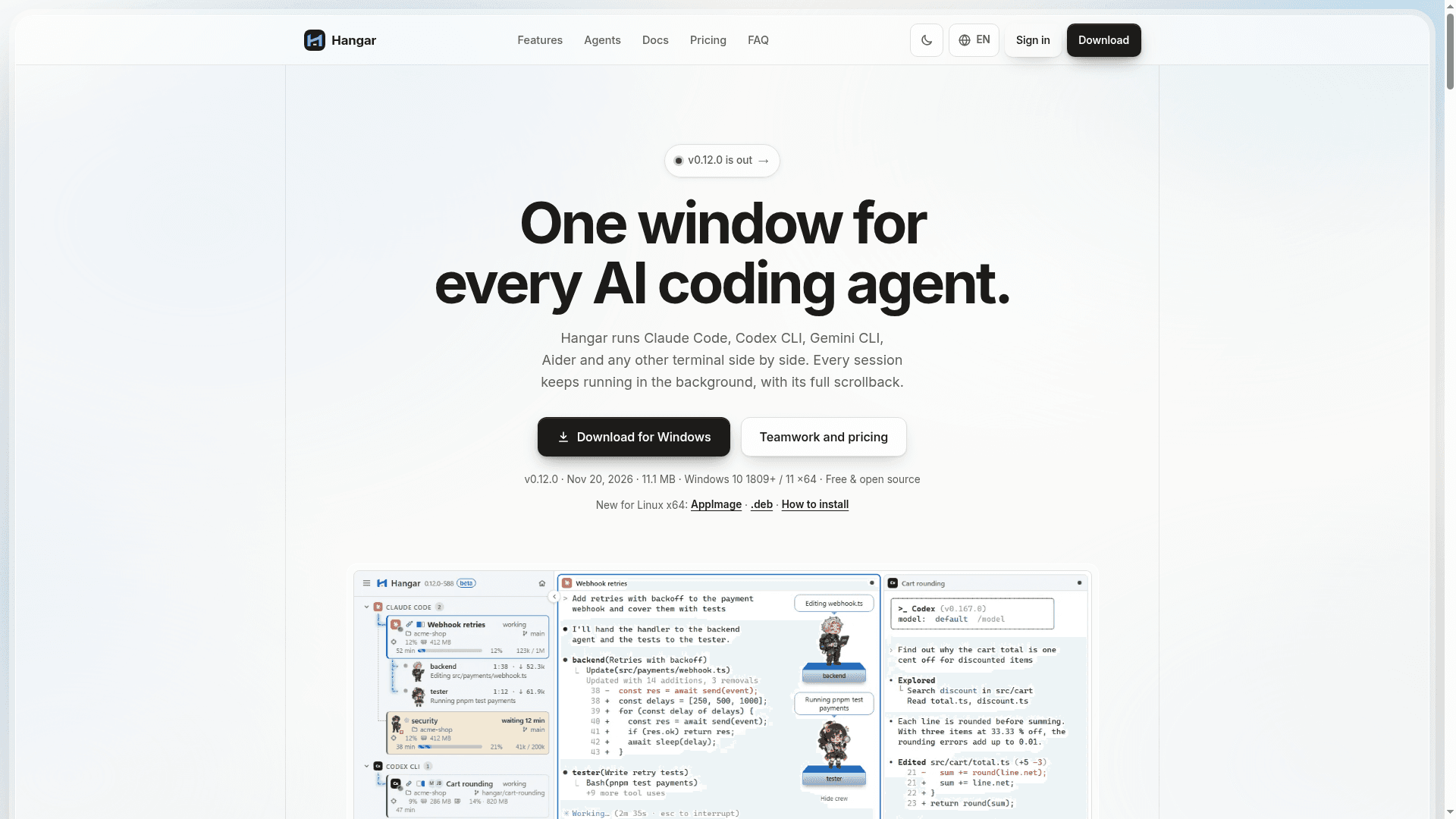
Hangar is a free, MIT-licensed desktop app from Feoren that runs AI coding agents and ordinary terminals in one window. It detects installed agent CLIs such as Claude Code, Codex CLI, Gemini CLI and Aider, keeps every session running in the background, and adds team coordination on top. The current release is v0.12.0, available for Windows and Linux x64, with macOS planned.
What It Is
Hangar is a session manager and control room for command-line coding agents. It brings no model and makes no API calls of its own; each agent uses its own account and provider, exactly as in any other terminal. Its built-in catalog covers 22 agent CLIs, and any other program can be added as a profile in profiles.toml. Sessions keep their scrollback, are restored after a restart, and can be shown two, three or four at a time.
Parallel Work Without Collisions
A private session runs directly in your folder, while a team session gets its own Git worktree. When an agent wants to edit a file that another session is working on, Hangar holds the edit and asks, and it can remember always/never answers per file or folder. It warns about overlapping changes, even on the same lines across worktrees. An arena mode gives one task to two to four agents, each in its own worktree from the same commit, so results can be compared and the winner's changes taken over uncommitted. Claude Code, Codex CLI, OpenCode and Pi can run as team sessions.
Monitoring and Reviewing Agents
The sidebar shows which agents are working, done or waiting, with optional sound, desktop and phone push notifications (ntfy or Pushover), and quiet hours. Rows can show CPU, memory and GPU load, Claude Code context fill, and token and estimated cost per session, link group and day with an optional daily budget. Linked sessions can message each other with hangar-send under a lead agent. A Changes tab handles staging and commits, a timeline saves file states after each agent step, and a secret guard stops commits, messages and pastes that appear to contain API keys or tokens.
Teams and Privacy
The Team window shows teammates' agents, state and changed files, and lets people reserve tasks. Hangar states that file contents, diffs, email addresses, keys and environment variables are never shared. Shared data is end-to-end encrypted, new devices must be confirmed through a safety number, and sharing is enabled per project and folder. Everything except the Team window works without an account, and teams can run their own server.
Community Discussions
Be the first to start a conversation about Hangar
Share your experience with Hangar, ask questions, or help others learn from your insights.
Pricing
Free
Free forever for you and small groups, up to 3 people across all projects. The desktop app is open source under the MIT license.
- 3 people across all your projects, you included
- Invite members and admins by email
- No payment details, no expiry date
- Desktop app is open source under the MIT license
Capabilities
Key Features
- Runs 22 detected agent CLIs plus custom profiles in one window
- Background sessions with persistent scrollback and crash recovery
- Private and team sessions using Git worktrees
- Edit gate that asks before an agent touches a file another session is changing
- Overlap warnings across worktrees
- Agent arena to compare two to four agents on one task
- Linked sessions with lead agent and hangar-send messaging
- Waiting-agent notifications via sound, desktop, ntfy and Pushover
- Token and cost tracking with daily budget warnings
- Secret guard for commits, messages and pastes
- Changes tab with staging, commits and step timeline
- Sub-agent tree and crew view for Claude Code
- HANGAR.md shared instruction file
- Local speech dictation
- End-to-end encrypted team sharing and notes
- Workspace templates and quick access search