
IM.codes
A self-hostable messaging and control layer that connects AI coding agents to remote sessions, shared memory, managed MCP tools, and cross-agent audit.
At a Glance
MIT-licensed self-hosted IM.codes server and daemon; deploy on your own infrastructure. The shared app.im.codes instance is for testing only with no uptime guarantees.
Engagement
Available On
Alternatives
Listed Nov 2026
About IM.codes
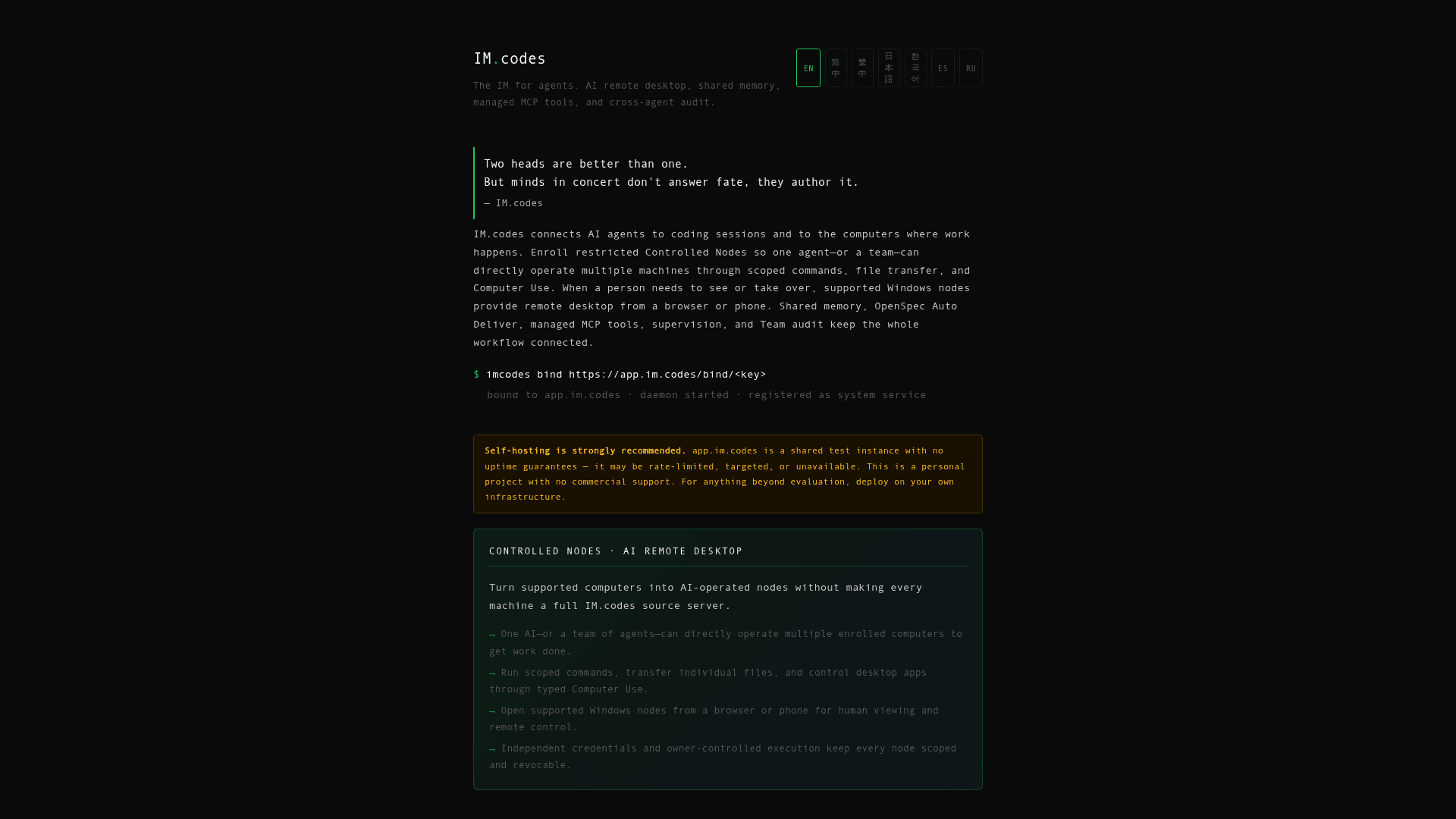
IM.codes is an open-source project that connects AI coding agents to coding sessions and to the computers where work happens. It combines remote terminal access, shared agent memory, managed MCP tools, supervised execution, and multi-agent Team audit. It is available as an iOS/iPad/Apple Watch app, a web app, and a self-hostable server with a daemon that runs on your machine.
What It Is
IM.codes is a messaging and control layer around terminal-based and SDK-backed coding agents such as Claude Code, Codex, Gemini CLI, OpenClaw, and Qwen. The project states that it is not an AI IDE, not just a chat wrapper, and not a replacement for those agents. A daemon on your dev machine manages tmux-backed and transport-backed sessions, while a server relays connections to browser and mobile clients.
Controlled Nodes and Remote Work
Supported computers can be enrolled as restricted Controlled Nodes with independent, revocable credentials. An authorized agent or team of agents can run scoped commands, transfer files, and use typed Computer Use to operate one or many machines. Supported Windows nodes also offer browser or phone-based remote desktop in view or control mode. Alongside this, the app provides remote terminal streaming, a file browser with git change views, and local web preview of localhost through a tunnel.
Shared Memory and Managed MCP Tools
IM.codes stores problem-to-solution summaries of completed agent work and recalls relevant history into new prompts and session startup, with timeline cards showing what was injected. Personal memory stays local by default, with optional cloud sync of processed summaries. Enterprise shared context is described as still under active development. Supported SDK-backed agents receive a daemon-managed MCP server with tools for memory search and sources, saving observations and preferences, messaging sibling sessions, and cron scheduling.
Supervision, Auto Deliver, and Audit
Auto supervision evaluates each completed turn and decides whether to continue, finish, or ask a human, with an optional audit-then-rework loop. OpenSpec Auto Deliver turns an OpenSpec change folder into a supervised run covering spec audit, implementation, Team audit/rework, and scoring of spec, tasks, implementation, tests, and risk; it does not stage, commit, or push code. Team discussions let agents from different providers review plans before code is written.
Setup Path
Install the daemon via the install script or npm, then bind it with a key from app.im.codes or a self-hosted server. Self-hosting uses Docker with PostgreSQL (pgvector) and Caddy. The maintainer strongly recommends self-hosting, describing app.im.codes as a shared test instance without uptime guarantees.
Community Discussions
Be the first to start a conversation about IM.codes
Share your experience with IM.codes, ask questions, or help others learn from your insights.
Pricing
Open Source (Self-hosted)
MIT-licensed self-hosted IM.codes server and daemon; deploy on your own infrastructure. The shared app.im.codes instance is for testing only with no uptime guarantees.
- MIT License
- Self-hosted server + daemon on a single machine (requires Docker and a domain with DNS pointing to the server)
- Controlled Nodes / AI remote desktop
- Shared agent memory and managed MCP tools
- OpenSpec Auto Deliver
Capabilities
Key Features
- Controlled Nodes for AI-operated remote computers
- Windows remote desktop from browser or phone
- Computer Use and CDP browser automation
- Shared agent memory with multilingual recall
- Ten managed MCP tools for memory, messaging, and cron
- OpenSpec Auto Deliver with module scoring
- Supervised execution with audit-rework loops
- Cross-provider Team discussions and audit
- Remote terminal streaming
- File browser and git changes view
- Local web preview via secure tunnel
- Collaborative coding with viewer/participant roles
- Scheduled tasks with cron-style automation
- Agent-to-agent messaging via imcodes send
- Private aliases
- Multi-server dashboard
- Mobile and Apple Watch apps with push notifications
- Self-hosted deployment
- OTA daemon updates
- 7-language interface