
jev-cli
A Python CLI (jcli) that sends JSON, NDJSON, JSONC, and text logs to TypeSafe AI's Jev decision model and returns typed, confidence-scored answers you can gate CI on.
At a Glance
Free to install from the GitHub repository. Live analysis requires your own TypeSafe AI API key.
Engagement
Available On
Alternatives
Listed Sep 2026
About jev-cli
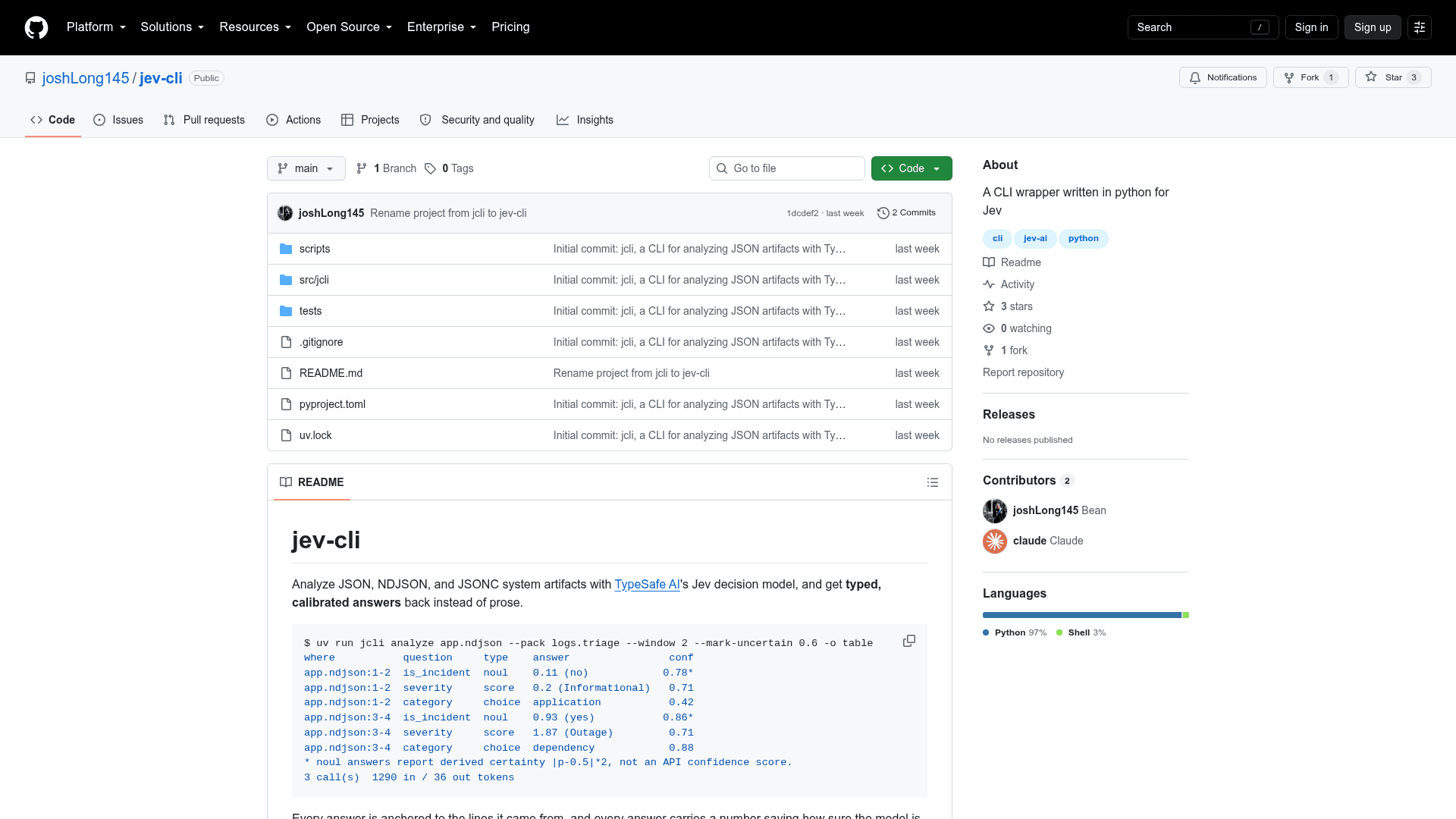
jev-cli is a Python command-line tool, invoked as jcli, that analyzes logs, audit trails, and other system artifacts with TypeSafe AI's Jev decision model. Instead of prose summaries, it returns typed answers, each tied to the source lines it came from and carrying a number that says how sure the model is. It is an early alpha project by Josh Long.
What It Is
jcli reads JSON, NDJSON, JSONC, or plain text logs, groups records into windows, and sends each window to Jev along with a set of typed questions. Jev answers every question in one call, so the README notes that asking eight questions costs about what asking one costs. Answers come back as one of three types: noul (a probability that a statement is true), choice (a label plus its full distribution), or score (a position on an ordered rubric).
Question Packs and Inline Questions
Questions are grouped into YAML packs. Five ship built in: logs.triage, logs.anomaly, security.audit, security.finding, and agent.session. Several packs can be combined in one run without adding requests. You can also define a one-off question with --ask, scaffold and validate your own packs, and override or drop individual questions per run with --set and --drop.
Text Logs Through Transforms
Most logs are not JSON, so jcli uses transforms: small YAML files that describe where a record starts and which named regex groups become fields. Only syslog ships built in; custom transforms can be passed with -t or dropped into the config folder for auto-detection. Auto-detection scores every transform by parse rate, and if there is no clear winner the run stops and lists candidates instead of guessing. Lines that fail to parse are kept under _unparsed and counted in a warning.
Confidence Handling
choice and score answers carry the API's own confidence. noul answers do not, so jcli reports a separate certainty computed from the distance to 0.5 and marks it in its own column rather than mixing the two. Flags let you flag weak answers (--mark-uncertain) or drop them (--confident), each with an explicit threshold.
Using It as a CI Gate
--fail-on takes a boolean expression over question IDs and exits with code 6 when any window matches. Other exit codes separate auth failures, rate limiting, and partial failures, and a partial failure still emits the results from windows that succeeded. Filtering, field selection, and secret redaction all run before any data leaves the machine, and --dry-run prints the exact request bodies without an API key or network access.
Community Discussions
Be the first to start a conversation about jev-cli
Share your experience with jev-cli, ask questions, or help others learn from your insights.
Pricing
Free
Free to install from the GitHub repository. Live analysis requires your own TypeSafe AI API key.
- Full CLI functionality
- All built-in question packs and the syslog transform
- Custom pack and transform authoring
- Dry-run mode without an API key
Capabilities
Key Features
- Analyze JSON, NDJSON, JSONC, and text log files
- Five built-in question packs for log triage, anomaly detection, security audit, security findings, and agent sessions
- Three typed answer types: noul, choice, and score
- All questions in a window evaluated in one API call
- Inline questions via --ask
- Custom question packs with init and validate commands
- Per-run question overrides with --set and --drop
- Text log transforms with parse-rate auto-detection
- Record-aware filtering with =, !=, ~, !~, >, >=, <, <= operators
- Field projection with --select
- Secret redaction before data leaves the process
- Configurable windows: N records, per record, or whole input
- Confidence and certainty thresholds with --mark-uncertain and --confident
- CI gate via --fail-on with distinct exit codes
- Output as table, JSON, NDJSON, CSV, or summary
- Dry-run mode that prints exact request bodies
- probe command to measure the API's state size limit
- Credential lookup from flag, file, env var, config file, or keyring
- Config file defaults in ~/.config/jcli/config.toml