
Localix Studio
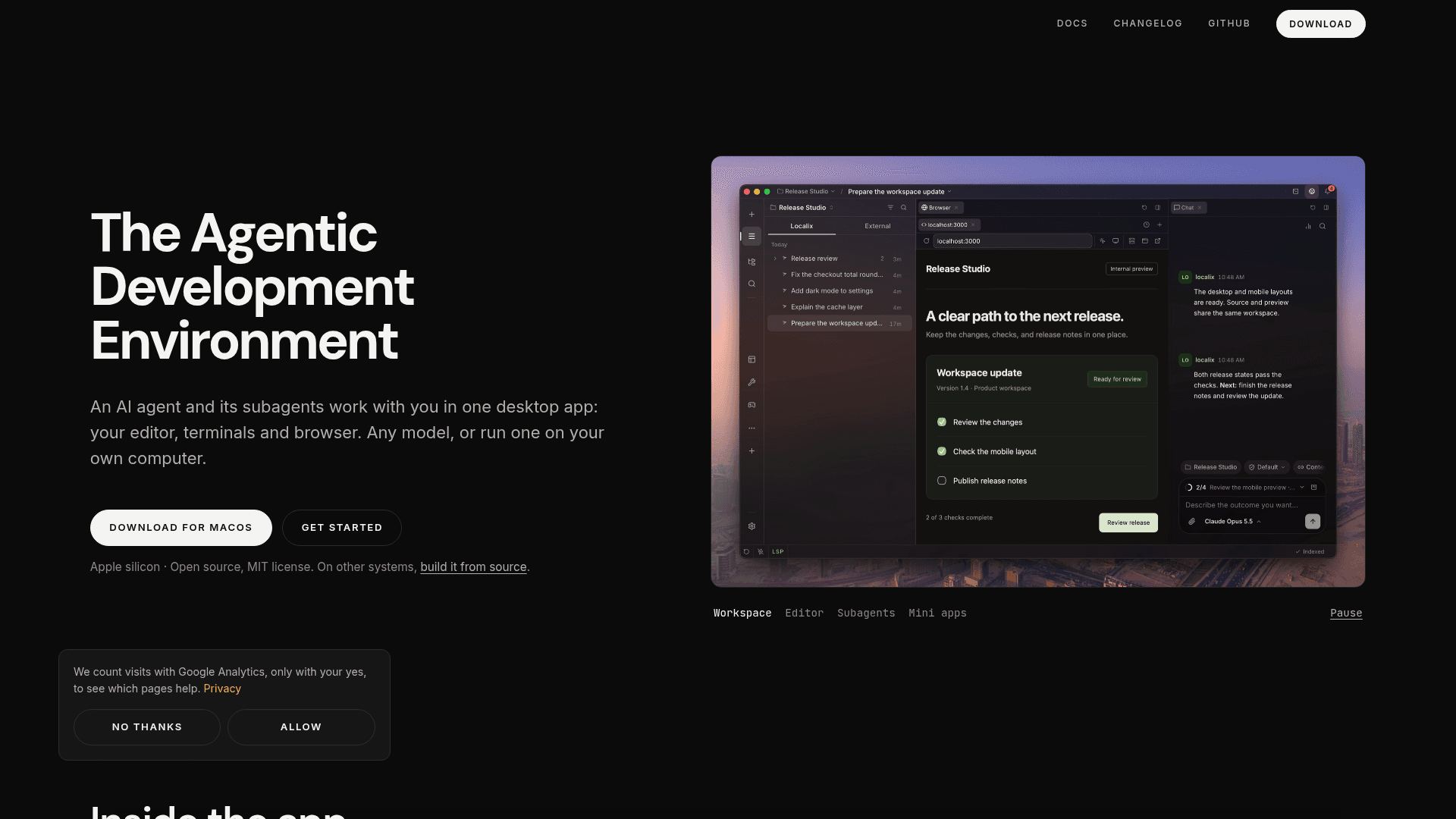
An open-source desktop agentic development environment where an AI agent and subagents work with you in an editor, terminals and browser on any model, including local ones.
At a Glance
Localix Studio desktop app, free and open source under the MIT license.
Engagement
Available On
Alternatives
Listed Nov 2026
About Localix Studio
Localix Studio is an open-source desktop app from LocalixAI that it describes as an Agentic Development Environment (ADE). An AI agent and its subagents work alongside you in one window containing a code editor, terminals and a browser. It runs on any model you connect, or on a model that runs on your own computer. It is released under the MIT license and is currently in beta.
What It Is
Localix Studio is a workspace where you and agents share conversations, an editor, terminals and previews. You add a project folder, connect a model through the model picker (sign in, paste an API key, or pick a local model), and tell the agent what to do. The agent works inside the project folder with its files, terminals and Git, while you work next to it in the same window and can open the page it builds in the built-in Browser.
How the Agent Workflow Works
- Subagents: the agent hands self-contained tasks to child sessions that run in parallel and report back; you can open and talk to each one.
- Editor: a full code editor with completion, hover, diagnostics, go to definition and rename across files, backed by language servers that install on first use.
- External coding agents: Claude Code, Codex, Gemini CLI or another installed agent can be linked to a chat, and its terminal opens beside the conversation.
- Decision models: small, fast models answer quick typed questions, such as the browser's next click, instead of the chat model.
- Permissions: permission modes and rules control when the agent asks before acting.
Models and Local Operation
Local models run on the computer, and the documentation says what you send to them stays there. Settings lets you pick a Gemma 4 size or add a GGUF model by its Hugging Face id. An on-device embedding model powers semantic search over chats, messages, skills, plugins, MCP servers and agents.
Store, Plugins and Mini Apps
The Store installs and updates mini apps, plugins, skills, agents and MCP servers from the Localix marketplace, Localix Community, Anthropic's marketplaces and added sources. Claude Code plugins, skills, commands, agents, hooks and MCP servers load as they are, without conversion. Mini apps are Localix's own format: a screen, a native backend, agent tools and a guide. The agent can build one from a description, and on macOS a mini app can install as its own Mac app.
Current Status
The latest release is v0.1.0-beta.29. A signed and notarized macOS Apple silicon build is available; other systems, including macOS Intel, Linux and Windows, currently run from source using Bun, a Rust toolchain and Tauri prerequisites.
Community Discussions
Be the first to start a conversation about Localix Studio
Share your experience with Localix Studio, ask questions, or help others learn from your insights.
Pricing
Open Source
Localix Studio desktop app, free and open source under the MIT license.
- MIT license
- Download for macOS (Apple silicon); other systems build from source
- Any model: sign in, bring an API key, or run local models
- Model provider/API usage is an external cost
- Currently in beta
Capabilities
Key Features
- AI agent with parallel subagents
- Integrated code editor with language server support
- Built-in browser the agent can drive
- Terminals and Git in the project workspace
- Any model provider via sign-in or API key
- Local models on your own computer
- Decision models for quick calls
- Link Claude Code, Codex, Gemini CLI to chats
- Store for mini apps, plugins, skills, agents and MCP servers
- Claude Code plugin compatibility
- Mini apps built by the agent, installable as Mac apps
- Semantic search with on-device embeddings
- Permission modes and rules
- Visual Feedback for pointing at UI elements
- Vault for credentials
- MCP server connections