
Make It Say
Browser tool that edits text inside images while matching the original font, color and angle.
At a Glance
1 preview edit after confirming email: smaller, watermarked (max 1024px). Unlock full size for 1 credit. Also free browser tools.
Engagement
Available On
Listed Nov 2026
About Make It Say
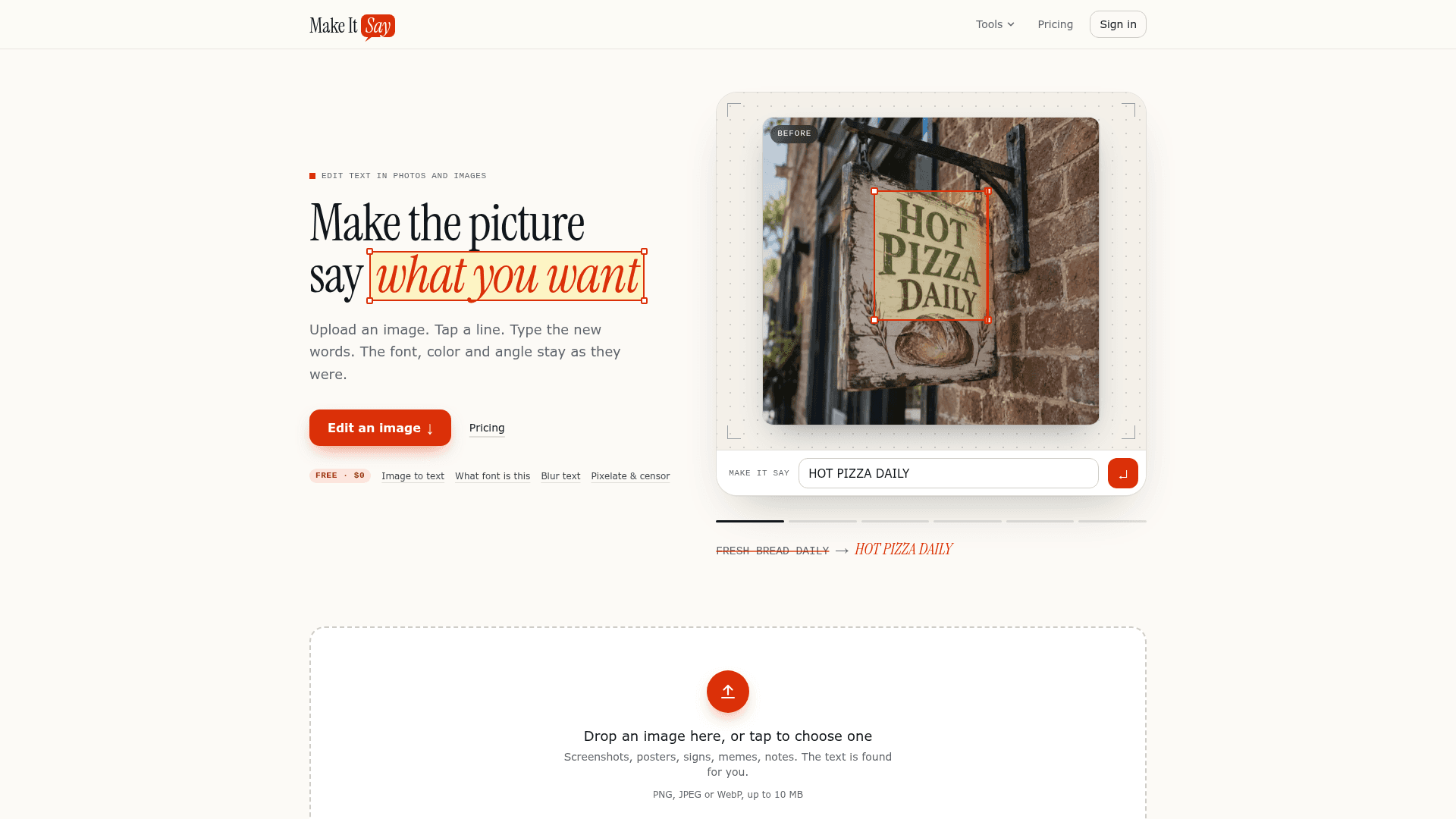
Make It Say is a web tool for changing the text already present in screenshots, posters, signs, memes, handwritten notes and AI-generated images. A vision model locates each line of text, the user types replacements, and an image model redraws just those lines in the original style. It also offers free browser tools for image-to-text extraction, font identification, blurring and pixelating.
What It Is
Make It Say is an image text editor that works on the pixels of an existing image rather than adding a new text layer. You do not need the source file, the font name or editing skills. The site states it works with Latin, Chinese, Japanese, Korean and Arabic text, including right-to-left scripts.
How the Editing Workflow Works
You upload a PNG, JPEG or WebP image (up to 10 MB), and the text is detected and boxed. You then click a box and type new text, or translate every line into another language in one click. You can correct a misread line or draw a box around a missed one, and change up to 20 lines per image. The output is a PNG with the new text in the original font, color and angle, at the same size as the upload for paid edits. The free preview is smaller and watermarked.
Use Cases and Limits
The site describes use on angled photos of signs and labels, chat and app screenshots, posters, flyers, thumbnails, logos, handwriting, memes and AI images with misspelled words. It also offers dedicated pages for removing text, changing dates and numbers, and editing WhatsApp and iMessage screenshots. The tool refuses to edit ID cards, passports, licences, certificates, transcripts, receipts, invoices and bank documents. It only changes text, not objects.
Free Tools, API and Privacy
Free browser tools cover image to text, font identification, text blurring and pixelation/censoring. The site lists an HTTP API and MCP access. Uploaded images and results are stored privately for 30 days and then deleted, according to the site.
Community Discussions
Be the first to start a conversation about Make It Say
Share your experience with Make It Say, ask questions, or help others learn from your insights.
Pricing
Free
1 preview edit after confirming email: smaller, watermarked (max 1024px). Unlock full size for 1 credit. Also free browser tools.
- 1 watermarked preview edit (max 1024px)
- Free browser tools (Image to text, What font is this, Blur text, Pixelate & censor) at $0, no sign-up
Pay as you go
No subscription, credits never expire
- 6 edits for $3 (currently $2.10)
- 40 edits for $10 (currently $7)
- $0.18 per image
- Full-resolution PNG, no watermark
- Credits never expire
- Website, HTTP API & MCP included
Pro
For regular image edits & workflows
- 120 edits a month
- $0.17 per image
- Full-resolution PNG, no watermark · API & MCP
- 30 scans/hr · 100/day
- Extra edits anytime: $18 / 100 edits
Studio
For teams, agencies & batch pipelines
- 360 edits a month
- $0.14 per image
- Full-resolution PNG, no watermark · API & MCP
- 100 scans/hr · 400/day
- Extra edits anytime: $18 / 100 edits
Capabilities
Key Features
- Edit text in images while keeping font, color and angle
- Automatic text detection and boxing
- Up to 20 lines edited per image
- One-click translation of image text
- Supports Latin, Chinese, Japanese, Korean and Arabic text
- Handwriting and photo text editing
- Remove text from images
- Free image-to-text extraction
- Free font identification
- Free text blur and pixelate/censor tools
- Refuses edits of ID and financial documents
- HTTP API and MCP access