
Mexus
A local web console for running, monitoring, and reviewing multiple CLI AI agents in parallel with isolated Git worktrees.
At a Glance
Self-hosted local web console for managing multiple CLI AI agents, licensed under Apache-2.0 (OSI-approved); installed via npm.
Engagement
Available On
Alternatives
Listed Nov 2026
About Mexus
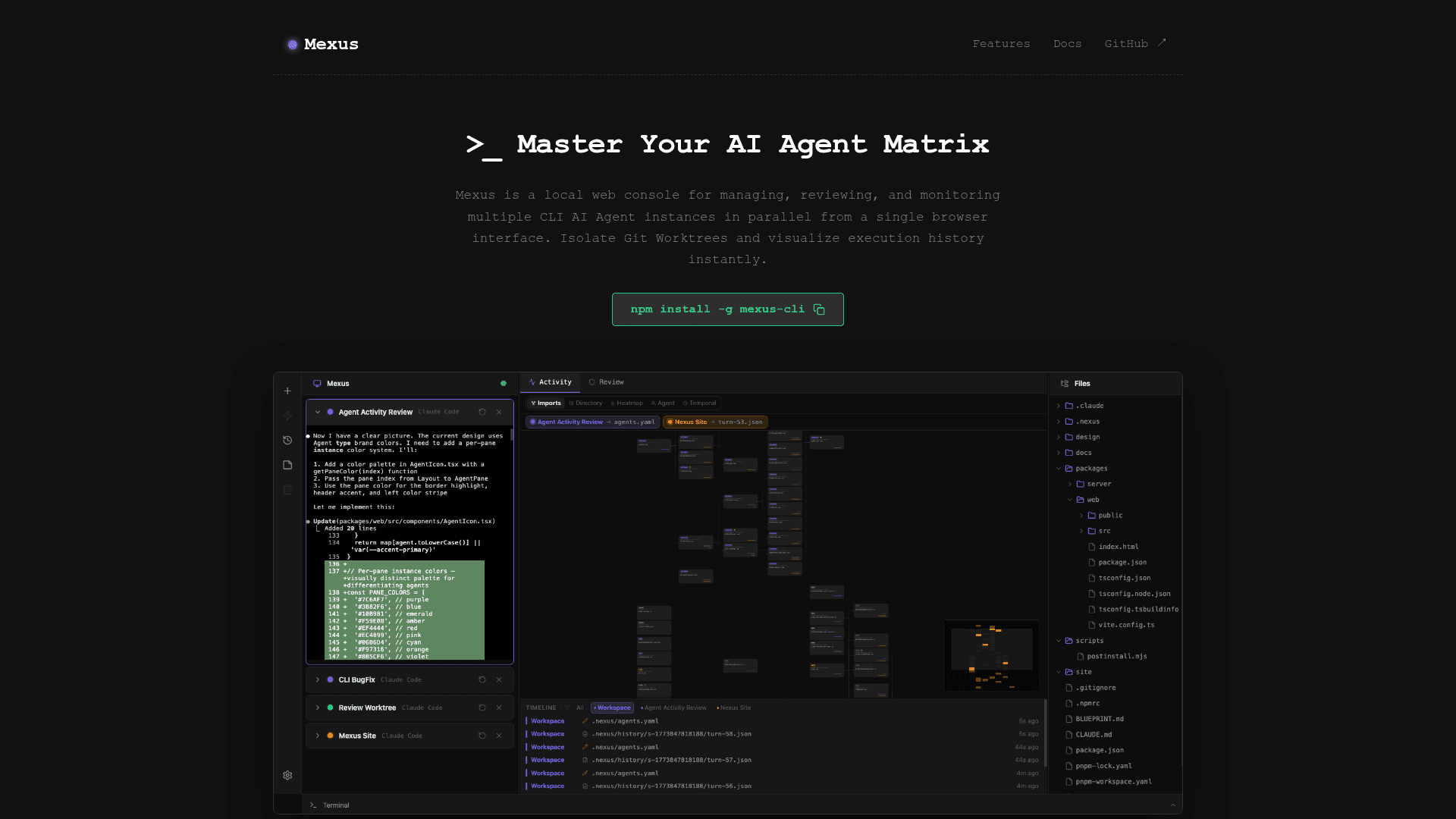
Mexus, built by yofine, is a local web console that manages multiple CLI AI agent instances in parallel from a single browser interface. It supports agents such as Claude Code, OpenCode, Aider, Codex, and Gemini, and it is installed through npm.
What It Is
Mexus (Multi-agent Execution Unified System) is an execution layer for multi-agent development. It brings scattered CLI AI agents into one local operator console where you can run them, observe their status, and review their work. A Node.js server manages the agent processes, and a React frontend connects to it over WebSocket.
How the Workflow Runs
Each agent runs as a managed pane that can be created, closed, restarted, or resumed, with live status indicators (running, waiting, idle, stopped, error). Agents can each work in their own isolated Git worktree, so parallel work happens on independent branches without conflicts. Pane headers show the branch name and file change count. For Claude Code, Mexus parses the statusline to display model name, context usage, cumulative cost, and session ID.
Review Surface and Configuration
A live file tree detects changes automatically, a code viewer provides syntax highlighting, and a Git diff panel supports repo-level inspection. The interface offers a command palette, keyboard shortcuts, a resizable four-column layout, and seven built-in themes. Configuration is YAML-driven at global and project level, including per-agent working directory and task description. Agent state is persisted locally under the .nexus directory.
Setup Path
Install globally with npm, then start the Mexus Hub, or run a single workspace against a specific project path. Commands exist to initialize project config, check workspace status, and stop the server, and ports can be customized with environment variables. The backend requires Node.js 22 or later.
Community Discussions
Be the first to start a conversation about Mexus
Share your experience with Mexus, ask questions, or help others learn from your insights.
Pricing
Open Source
Self-hosted local web console for managing multiple CLI AI agents, licensed under Apache-2.0 (OSI-approved); installed via npm.
- Apache License 2.0 (Apache-2.0)
- Local web console for multiple CLI AI agents
- Git worktree isolation
- Runtime observation and unified review surface
- Supports Claude Code, OpenCode, Aider, Codex, Gemini
Capabilities
Key Features
- Run multiple CLI AI agents in parallel from one browser console
- Supports Claude Code, OpenCode, Aider, Codex, and Gemini
- Isolated Git worktree per agent
- Real-time agent status indicators
- Create, close, restart, and resume agent sessions
- Claude Code statusline parsing for model, context usage, cost, and session ID
- Live file tree with change detection
- Code viewer with syntax highlighting
- Git diff panel
- Command palette and keyboard shortcuts
- Floating shell terminal
- YAML global and project configuration
- Seven built-in themes
- Mexus Hub for multiple workspaces