
Multi-Claude
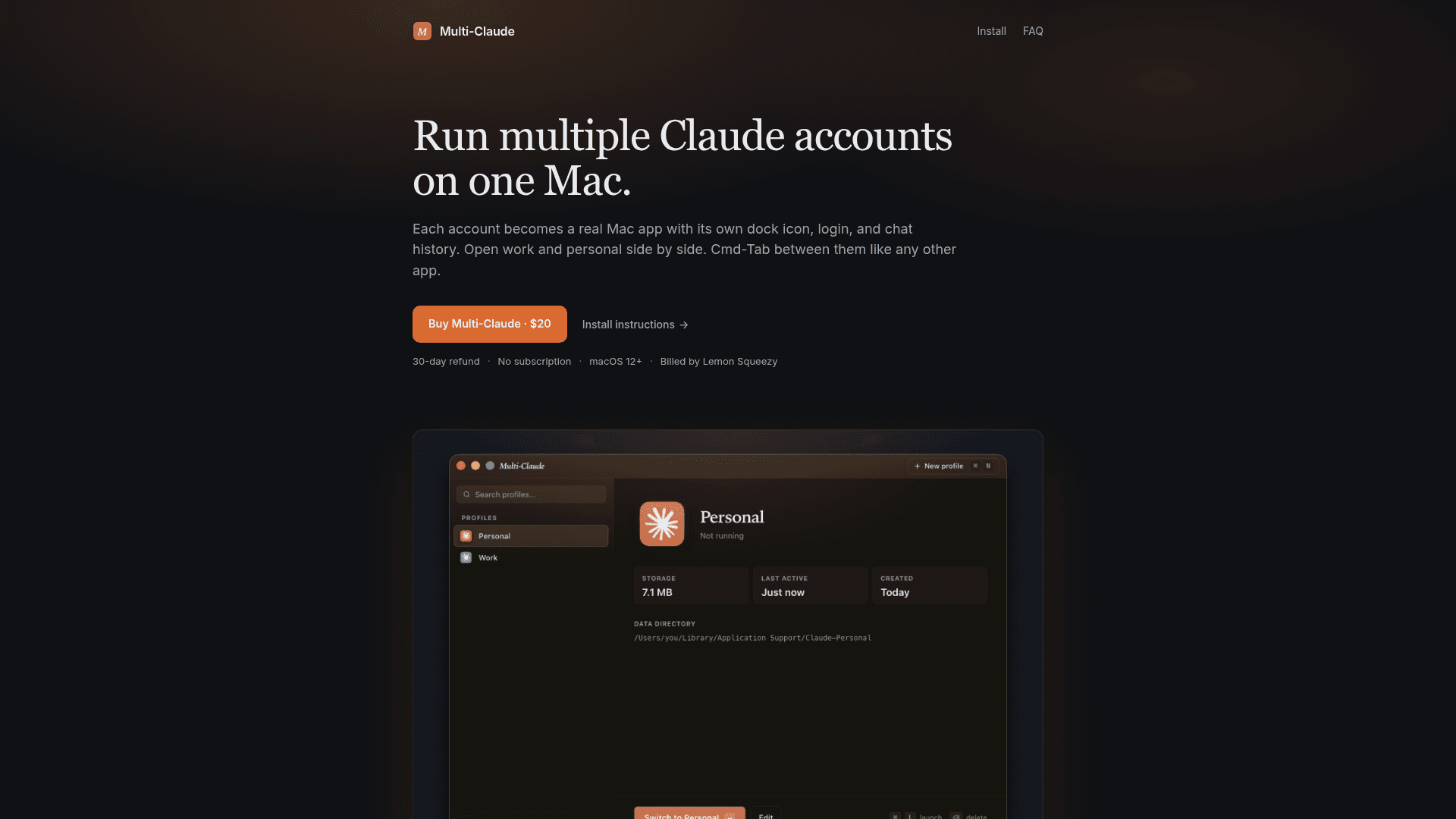
Run multiple Claude Desktop accounts simultaneously on one Mac, each as its own real Mac app with a separate dock icon, login, and chat history.
At a Glance
Engagement
Available On
Alternatives
Listed May 2026
About Multi-Claude
Multi-Claude is a macOS utility that lets you run multiple Claude Desktop accounts side by side on a single Mac. Each profile becomes a real, standalone Mac application with its own dock icon, Spotlight result, Launchpad tile, and isolated data directory — no logging out required to switch between accounts.
What It Is
Multi-Claude is a thin wrapper around the official Claude Desktop app that launches it with a different data directory for each profile. It sits in the "multi-account manager" category for desktop AI clients, solving the common problem of needing to keep work and personal Claude accounts open at the same time without quitting and re-authenticating. It is a one-time purchase macOS app, not a subscription service.
How It Works
Setup follows three steps: create a named profile (e.g., Work, Personal, Side Project) with a color label, let Multi-Claude generate a real Mac app in your Applications folder for that profile, then launch as many profiles simultaneously as you need. Switching between accounts uses standard macOS Cmd-Tab, just like switching between Safari and Mail. On first run, Multi-Claude detects an existing Claude Desktop installation and offers to import its history into a named profile, keeping the original as a backup.
Architecture and Privacy
Because each profile is simply the real Claude app running against its own data directory, Claude's built-in auto-update mechanism continues to work normally. The tool itself is described as a "thin wrapper" — it does not intercept, proxy, or transmit any chat data. Profiles are stored entirely on the local Mac, and no account creation or external data transmission is required to use Multi-Claude itself.
Platform and Compatibility
Multi-Claude requires macOS 12 or later and is Mac-only at launch, with Windows listed as on the roadmap. It is compatible with all Claude account tiers — the FAQ states it works with Claude Pro, Max, Team, and Enterprise plans. The FAQ also notes that Anthropic's Consumer Terms permit running multiple legitimate accounts (e.g., work and personal) on one machine, and that Multi-Claude is intended for users with two real accounts rather than for stacking free accounts.
Current Status
Multi-Claude is actively available for purchase through Lemon Squeezy. The product ships with a 30-day refund policy and a single license that covers all Macs the purchaser personally uses. Cloud sync across Macs is not available in the current version but is noted as a potential future feature if demand warrants it.
Community Discussions
Be the first to start a conversation about Multi-Claude
Share your experience with Multi-Claude, ask questions, or help others learn from your insights.
Pricing
Multi-Claude
One-time purchase to run multiple Claude Desktop accounts on one Mac. No subscription. 30-day refund. License covers all Macs you personally use.
- Unlimited profiles
- Each profile is a real Mac app with its own dock icon
- Isolated data directory per profile
- Migration tool for existing Claude install
- Compatible with all Claude account tiers
- 30-day refund policy
- License covers all personal Macs
Capabilities
Key Features
- Run multiple Claude Desktop accounts simultaneously on one Mac
- Each profile is a real Mac app with its own dock icon, Spotlight result, and Launchpad tile
- Isolated data directory per profile — no shared login state
- Cmd-Tab switching between accounts like any native Mac app
- Migration tool detects existing Claude install and imports history on first run
- Color-coded profile labels for at-a-glance identification
- No subscription — one-time purchase
- 30-day refund policy
- One license covers all Macs the purchaser personally uses
- Compatible with Claude Pro, Max, Team, and Enterprise accounts
- Private by default — no data sent externally by Multi-Claude itself
- Claude auto-updates normally through its own mechanism