
A native, GPU-accelerated multi-agent terminal multiplexer for running many AI coding agents and shells side by side.
At a Glance
Free and open source muxel desktop app under GPL-3.0 for Linux, macOS and Windows.
Engagement
Available On
Listed Oct 2026
About muxel
muxel is a native desktop terminal multiplexer from ProjectHax LLC, built in Rust on GPUI (Zed's UI framework), for running multiple AI coding agents such as Claude, opencode and Amp alongside shells. It is released under GPL-3.0 with commercial licensing also available, and runs on Linux, macOS and Windows. The current release listed is v0.2.7.
What It Is
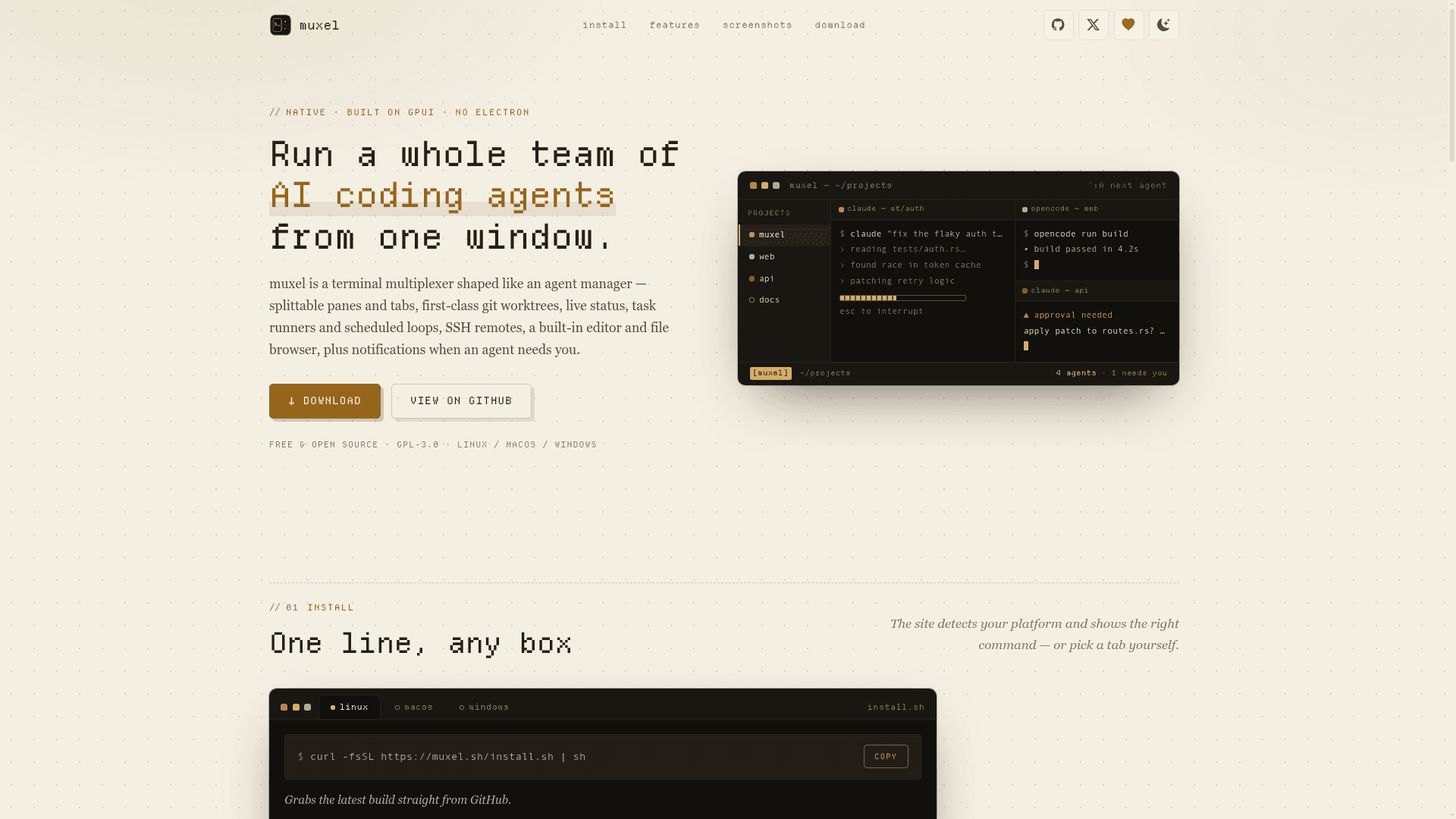
muxel is shaped like an agent manager rather than a general terminal app. It provides a tiled, tabbed workspace where each pane is a real terminal emulator over a PTY running a coding agent or shell. It is a native GUI, not a TUI, and does not use Electron or a web view.
Managing Many Agents
Panes can be split horizontally or vertically, dragged to re-dock, maximized, or popped out into separate windows. Each pane launches from an editable preset (program, args, model, system prompt, env, status markers), with built-ins including Claude, opencode, Amp, Grok, Hermes, Ollama and Pi. Live status (working, idle, blocked, done) is detected from terminal output and shown on tabs, the sidebar and a cross-project dashboard, with desktop and in-app notifications when an agent needs attention.
Worktrees, Runners and Loops
Git worktrees are first-class: named, color-coded, shared by panes, with a review/dispose flow and GitHub PR helpers via the gh CLI. Prompts can be saved as one-click task runners (such as Review or Security Review), or as scheduled loops that run every few minutes, hourly or daily. Projects can opt into a shared .muxel/MEMORY.md file where agents record lessons across runs.
Remote and Setup
Projects can live on remote hosts over SSH, with the UI, editor and file browser kept local, persistent tmux sessions (Unix only) and layouts that roam with the project. A built-in editor, diff viewer, file browser and command palette are included. Install via a one-line script, packages (.deb, .rpm, .AppImage, .dmg, Windows installer or zip), Nix on Linux, or build from source with Cargo.
Community Discussions
Be the first to start a conversation about muxel
Share your experience with muxel, ask questions, or help others learn from your insights.
Pricing
Open Source (GPL-3.0)
Free and open source muxel desktop app under GPL-3.0 for Linux, macOS and Windows.
- Splittable agent panes and tabs
- Live agent status
- Git worktrees
- Scheduled loops and task runners
- Remote SSH projects
Capabilities
Key Features
- Splittable tabbed agent panes with pop-out windows
- Live agent status tracking and notifications
- First-class git worktrees with review and GitHub PR helpers
- Agent presets for Claude, opencode, Amp, Grok, Hermes, Ollama and Pi
- Task runners and scheduled loops
- Shared project memory file
- Remote SSH projects with tmux persistence and roaming layouts
- Built-in editor, file browser and diff viewer
- Command palette and scrollback search
- Cross-project dashboard
- Session resume
- Snippets
- Workspaces and layout persistence
- Themes and remappable keybindings
- In-app auto-updates