
NexusWindows
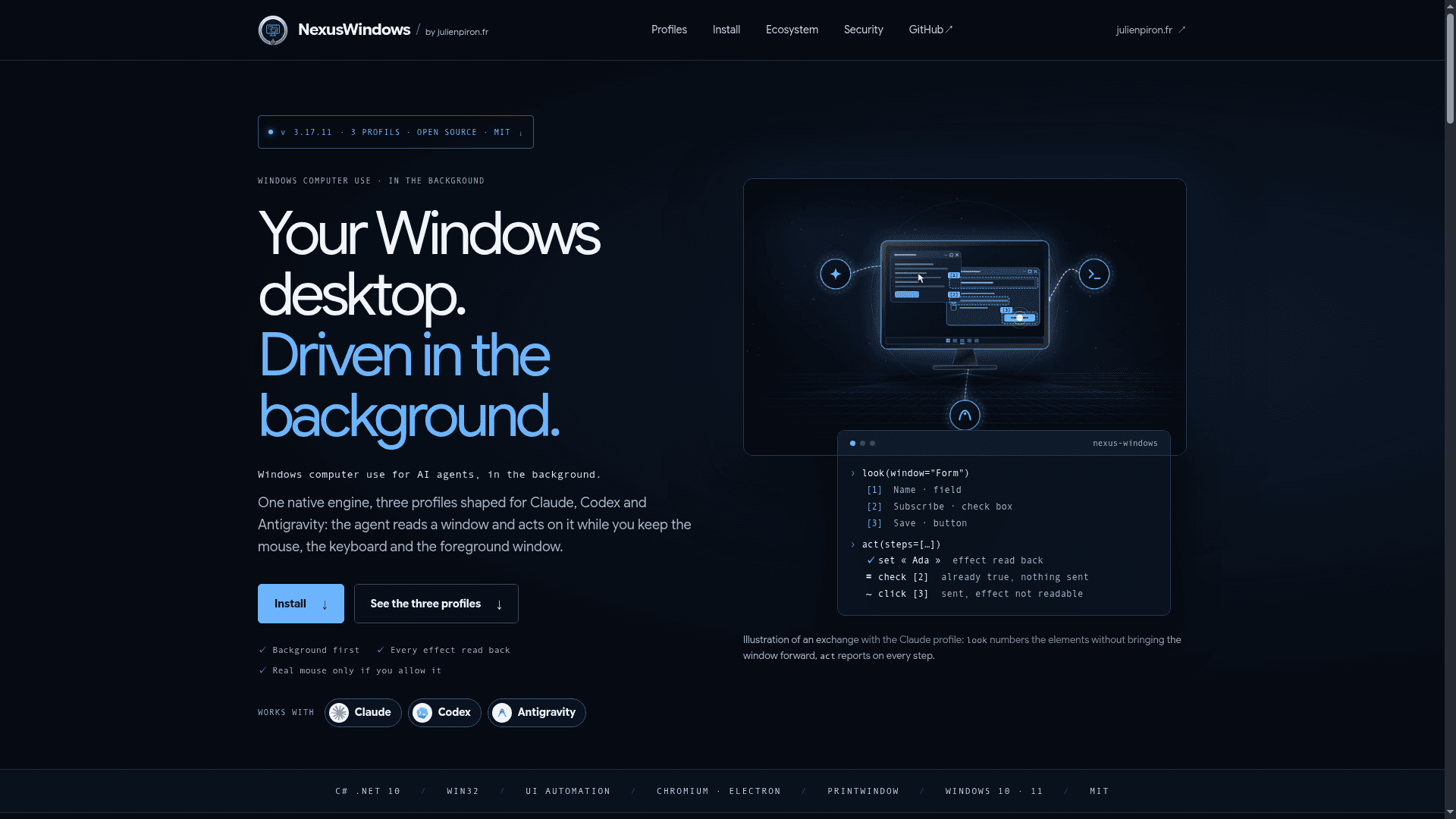
Open-source native C# engine and MCP server that lets Claude, Codex and Antigravity drive Windows desktop apps in the background with every action read back.
At a Glance
About NexusWindows
NexusWindows is an open-source Windows computer-use engine by Julien Piron for AI agents. It observes desktop apps through UI Automation and Win32 and acts on them without taking the user's mouse, keyboard or foreground window. It ships as one native C# (.NET 10) program with three profiles for Claude, Codex and Antigravity, and is released under the MIT licence.
What It Is
NexusWindows is a local MCP stdio server and plugin that gives AI agents the ability to operate Windows applications. The agent first calls a look tool that numbers the elements in a window, then an act tool that performs steps against those elements. Each step reports one of four outcomes: effect read back, already true, sent without read-back, or failed/refused. Input that cannot be verified is never counted as a success.
How the three profiles work
- Claude: a local MCP server for Claude Code and Claude Desktop with seven tools (windows, look, act, launch, window, notifications, logs), verified routines replayed by name, PrintWindow capture and OCR for windows without accessibility.
- Codex: a plugin with five tools, verified batches of up to 32 steps that stop at the first unverified step, and no network port opened. A step sent without a read-back effect is reported as unknown and never replayed.
- Antigravity: an MCP server designed for Gemini models, with five tools, targets named by label, and a one-line next-step hint in each reply. Irreversible gestures such as pay, send or delete are refused without explicit confirmation.
The project's own benchmark, run against Cua Driver 0.44.0 with the window covered, reports 102 real effects in 116 trials versus 50, and no false successes versus 16.
Safety model
Background techniques come first, and the real mouse is used only as a last resort when permitted. A shared foreground token coordinates agents on one PC. A shared emergency stop (Ctrl+Alt+Shift+Esc) blocks desktop actions for 2 minutes. Password managers, sign-in screens and UAC prompts are never driven, and on-screen text is treated as data rather than instructions. According to the README, everything runs locally and nothing is sent anywhere by NexusWindows.
Setup path
It requires Windows 10 or 11 on x64 or ARM64, with no Python, Node.js or .NET runtime to install. Users can paste an install prompt into their AI so it follows the NexusSystem guide, use the NexusSystem app from the Microsoft Store, or run the checksum-verified get.ps1 from the GitHub release. The installer registers the engine with Claude Code, Claude Desktop, Codex and Antigravity when present.
Documented limits
It has been tested on Windows 11 with test applications and a handful of real ones, so not every application has been checked. Tk and some canvas-based apps need real input and are refused in the background, though OCR can read their text. The site recommends NexusBrowser for web pages. It is an independent project, not affiliated with Microsoft, Anthropic, OpenAI or Google.
Community Discussions
Be the first to start a conversation about NexusWindows
Share your experience with NexusWindows, ask questions, or help others learn from your insights.
Pricing
Open Source (MIT)
NexusWindows core engine and its three profiles (Claude, Codex, Antigravity), released under the MIT license and free to use.
- MIT-licensed native C# (.NET 10) engine
- Three profiles: Claude, Codex and Antigravity
- Claude profile: local MCP server with seven tools
- Free installation via NexusSystem on the Microsoft Store, no account
- Windows 10 and 11
Capabilities
Key Features
- Background control of Windows apps via Win32 messages and UI Automation
- Look-then-act workflow with numbered UI elements
- Every effect read back with four outcome states
- Three profiles for Claude, Codex and Antigravity
- PrintWindow capture including covered windows
- OCR for windows without accessibility
- Verified routines replayed by name (Claude profile)
- Verified batches of up to 32 steps (Codex profile)
- Confirmation required for irreversible actions
- Shared foreground token between agents
- Shared emergency stop (Ctrl+Alt+Shift+Esc)
- Off-limits areas: password managers, sign-in screens, UAC prompts
- Self-contained native program with x64 and ARM64 builds
- Local-only operation with runtime receipts