Noteshell
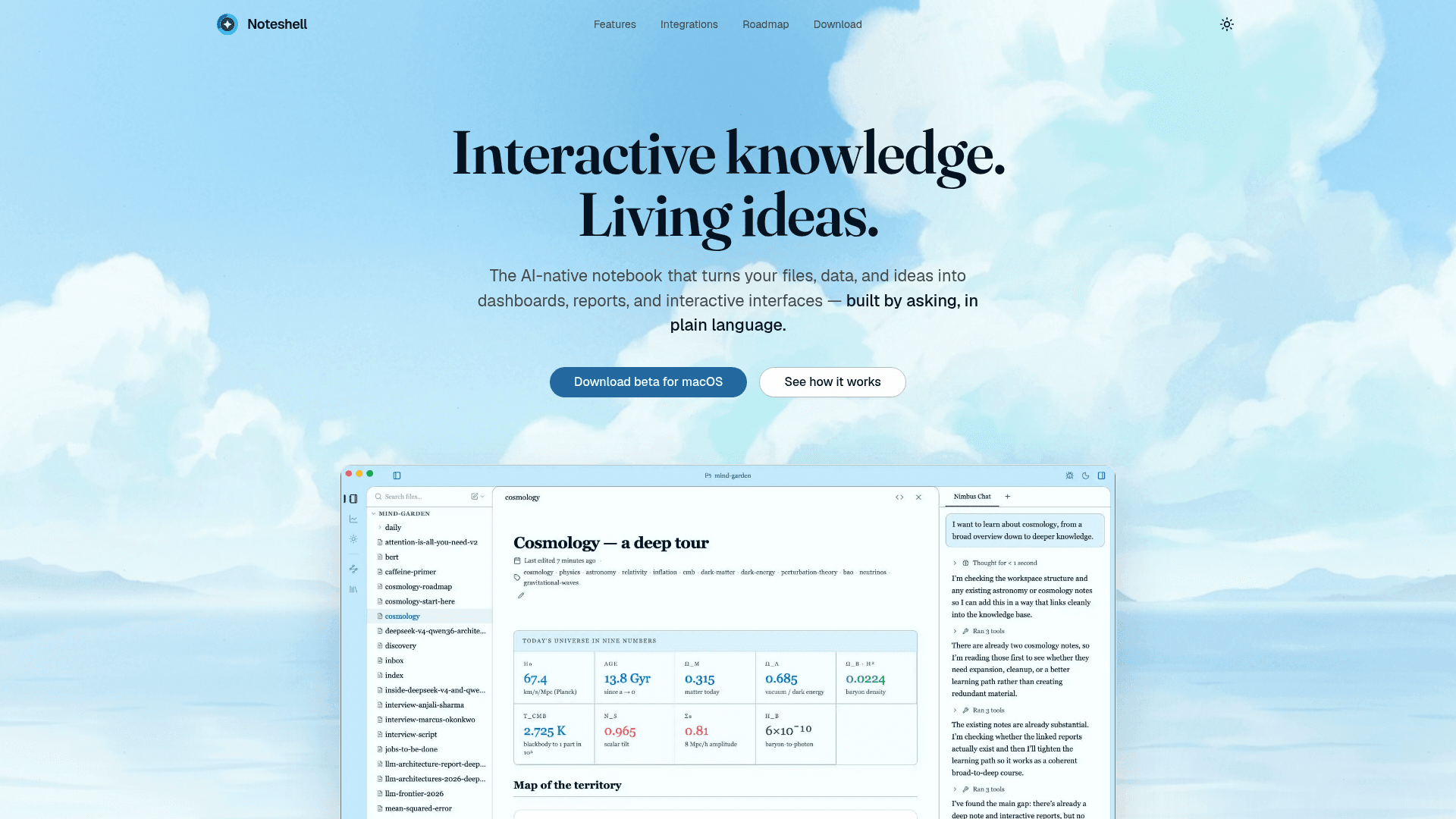
An AI-native notebook for macOS that turns your files, data, and ideas into dashboards, reports, and interactive interfaces using plain language.
At a Glance
Free beta access for macOS users during the current beta period.
Engagement
Available On
Listed May 2026
About Noteshell
Noteshell is an AI-native desktop notebook app currently in beta for macOS, with Windows support listed as coming soon. It positions itself as a tool that transforms captured notes, files, and live data into interactive dashboards, reports, and canvases — all composed by describing what you want in plain language. The built-in agent, Nimbus, handles the wiring between your knowledge and the outputs you need.
What It Is
Noteshell is a local-first knowledge management and composition tool that blends note-taking with live data, AI-driven synthesis, and interactive interface generation. Unlike traditional note apps that store plain text, Noteshell treats each note as a structured surface capable of computing values, embedding widgets, and referencing other notes. Users describe the output they want — a weekly report, a research synthesis canvas, a team dashboard — and the AI composes it from the knowledge already in the vault.
Core Workflow: Capture, Curate, Run
The product is organized around three stages:
- Capture: Global hotkey and system-tray quick capture for notes, voice memos (with transcription), screenshots (with OCR), and links (with auto-summary). The emphasis is on zero-friction intake so nothing gets lost.
- Curate: Wikilinks and bidirectional backlinks form automatically. Notes auto-cluster by theme and entity. Daily, weekly, and monthly notes update themselves, reducing manual wiki maintenance.
- Run: Dashboards, reports, briefs, and canvases are generated from prompts and stay live — re-runnable with fresh data as the vault grows.
MCP Integration and Live Data
Noteshell speaks the Model Context Protocol (MCP), the standard used by AI agents to read external tools. Built-in connectors include Slack, Linear, Calendar, and Google Drive. Users can add custom MCP servers with a one-line config. This means widgets inside notes can display live Slack mentions, active Linear issues, or calendar events — not static screenshots. The site states: "If you can describe it, you can build it."
Canvas and Synthesis
The Canvas feature lets users drag hundreds of notes onto a spatial surface, then invoke an agent to auto-group them by theme, entity, or time. The agent can then generate reports, briefs, or decks from the resulting clusters. The site describes use cases like synthesizing 30 user interviews or working through a literature review — scenarios where the core job is turning many inputs into one clear output.
Team and Template Layer
Noteshell includes a team-oriented layer where published notes, dashboards, and reports become versioned, forkable templates. Teams can index docs, tickets, and meeting notes into a shared knowledge layer. The site describes this as turning internal knowledge from a wiki into something "decisions get made from." Templates are attributable and adoptable across teams without rebuilding.
Current Status
As of the available sources, Noteshell is in public beta for macOS only. The homepage prominently links to a macOS beta download and notes "Windows — coming soon." No version number or changelog is surfaced in the available pages.
Community Discussions
Be the first to start a conversation about Noteshell
Share your experience with Noteshell, ask questions, or help others learn from your insights.
Pricing
Beta
Free beta access for macOS users during the current beta period.
- AI-native notebook
- Semantic vault search
- MCP integrations
- Canvas synthesis
- Dashboard composition
Capabilities
Key Features
- AI-native notebook with structured notes
- Plain-language interface composition
- Semantic search across the vault
- Global hotkey quick capture
- Voice memo transcription
- Screenshot OCR
- Auto-summary for pasted links
- Wikilinks and bidirectional backlinks
- Auto-clustering by theme and entity
- Live widgets connected to MCP services
- Built-in Nimbus agent for workspace generation
- Multi-note canvas with auto-grouping
- Report and brief generation from clusters
- Dashboards composed from prompts
- Re-runnable artifacts with fresh data
- Native MCP server support
- Built-in connectors: Slack, Linear, Calendar, Drive
- Custom MCP server support via one-line config
- Versioned, forkable, attributable team templates
- Local-first file storage
- Daily, weekly, monthly notes that update themselves
- Maps of content generated from vault