EveryDev.ai
Subscribe
Home
Tools

4,450+ AI tools

  • New
  • Trending
  • Featured
  • Rate tools
  • Compare
  • Arena
Categories
  • Agents3274
  • Coding2275
  • Infrastructure1000
  • Projects696
  • Marketing636
  • Research587
  • MCP532
  • Design508
  • Analytics506
  • Testing394
  • Security376
  • Data327
  • Integration244
  • Prompts244
  • Communication235
  • Extensions217
  • Voice193
  • Learning190
  • Commerce170
  • DevOps153
  • Web103
  • Finance36
AI Tools by Topic
  • AI Coding Assistants
  • Agent Frameworks
  • MCP Servers
  • AI Prompt Tools
  • Vibe Coding Tools
  • AI Design Tools
  • AI Database Tools
  • AI Website Builders
  • AI Testing Tools
  • LLM Evaluations
Follow Us
  • X / Twitter
  • LinkedIn
  • Reddit
  • Discord
  • Threads
  • Bluesky
  • Mastodon
  • YouTube
  • GitHub
  • Instagram
Get Started
  • Users
  • Rate Tools
  • About
  • Editorial Standards
  • Corrections & Disclosures
  • Community Guidelines
  • Advertise
  • Contact Us
  • Newsletter
  • Submit a Tool
  • Start a Discussion
  • Write A Blog
  • Share A Build
  • Terms of Service
  • Privacy Policy
Explore with AI
  • ChatGPT
  • Gemini
  • Claude
  • Grok
  • Perplexity
Agent Experience
  • llms.txt
Theme
With AI, Everyone is a Dev. EveryDev.ai © 2026
    1. Home
    2. Tools
    3. NTXM Browser Mini
    NTXM Browser Mini icon

    NTXM Browser Mini

    Browser Automation
    Featured

    A local desktop Chromium browser that agents control over HTTP /v1 by observing a compact page map, acting by short id, and extracting JSON.

    Visit Website

    At a Glance

    Pricing
    Free

    Free proprietary desktop browser (NTXM Browser Mini); the NTXM homepage states every NTXM tool is free forever with no tier to upgrade into. Not open source.

    Engagement

    Available On

    Windows
    macOS
    API

    Resources

    WebsiteGitHubllms.txt

    Topics

    Browser AutomationAI BrowsersMCP Tools

    Alternatives

    SiteQuestAeraFellou
    Developer
    NTXMNTXM builds focused digital products for creators and develo…

    Listed Oct 2026

    About NTXM Browser Mini

    NTXM Browser Mini is a desktop Chromium (CEF) browser from NTXM (TechXcelerate) that stays open on your machine with your cookies, logins and tabs. Agents attach to it through a local HTTP API on 127.0.0.1:9090 rather than receiving raw HTML or screenshots. The current release is 0.1.3 for Windows x64.

    What It Is

    NTXM Browser Mini is a local agent browser: a normal desktop window with a built-in server that exposes three tools. Any script or agent that can POST JSON can use it. Sessions use ids such as s_19, and one session maps to one tab. It does not contain an LLM and does not plan tasks; the calling model chooses which element id to act on.

    How the /v1 workflow works

    • Observe returns ranked controls with short ids, a few page facts and a revision, capped at 800 tokens, with optional diffs.
    • Act runs a chain of verbs such as fill, click or select, with an optional wait, and always returns a fresh observe.
    • Extract takes a JSON schema and fills it from the page; it targets tables and forms and otherwise returns extract_failed.
    • Session endpoints create, navigate, read and delete a tab. The first successful origin locks a host allowlist, and navigation outside it is blocked.
    • A manifest endpoint describes the tools, and an experimental MCP endpoint at /mcp offers the same tools over JSON-RPC.

    Scope and tradeoffs

    The project states it is not a cloud browser farm, stealth or proxy service, or a Playwright replacement. It has no server-side natural-language actions, no CDP requirement and no tab groups. Legacy REST endpoints (/windows, /tabs, /content) remain for older scripts but are described as internal. Benchmarks published for 0.1.3 cover only the kitchen-sink fixture, e.g. 7 ms warm observe and 142 observe tokens. The vendor says it is local-first with no NTXM telemetry.

    Current Status

    The 0.1.3 installer is unsigned, so Windows SmartScreen may warn. The GitHub repository hosts releases and documentation only; the software is proprietary, not open source. The README also mentions a macOS Apple Silicon build and optional Cloudflare tunnel in v0.1.2, while the product page lists Windows x64.
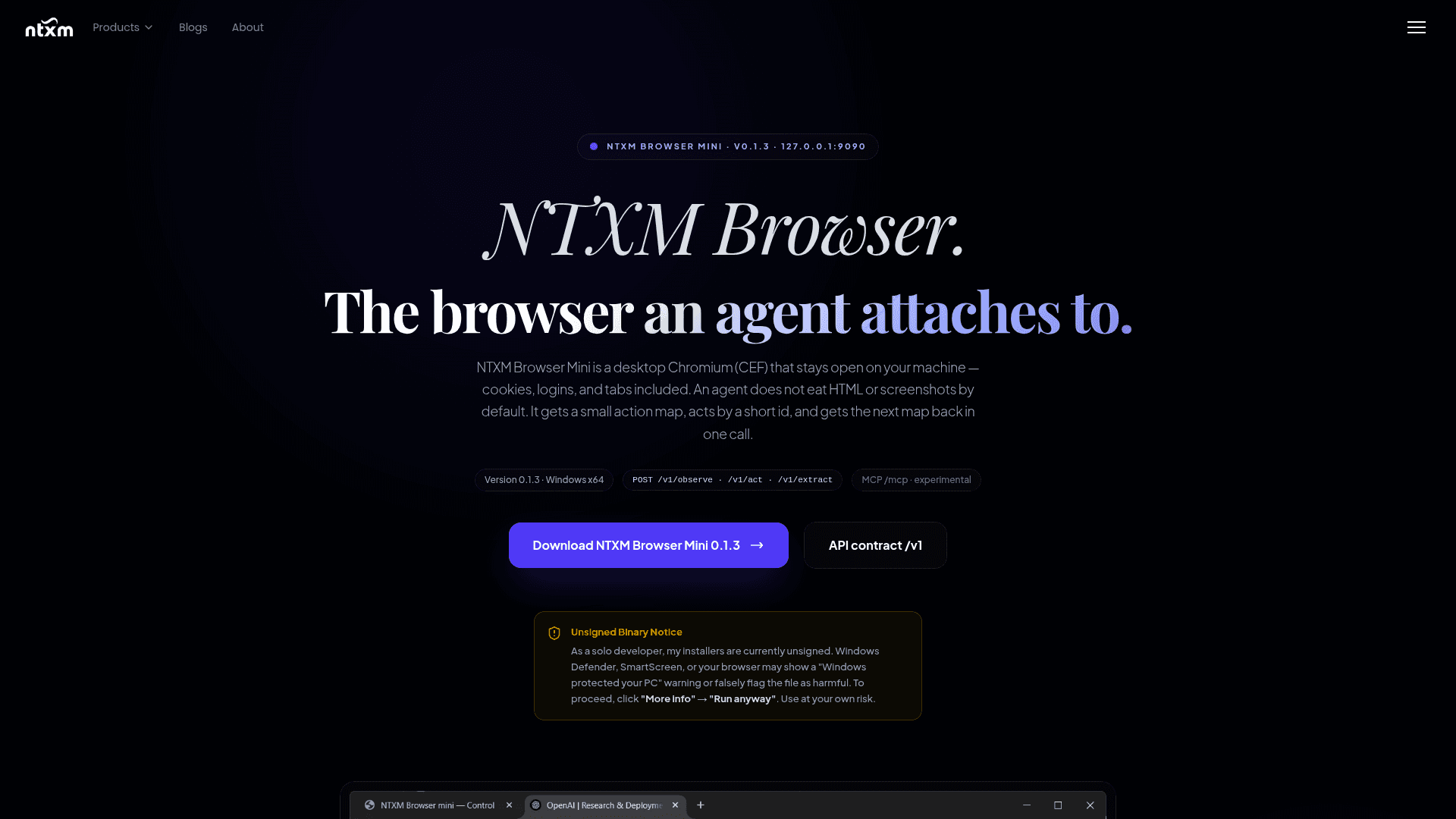
    NTXM Browser Mini - 1

    Community Discussions

    Be the first to start a conversation about NTXM Browser Mini

    Share your experience with NTXM Browser Mini, ask questions, or help others learn from your insights.

    Pricing

    FREE

    Free

    Free proprietary desktop browser (NTXM Browser Mini); the NTXM homepage states every NTXM tool is free forever with no tier to upgrade into. Not open source.

    • Windows x64 installer (v0.1.3)
    • Local HTTP /v1 API: observe, act, extract
    • Experimental MCP at /mcp
    • No NTXM telemetry
    • Proprietary license; personal or internal business use; redistribute only the unmodified official installer

    Capabilities

    Key Features

    • Local desktop Chromium (CEF) with persistent cookies, logins and tabs
    • HTTP /v1 API: session, observe, act, extract, manifest
    • Token-capped observe maps (800 tokens) with short stable ids
    • Act returns a fresh observe with optional wait
    • Schema-based JSON extraction without an internal LLM
    • Host allowlist per session
    • Experimental MCP endpoint at /mcp
    • Local-first with no NTXM telemetry
    • Optional Cloudflare tunnel (per README v0.1.2)

    Integrations

    MCP
    Cloudflare Tunnel
    API Available

    Ratings & Reviews

    No ratings yet

    Be the first to rate NTXM Browser Mini and help others make informed decisions.

    Rate other tools you’ve used

    Developer

    NTXM

    NTXM builds focused digital products for creators and developers, combining speed, clean design and practical workflows. Its catalog includes NTXM Agent, SQL Studio, KinoFlux, TypeMaster and SonnetPulse. The company says its tools are built to run locally and offline.

    Read more about NTXM
    WebsiteGitHubX / Twitter
    1 tool in directory

    Similar Tools

    SiteQuest icon

    SiteQuest

    A desktop overlay browser for macOS and Windows that lets you access any website or AI tool instantly with a single hotkey, without switching tabs or leaving your current app.

    Aera icon

    Aera

    Aera is a desktop browser built for automation that lets you schedule tasks, manage long-running workflows, and connect your tools via MCP without writing code.

    Fellou icon

    Fellou

    An agentic AI browser that automates complex web and desktop workflows, conducts deep multi-source research, and generates traceable reports.

    Browse all tools

    Related Topics

    Browser Automation

    AI-powered agents that autonomously navigate and interact with web applications to automate repetitive tasks, extract data, fill forms, and perform web-based workflows using intelligent understanding of page structure and content.

    153 tools

    AI Browsers

    Next-generation web browsers with native AI integration that provide intelligent browsing assistance, context-aware search, automated task completion, and enhanced web interaction through built-in AI agents and capabilities.

    18 tools

    MCP Tools

    Tools built with the Model Context Protocol for specific tasks.

    113 tools
    Browse all topics
    Back to all toolsSuggest an edit
    ratings
    discussions