
Obsidian
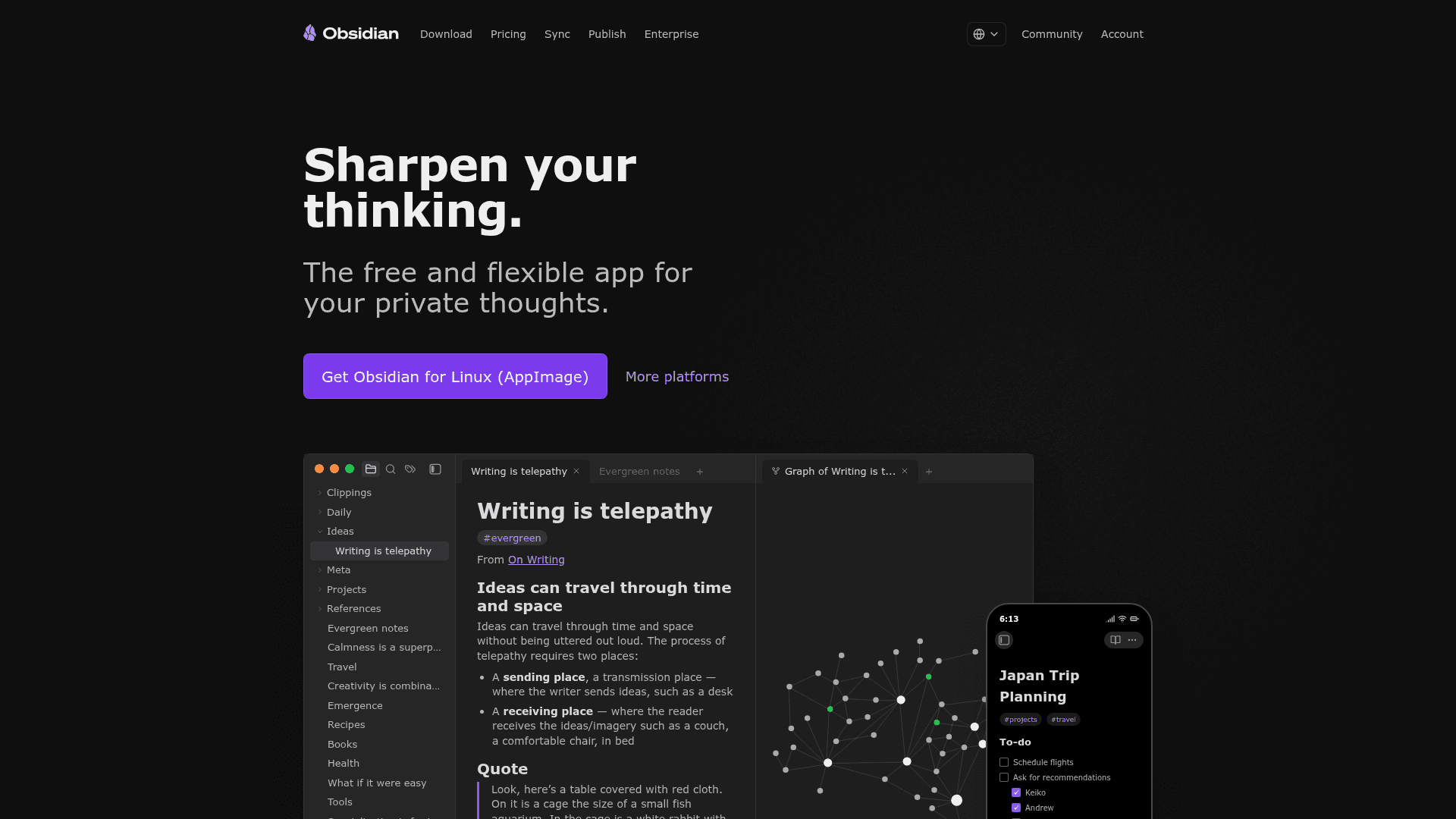
A free, private, and flexible note-taking app that stores your notes locally as plain text Markdown files, with powerful linking, graph visualization, and a rich plugin ecosystem.
At a Glance
Full-featured note-taking app, free for personal use with no sign-up required.
Engagement
Available On
Listed May 2026
About Obsidian
Obsidian is a desktop and mobile note-taking app built around local-first, plain-text Markdown files. Developed by a small independent team co-founded by Shida Li and Erica Xu in 2020, it's free to use without sign-up and offers optional paid add-ons for sync and publishing. The core principle: your data belongs to you. Notes live on your device, never on Obsidian's servers, in open file formats that prevent lock-in.
What It Is
Obsidian is a personal knowledge management (PKM) tool for creating, linking, and organizing notes in a local vault of Markdown files. It sits in the "second brain" category alongside Notion, Roam Research, and Logseq, but its architecture is entirely local: no account required, fully offline-capable. Optional cloud services (Sync and Publish) exist as paid add-ons but aren't needed for core functionality.
Core Features and Architecture
Obsidian's feature set is built around a few foundational ideas:
- Bidirectional linking: Notes link to each other with
[[wikilinks]], and Obsidian tracks backlinks automatically, letting users build a personal wiki. - Graph view: An interactive visual graph shows the relationships between notes in a vault, surfacing hidden connections.
- Canvas: An infinite, freeform workspace for brainstorming, diagramming, and laying out ideas visually.
- Bases: A built-in database view that turns notes into structured, queryable tables.
- Plugins: Thousands of community plugins extend Obsidian's capabilities — Calendar, Kanban, Dataview, Tasks, and AI-focused plugins like Smart Connections that bring semantic search and chat over your vault. An open API lets developers build their own plugins and themes.
- Web Clipper: A browser extension for saving web content and highlights directly into Obsidian.
- CLI: A command-line interface for controlling Obsidian from the terminal.
Add-On Services
Two optional paid services extend Obsidian beyond local use:
- Obsidian Sync provides end-to-end encrypted synchronization across devices, version history for every note, and shared vault collaboration. Includes one year of version history and fine-grained control over which files sync to which devices.
- Obsidian Publish turns notes into a public website — wiki, knowledge base, documentation site, or digital garden — with customizable themes, custom domains, password protection, graph view, and full-text search. The Obsidian Help site itself is powered by Obsidian Publish.
Privacy and Data Model
Obsidian's manifesto centers on four principles: notes are yours (stored locally), durable (open formats, no lock-in), private (no telemetry, no data sold, end-to-end encryption for sync), and malleable (highly customizable). From the pricing FAQ: "Obsidian is a private and secure space for your thoughts. You can use our apps without sharing any personal information, and your data is stored locally on your device, making it inaccessible to us. Additionally, our apps do not collect telemetry data, and we never sell user data."
Commercial Adoption and Independence
More than 10,000 organizations have purchased commercial licenses to support Obsidian's development. Named license holders include Amazon at the Diamond tier and Capital One, Meta, Shopify, and the UK Government at the Topaz tier, among many others. Obsidian describes itself as "100% user-supported, not investors" — the commercial license is framed as optional support, not a required enterprise product.
Update: Version 1.12.7
The homepage references version 1.12.7 as the current release (as of data collection), indicating active development. The changelog lives at obsidian.md/changelog and a public roadmap at obsidian.md/roadmap.
Community Discussions
Be the first to start a conversation about Obsidian
Share your experience with Obsidian, ask questions, or help others learn from your insights.
Pricing
Obsidian (Personal)
Full-featured note-taking app, free for personal use with no sign-up required.
- Local Markdown note storage
- Bidirectional linking and graph view
- Canvas
- Thousands of community plugins
- Customizable themes
Obsidian Sync (Monthly)
Encrypted note synchronization across devices, billed monthly.
- Sync notes across devices
- End-to-end encryption
- Version history
- Collaborate on shared vaults
- Priority support
Obsidian Publish (Monthly)
Publish notes as a website, wiki, or digital garden, billed monthly.
- Publish notes to the web
- No technical knowledge required
- Customizable theme
- Graph and full text search
- Priority support
Catalyst
One-time supporter license granting early beta access and community perks.
- Early access to beta versions
- Community badges
- VIP channel
Commercial License
Annual per-user license for commercial use in organizations.
- Support development
- Become a featured organization
Capabilities
Key Features
- Local-first plain text Markdown storage
- Bidirectional note linking with wikilinks
- Interactive graph view of note relationships
- Canvas for infinite freeform brainstorming
- Thousands of community plugins
- Customizable themes and CSS snippets
- End-to-end encrypted sync across devices (add-on)
- Version history for notes (add-on)
- Shared vault collaboration (add-on)
- Publish notes as a website (add-on)
- Web Clipper browser extension
- Command-line interface (CLI)
- Offline access
- No account required for core use
- Open API for plugin and theme development