
oMLX
macOS-native LLM inference server for Apple Silicon with continuous batching and tiered SSD KV caching, managed from the menu bar.
At a Glance
Fully free and open source under Apache 2.0. Download the macOS app, install via Homebrew, or build from source.
Engagement
Available On
Alternatives
Listed Jul 2026
About oMLX
oMLX is an open-source LLM inference server built specifically for Apple Silicon Macs, released under the Apache 2.0 license. It addresses a core pain point for local AI coding workflows: KV cache invalidation that forces long recomputation waits every time a coding agent revisits a previous context. The project is maintained by jundot and has accumulated over 17,000 GitHub stars since its creation in early 2026.
What It Is
oMLX is a macOS-native server that runs large language models locally using Apple's MLX framework, with a two-tier KV cache architecture (hot RAM + cold SSD) that persists cache blocks across requests and server restarts. It exposes both OpenAI-compatible (/v1/chat/completions) and Anthropic-compatible (/v1/messages) API endpoints, making it a drop-in backend for tools like Claude Code, OpenClaw, Cursor, OpenCode, and Codex. The project started from vllm-mlx v0.1.0 and evolved significantly with multi-model serving, tiered KV caching, VLM support, an admin panel, and a native macOS menu bar app.
Architecture and Caching Design
The core innovation is a block-based paged KV cache inspired by vLLM, operating across two tiers:
- Hot tier (RAM): Frequently accessed cache blocks stay in memory for fast access, with Copy-on-Write and prefix sharing.
- Cold tier (SSD): When the hot cache fills, blocks are offloaded to SSD in safetensors format. On the next request with a matching prefix, they are restored from disk rather than recomputed — even after a server restart.
The server architecture layers a FastAPI server over an EnginePool (supporting BatchedEngine, VLMEngine, EmbeddingEngine, and RerankerEngine), a ProcessMemoryEnforcer, an FCFS Scheduler using mlx-lm's BatchGenerator, and the full cache stack.
Supported Models and Tool Calling
oMLX serves any MLX-format model from HuggingFace, including Qwen, LLaMA, Mistral, Gemma, DeepSeek, MiniMax, GLM, and more. It supports text LLMs, vision-language models (VLMs), OCR models (DeepSeek-OCR, DOTS-OCR, GLM-OCR), embedding models (BERT, BGE-M3, ModernBERT), and rerankers. Tool calling is auto-detected across all major formats: JSON <tool_call>, Qwen3.5 XML, Gemma, GLM, MiniMax, Mistral, Kimi K2, and Longcat. MCP (Model Context Protocol) tool integration is also supported.
macOS App and Admin Dashboard
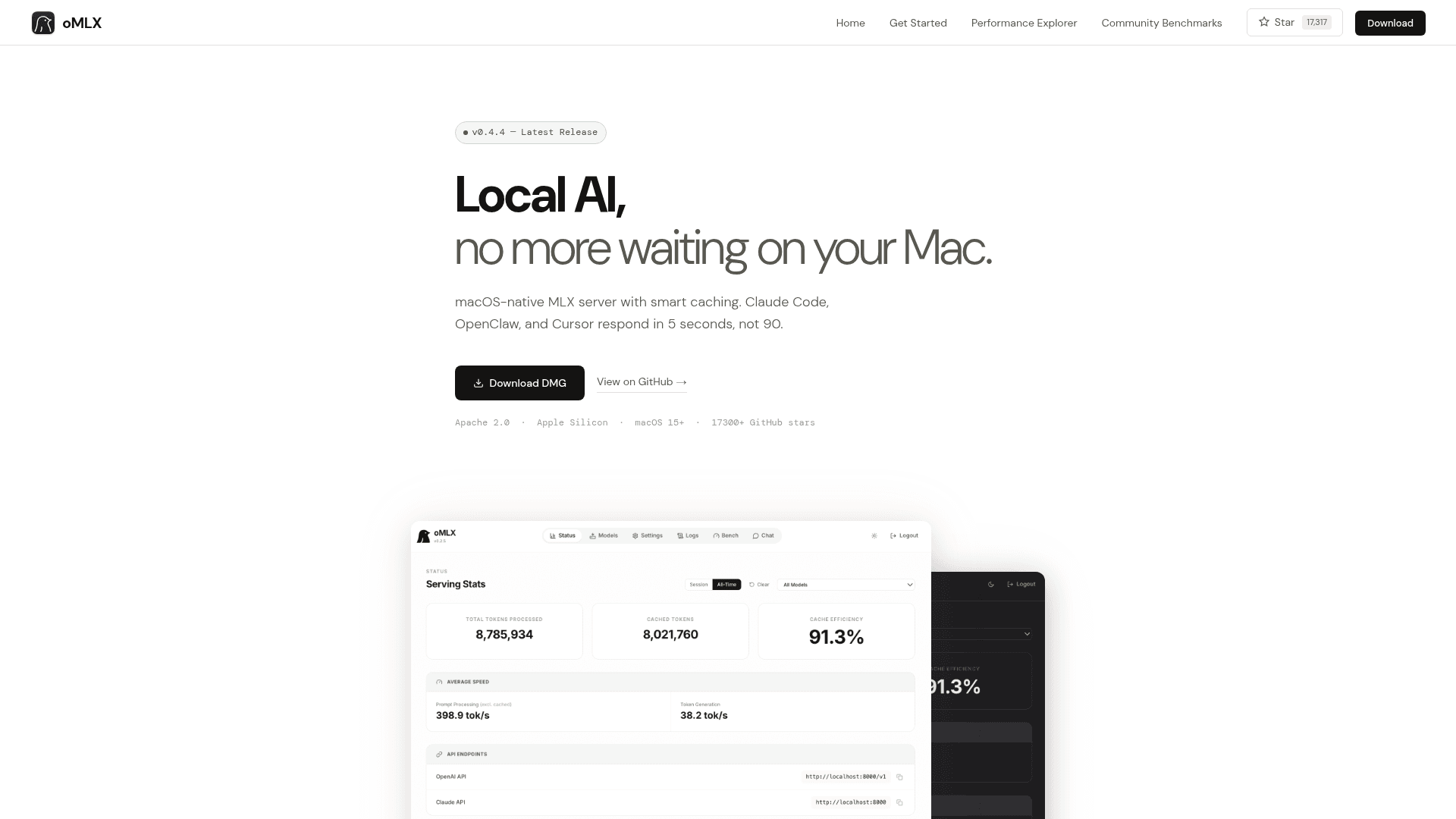
The macOS app is a native Swift/SwiftUI menubar application — not Electron — that starts, stops, and monitors the server without opening a terminal. It includes persistent serving stats, auto-restart on crash, and Sparkle-driven auto-update. The web admin dashboard at /admin provides real-time monitoring, model management, built-in chat, one-click benchmarking, and a HuggingFace model downloader. The dashboard supports eight languages and all CDN dependencies are vendored for fully offline operation. Per-model settings (sampling parameters, TTL, aliases, profiles) can be changed without a server restart.
Update: v0.4.4
The latest release is v0.4.4, published on June 16, 2026. The repository was last pushed on June 30, 2026, indicating active development. Recent additions include Claude Code context scaling support (so auto-compact triggers at the right timing with smaller context models), SSE keep-alive to prevent read timeouts during long prefill, model profiles that expose named setting bundles as separate API model IDs with no extra memory cost, and optional native custom kernels for GLM-5.2 and MiniMax M3 via a HEAD Homebrew build.
Setup Path
oMLX can be installed three ways: download the signed and notarized DMG from GitHub Releases, install via Homebrew (brew tap jundot/omlx && brew install omlx), or clone from source with Python 3.10+ and pip install -e .. The macOS app reuses an existing LM Studio model directory with no re-download required. The server listens on localhost:8000 by default and is compatible with any OpenAI-compatible client.
Community Discussions
Be the first to start a conversation about oMLX
Share your experience with oMLX, ask questions, or help others learn from your insights.
Pricing
Open Source
Fully free and open source under Apache 2.0. Download the macOS app, install via Homebrew, or build from source.
- Tiered KV caching (RAM + SSD)
- Continuous batching
- Multi-model serving (LLM, VLM, embedding, reranker)
- OpenAI and Anthropic API compatibility
- Native macOS menu bar app
Capabilities
Key Features
- Tiered KV caching (hot RAM + cold SSD) with prefix sharing and Copy-on-Write
- Continuous batching via mlx-lm BatchGenerator
- Native Swift/SwiftUI macOS menu bar app (not Electron)
- Multi-model serving: LLM, VLM, OCR, embedding, reranker
- OpenAI-compatible and Anthropic-compatible API endpoints
- Tool calling support for all major formats (JSON, Qwen, Gemma, GLM, MiniMax, Mistral, Kimi K2)
- MCP (Model Context Protocol) tool integration
- Web admin dashboard with real-time monitoring, chat, and benchmarking
- HuggingFace model downloader built into admin panel
- Per-model settings: sampling params, TTL, alias, profiles
- Model pinning and LRU eviction
- Vision-Language Model (VLM) support with paged SSD cache
- Claude Code context scaling and SSE keep-alive
- One-click integration setup for OpenClaw, OpenCode, Codex, Copilot, Hermes Agent
- Homebrew install with background service support
- Fully offline admin dashboard (vendored CDN dependencies)
- API key authentication
- Multi-language admin UI (English, Korean, Japanese, Chinese, French, Russian, Spanish, Portuguese)