
Oovi
A desktop app where a team of AI bots splits a job, works across your apps and files, and asks for approval before sending or posting anything.
At a Glance
1,000 welcome credits for theOovi 1.1, once; daily safety limit 1,000 credits
Engagement
Available On
Alternatives
Listed Nov 2026
About Oovi
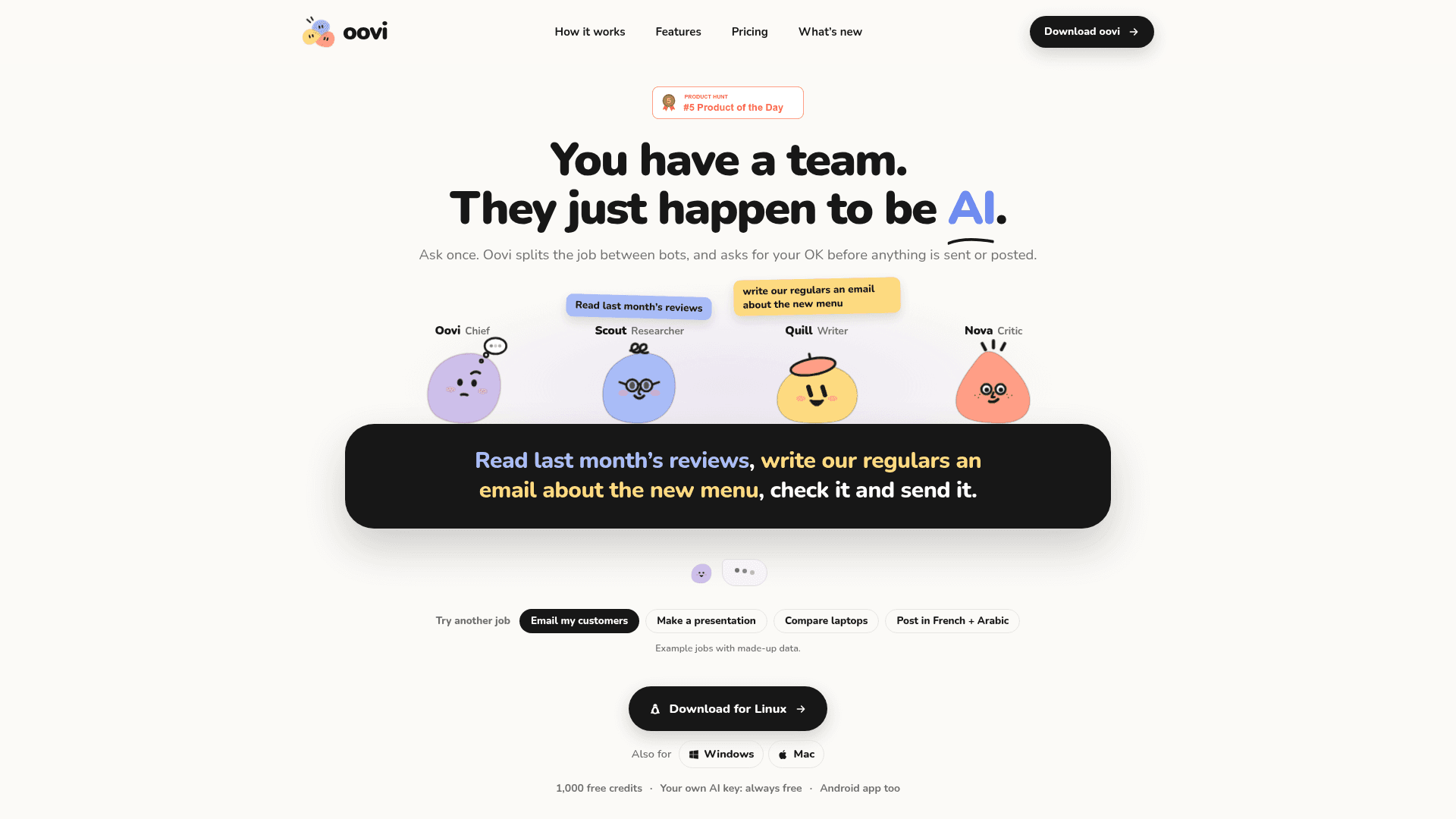
Oovi is a desktop and Android app from Conuron that gives users a team of AI bots to handle everyday work such as research, writing and checking. A user asks once in plain language, and the bots divide the job and pass results along. Before an email is sent, a post is published or a website is clicked, the app shows the exact action and waits for approval.
What It Is
Oovi is a multi-bot AI assistant that runs on Windows, Mac, Linux and Android. Every account starts with four bots: Oovi (Chief), which plans the job and gives a final answer; Scout (Researcher), which searches the web and returns sources; Quill (Writer), which turns notes into emails, posts and documents; and Nova (Critic), which reviews the result and flags mistakes. Users can add their own bots, each with its own job, face and AI model, and organize them into groups.
How a Job Runs
A user describes a task, for example reading last month's reviews and drafting an email to regulars. The team works step by step, and each bot shows what it is doing and what it cost in credits. Approval options are allow once, allow for this chat, or deny.
Apps, Files and Automation
Bots can use connected apps such as Gmail, Slack and Notion, and can drive a real browser that the user can watch live. They create documents, spreadsheets, slides and tables, saved on the user's computer. Routines run recurring tasks on a schedule, memory keeps short notes about the user and their work, and skills let a bot save the steps of a repeated task for reuse.
Model Access and Data Location
Oovi has a built-in model that runs on credits, and users can instead bring their own key for Claude, GPT, Gemini, Grok, OpenRouter or a local model. The site states that chats, files and keys stay on the device, with keys encrypted, and that sync to a phone happens only if the user turns it on.
Community Discussions
Be the first to start a conversation about Oovi
Share your experience with Oovi, ask questions, or help others learn from your insights.
Pricing
Free
1,000 welcome credits for theOovi 1.1, once; daily safety limit 1,000 credits
- 1,000 welcome credits for theOovi 1.1, once
- Daily safety limit: 1,000 credits
- All oovi features
Your own API key
Bring your own key; you pay your provider directly
- Add your own key in the app (Settings > AI models)
- You pay your provider directly
- No credits and no daily limit from us
Starter
For getting real work done with theOovi every day.
- 5,000 credits every month
- Daily safety limit: 2,000 credits
- All oovi features
- Email support
Pro
For people who run their work with a team of bots.
- 16,000 credits every month
- Daily safety limit: 5,000 credits
- All oovi features
- Priority support
Advanced
For heavy use across many groups and long tasks.
- 50,000 credits every month
- Daily safety limit: 15,000 credits
- All oovi features
- Priority support
Capabilities
Key Features
- Team of AI bots that split and hand off jobs
- Approval prompt before emails, posts or website clicks
- Default bots: Oovi, Scout, Quill and Nova
- Custom bots with their own job, face and AI model
- Bot groups
- Connected apps including Gmail, Slack and Notion
- Real browser use that can be watched live
- Document, spreadsheet and slide creation
- Scheduled routines
- Memory notes
- Reusable skills
- Bring your own AI key
- Local-first storage with optional phone sync
- Per-step credit cost display