
Orbital
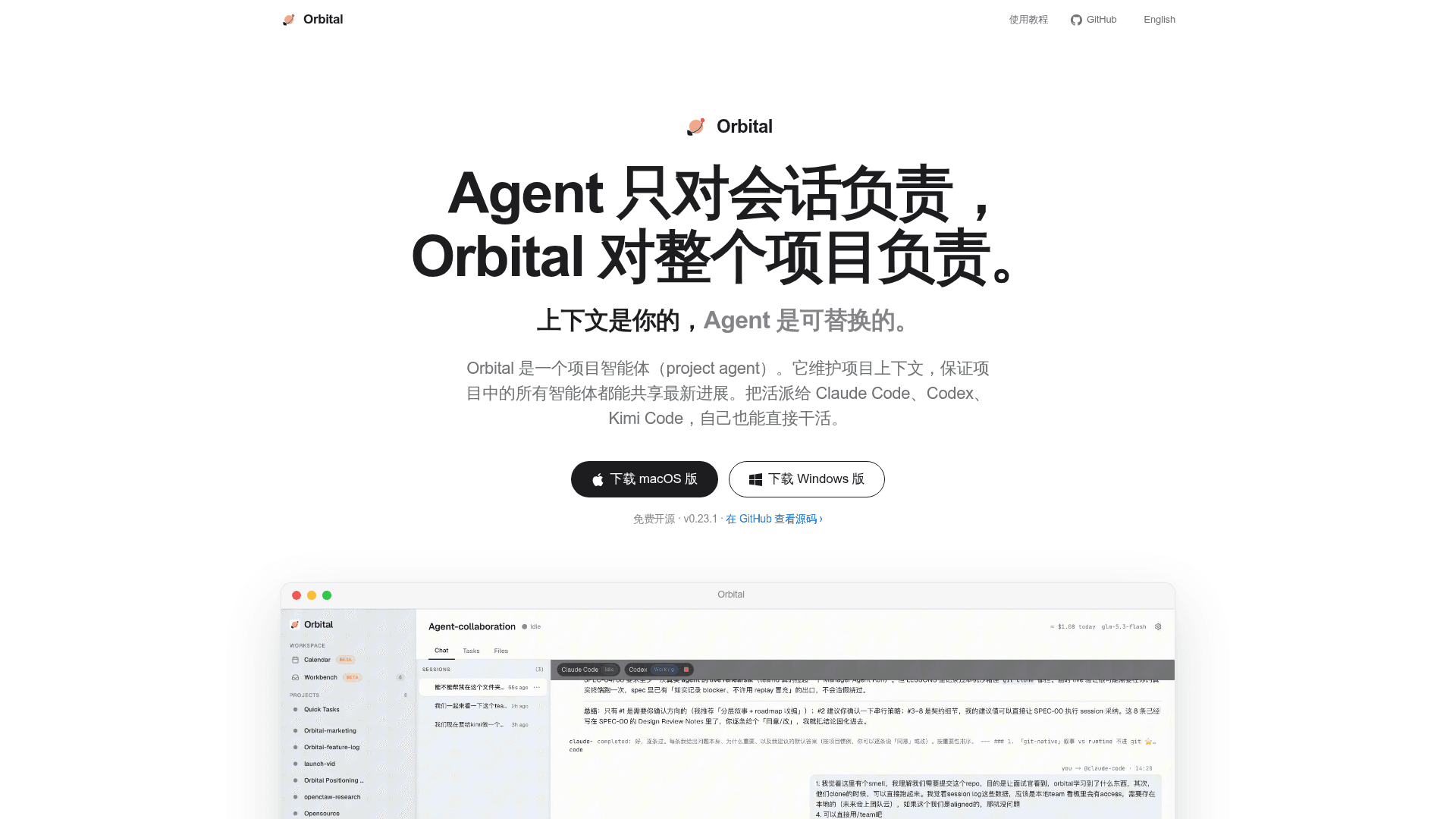
A local-first project agent that maintains shared project context and delegates work to agents such as Claude Code, Codex and Gemini CLI.
At a Glance
Free, open-source, local-first desktop project agent licensed under GPL-3.0. Model calls use your own API key (external cost).
Engagement
Available On
Alternatives
Listed Nov 2026
About Orbital
Orbital is an open-source desktop project agent for Windows and macOS. It keeps a project's state, decisions and lessons as plain files in a local folder, so different coding agents can pick up work from the same context. It can also delegate tasks to local agents and do work itself, such as research, documents and browser automation, using the user's own API key.
What It Is
Orbital treats the project, not the chat session, as the unit of work. Each project maps to a local folder, and Orbital maintains Markdown files there: PROJECT_STATE.md for what is true now, DECISIONS.md for what was decided and why, LESSONS.md for what was learned, plus a task queue and an index. These files are assembled into Orbital's system prompt on a cold start, and delegated workers are pointed at them on every dispatch.
Orbital does not replace existing agents. It detects locally installed agents such as Claude Code and Codex and lets the user switch between them within one conversation. When one agent hits a usage limit, another can continue with the project context intact.
How Delegation and Self-Work Work
The user can describe how agents should collaborate in plain language, for example sending code tasks to Claude Code and having Codex review them. Orbital writes the prompts, adds project background, and records results back into the project. Per the README, Claude Code is reached via SDK, Codex via its app-server, and others such as Gemini CLI or Cursor via PTY or ACP transports, and any CLI agent can be registered through a manifest.
Orbital also works as an agent on its own once a model API key is configured. It can research, write documents and presentations, and automate a browser using the user's signed-in accounts, built on Patchright.
Automation and Controls
Each project has a task queue in which every item must end as Completed or Blocked. Schedule triggers (cron) and file-watch triggers can be created through natural-language chat. Per-project settings cover autonomy presets (Hands-off, Check-in, Supervised), budgets with pause or stop actions, project models, skills and goals. A beta Workbench home screen routes a one-line task to the right project and agent. Optional mobile remote control supports approvals from a phone over LAN or a cloud relay.
Setup Path
A four-step wizard covers agent detection, importing existing Claude Code or Codex projects, API key configuration, and account connection. The README lists many providers, including Anthropic, OpenAI, DeepSeek, Moonshot, and any OpenAI-compatible endpoint. The macOS build requires macOS 13 or later on Apple Silicon. The Windows installer is not code-signed, so SmartScreen may show a warning. The project is licensed under GPL-3.0 and, per its README, sends one anonymous aggregate telemetry report per day that can be turned off in settings.
Community Discussions
Be the first to start a conversation about Orbital
Share your experience with Orbital, ask questions, or help others learn from your insights.
Pricing
Open Source (GPL-3.0)
Free, open-source, local-first desktop project agent licensed under GPL-3.0. Model calls use your own API key (external cost).
- Licensed under GNU General Public License v3.0
- Windows and macOS downloads
- Bring your own API key (BYOK) for model calls
- Project context stored as local Markdown files
- Delegates tasks to Claude Code, Codex, Kimi Code, Gemini CLI, Cursor and other CLI agents
Capabilities
Key Features
- Shared project context kept as local Markdown files (state, decisions, lessons, index)
- Switch agents mid-conversation while keeping context
- Delegation to Claude Code, Codex, Gemini CLI, Cursor and other CLI agents
- Task queue with enforced Completed/Blocked outcomes
- Schedule and file-watch triggers via natural language
- Built-in browser automation with a shared login profile
- Per-project autonomy presets, approvals and budget limits
- Reusable skills and per-sub-agent memory
- Workbench for routing tasks across projects (beta)
- Mobile remote approval over LAN or cloud relay
- Credential storage in the OS keychain
- Multi-provider LLM routing with fallback rotation