
OtoDock
Self-hosted multi-tenant AI agent platform built on Claude Code and Codex, letting teams create, manage, and automate collaborative AI agents on their own infrastructure.
At a Glance
Self-host free forever for up to 5 users. No credit card required.
Engagement
Available On
Alternatives
Listed Sep 2026
About OtoDock
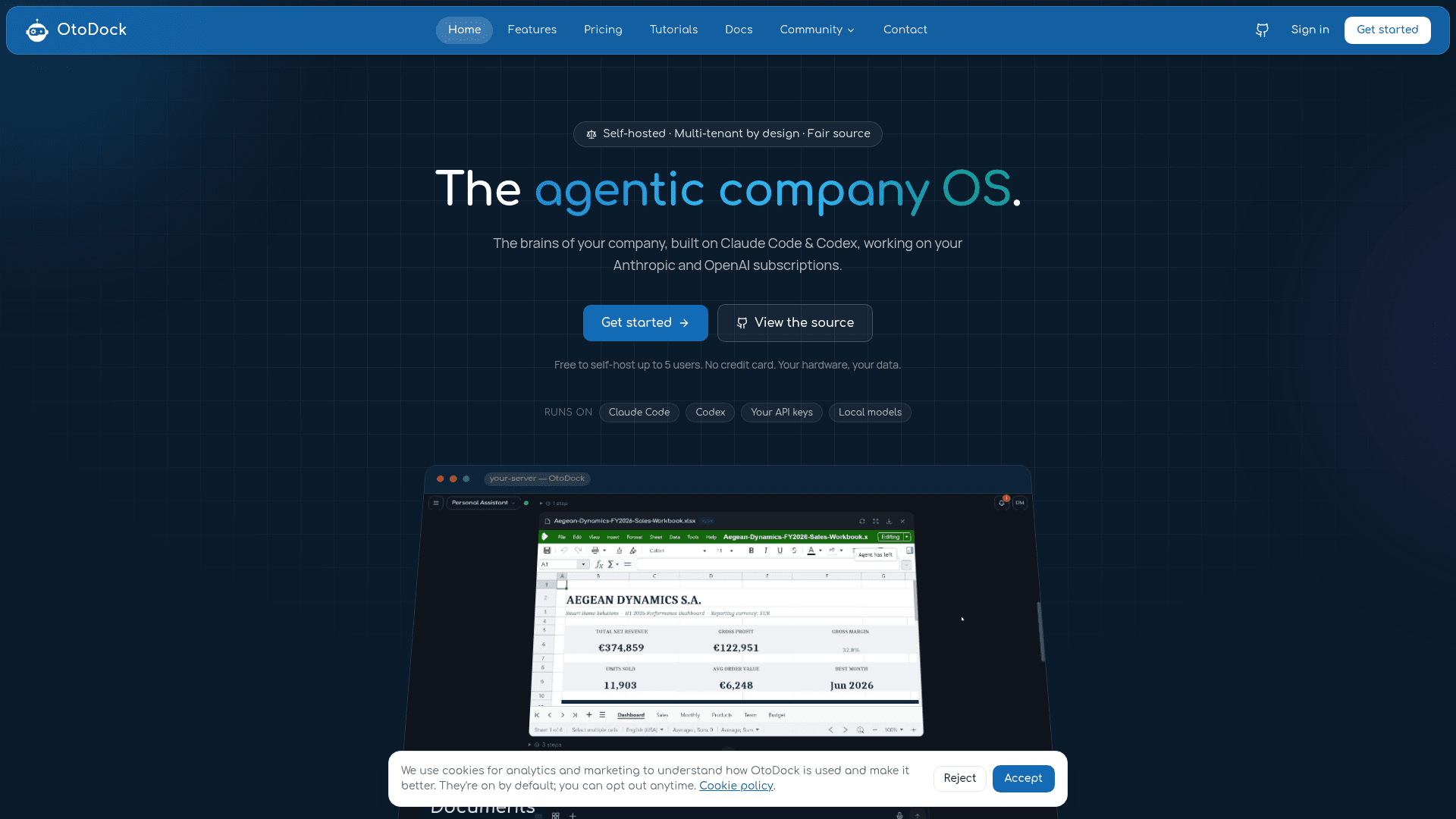
OtoDock is a self-hosted, multi-tenant AI agent platform that positions itself as "the agentic company OS." Built on top of Claude Code and Codex, it lets teams create named AI agents — like a Personal Assistant, System Admin, or Marketing Manager — that run on their own server, connect to company tools, and keep working autonomously when no one is watching. The project is fair source (FSL-1.1-Apache-2.0), with the full source code public and each version converting to Apache 2.0 two years after release.
What It Is
OtoDock is a collaborative agent platform designed to run entirely on infrastructure you control. Rather than a single chatbot, it models a whole company of AI agents organized into departments, each with its own persona, memory, workspace, knowledge base, skills, and tool permissions. Agents can delegate work to each other, hold multi-agent meetings, run on schedules or webhook triggers, and even answer phone calls — all managed from a single web dashboard. The platform is built primarily in Python (FastAPI backend) with a React dashboard, and ships as a Docker Compose stack installable with a single script.
Agent Architecture
Every agent in OtoDock is composed of six editable parts:
- Persona — plain-language instructions defining who the agent is
- Memory — notes the agent keeps and updates across chats
- Workspace — the folder where work lands (private, shared, or both)
- Knowledge — reference documents always on hand
- Skills — reusable techniques installed from the community or custom-built
- Tools — what the agent is explicitly allowed to use
Agents support four sharing modes (Personal only, Personal + shared, Shared + personal, Shared only) and a six-role permission model covering both platform-level roles (Admin, Creator, Member) and per-agent roles (Manager, Editor, Viewer).
Engines, Tools, and Extensibility
OtoDock runs Claude Code on Anthropic subscriptions and Codex on ChatGPT subscriptions, with each user connecting their own credentials. Local models via Ollama, llama.cpp, LM Studio, or vLLM are also supported. A lighter Direct LLM engine handles low-latency use cases like phone calls, supporting Anthropic, OpenAI, Groq, and any OpenAI-compatible endpoint. The platform is extensible through MCP (Model Context Protocol) tool servers installed from a manifest and assigned per agent. A community catalog provides one-click installs for agents, tools, and skills including GitHub, Notion, Home Assistant, Nextcloud, Prometheus, UniFi, and Uptime Kuma.
Security and Deployment Model
OtoDock's security model assumes agents cannot be trusted by default. Every server-side agent session runs inside its own kernel sandbox with mount and process namespace isolation. Network access to private ranges, LAN, and cloud metadata endpoints is blocked by design; MCP tools requiring local services must be explicitly granted scoped access by an admin. Credentials are encrypted at rest and injected only per session. Team-ready features — SSO/OIDC, two-factor auth, per-agent roles, scoped API keys, and per-user cost budgets — ship from the first install. Remote machines (macOS, Linux, Windows) can be paired with a one-line install; they maintain a single outbound connection to the server with no open ports required.
Update: Version 1.6.0
The GitHub repository shows version 1.6.0 as the latest release, published on September 9, 2026. The repository was created in July 2026 and has seen active development, with the last push in September 2026. The roadmap lists upcoming features including an Android app, additional integrations (Google Workspace, Slack, Linear, Microsoft 365, Zoom), and a cloud-hosted option where OtoDock runs the platform on behalf of users.
Why It Matters
OtoDock addresses a gap between raw AI CLI tools like Claude Code and Codex and enterprise-grade agent platforms: it wraps those engines in a multi-user, multi-agent, self-hosted operating layer with real access controls, persistent memory, file editing, phone integration, and automation. The fair source license means the full codebase is readable and auditable, and self-hosting up to five users is free with no feature gates on data or agents. The author notes that large parts of OtoDock were built, tested, and shipped by agents running on OtoDock itself.
Community Discussions
Be the first to start a conversation about OtoDock
Share your experience with OtoDock, ask questions, or help others learn from your insights.
Pricing
Community
Self-host free forever for up to 5 users. No credit card required.
- Up to 5 users
- All platform features
- Self-hosted on your hardware
- No feature gates on data or agents
- Community support via GitHub Discussions
Pro
All features with email support for small teams.
- 4–15 users
- All features
- Email support
Team
All features with priority support for growing teams.
- 16–50 users
- All features
- Priority support
Business
All features with SLA for larger organizations.
- 51–100 users
- All features
- SLA
Enterprise
Custom terms, volume licensing, air-gapped deployment, SSO, and priority support for 100+ users.
- 100+ users
- Custom terms
- Volume licensing
- Air-gapped deployment option
- Single sign-on (SSO)
- Priority support and SLA
- Procurement-friendly invoicing
Capabilities
Key Features
- Self-hosted multi-tenant agent platform
- Build custom AI agents with persona, memory, workspace, knowledge, skills, and tools
- Four agent sharing modes: Personal only, Personal + shared, Shared + personal, Shared only
- Six-role permission model (Admin, Creator, Member, Manager, Editor, Viewer)
- Claude Code and Codex engine support with BYO subscription
- Local model support via Ollama, llama.cpp, LM Studio, vLLM
- Direct LLM engine for low-latency use cases
- MCP tool server extensibility
- Community catalog with one-click agent, tool, and skill installs
- Scheduled tasks and webhook triggers for automation
- Multi-agent meetings and delegation
- Phone call support via Twilio, Asterisk, or FreePBX
- Remote machine pairing for macOS, Linux, and Windows
- Browser and computer control on paired machines
- Kernel sandbox with network isolation per agent session
- SSO/OIDC and two-factor authentication
- Per-user and per-agent cost tracking with weekly/monthly limits
- Persistent editable memory files per user and per agent
- Real Office file creation and editing (Word, Excel, PowerPoint)
- Image generation and editing pipeline
- Video and audio toolkit
- Web browsing via community browser tool
- Live interactive artifacts rendered in chat
- 3D company map and department organization
- Interactive terminal with Claude Code or Codex in dashboard
- Encrypted credentials injected per session
- Docker Compose one-script install