
Pipali
An open-source AI co-worker desktop app that researches, creates documents, and automates routine workflows by safely interacting with your local files, browser, and tools.
At a Glance
Free to try with starter credits, no credit card required.
Engagement
Available On
Alternatives
Updated Jun 2026
About Pipali
Pipali is an open-source AI co-worker desktop application built by Khoj, Inc. and released under the Apache License 2.0. Currently in beta, it runs natively on macOS, Windows, and Linux, giving it direct access to local files, sandboxed command execution, and logged-in browser sessions to complete real work rather than just answer questions.
What It Is
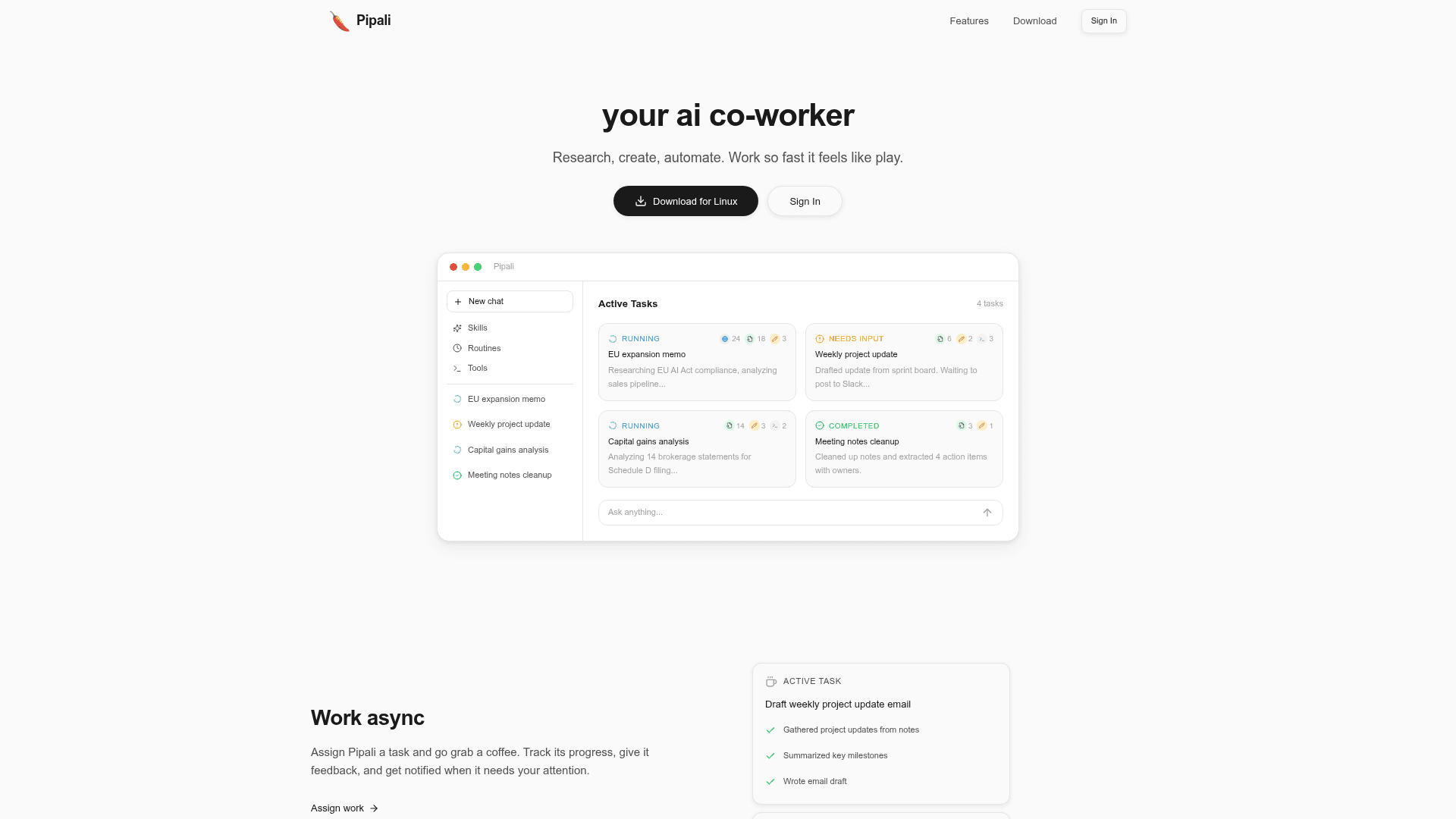
Pipali sits in the category of autonomous AI agents that run locally on a user's machine. Unlike a web-based chatbot, it can read and write files, execute code in a restricted sandbox, interact with browser accounts, and connect to external services via MCP integrations. The core loop is: assign a task, let Pipali work asynchronously, review progress, and approve any actions that require broader permissions.
How the Async Workflow Works
The app surfaces an "Active Tasks" panel where multiple jobs can run in parallel. Each task shows its current step, a run counter, and a status — Running, Needs Input, or Completed. When Pipali reaches a decision point that requires user judgment (such as posting a draft to Slack or sending an email), it pauses and sends a notification rather than acting unilaterally. This design reduces confirmation fatigue for low-risk file operations while preserving human control over consequential actions.
Safety and Permissions Model
Commands execute inside a local sandbox with restricted file and network access. Actions that reach beyond the sandbox — modifying files outside designated paths, sending messages, or calling external APIs — require explicit user approval. Permissions are configurable in settings at any time. The homepage states that files and conversations stay on the user's computer, that Pipali does not train on or sell user data, and that model providers are contractually prohibited from training on it; many providers also support Zero Data Retention.
Integrations and Model Access
Pipali connects to external tools through the Model Context Protocol (MCP), with Jira, Linear, and Slack cited as examples. Model access — including Claude, GPT, Gemini, DeepSeek, Kimi, GLM, and Minimax — is provided through the Pipali Platform using Single Sign-On, so no API key setup is required. Users can also teach Pipali custom workflows by creating "skills" that encode where to find project documents, which accounting method to follow, or how to organize email.
Open-Source Lineage and Current Status
Pipali is developed by Khoj, Inc., the team behind the Khoj open-source AI assistant (khoj.dev). The repository was created in December 2025 and the latest release as of the available data is version 0.5.2, published in May 2026. The project is tagged as beta, carries an Apache 2.0 license, and is actively maintained with recent pushes to the main branch. Billing is prepaid and pay-as-you-use, with starter credits available without a credit card required.
Community Discussions
Be the first to start a conversation about Pipali
Share your experience with Pipali, ask questions, or help others learn from your insights.
Pricing
Starter
Free to try with starter credits, no credit card required.
- Starter credits included
- No credit card required
- Access to all AI models via Pipali Platform
- macOS, Windows, and Linux native apps
Pay-as-you-use
Prepaid, pay-as-you-use billing with auto top-ups and spend limits.
- All AI model access
- Auto top-ups
- Spend limits
- Team account support
- Managed tools access
Capabilities
Key Features
- Async task execution with progress tracking
- Local file read/write with sandboxed command execution
- Browser interaction with logged-in accounts
- Scheduled and manual task automation
- Polished deliverable creation (docs, spreadsheets, emails, memos)
- Custom skill creation for personalized workflows
- MCP integrations (Jira, Linear, Slack, etc.)
- Multi-model AI access (Claude, GPT, Gemini, DeepSeek, and more)
- Permission-based approval for sensitive actions
- No API key setup required via Pipali Platform SSO