
Prospero
A native, single-executable GUI coding harness that connects AI agents from local or remote model providers to develop software on your computer.
At a Glance
About Prospero
Prospero is a native GUI application for Windows, macOS, and Linux, made by Christopher Wellons. It connects to a local or remote AI model provider and lets AI agents drive the computer to develop software, continuing through intermittent errors while unattended. The source is public domain on GitHub, and a professional edition is distributed through itch.io.
What It Is
Prospero is an AI coding harness built as a single C++ executable with an ImGui interface. It speaks the OpenAI Chat Completions API (used by llama.cpp, vLLM, LiteLLM and compatible providers) and Anthropic's Messages API, with extended thinking and prompt caching. No providers are configured out of the box, so users add their own endpoints.
Interface and Workflow
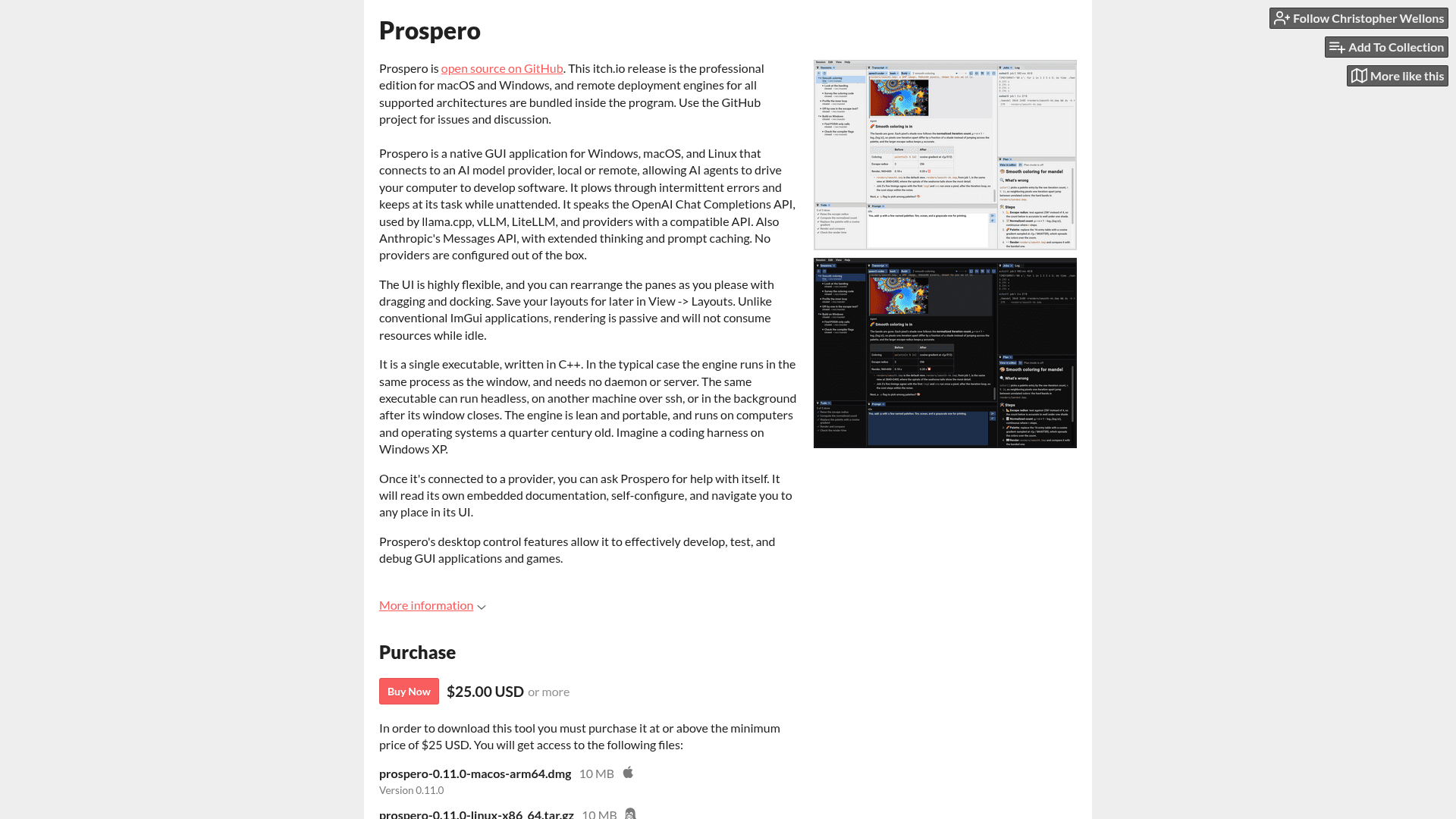
Panes can be rearranged by dragging and docking, and layouts can be saved under View -> Layouts. Rendering is passive, so the app does not consume resources while idle. The README's screenshot shows sessions with subagents, a todo list, a transcript, background jobs and a plan. New sessions can be started from the command line by passing a path, for example prospero .. Once connected to a provider, users can ask Prospero about itself: it reads its embedded documentation, self-configures, and navigates to places in its UI.
Deployment Model
In the typical case the engine runs in the same process as the window, with no daemon or server needed. The same executable can run headless, on another machine over ssh, or in the background after its window closes. The README describes the engine as lean and portable, running on computers and operating systems a quarter century old. The itch.io page says remote deployment engines for all supported architectures are bundled in the professional edition. The 0.11.0 downloads there cover macOS arm64, Linux x86_64 and aarch64, and Windows x86_64.
Desktop Control
Desktop control features let the agent see and drive the screen, so it can develop, test and debug native GUI applications and games. On Windows it works especially well with w64devkit, using its shell and tools when available. Its documentation also covers configuration of skills, MCP servers and web search, plus evals for comparing models. A recent devlog entry announces that sessions can now be started in containers.
Community Discussions
Be the first to start a conversation about Prospero
Share your experience with Prospero, ask questions, or help others learn from your insights.
Pricing
Open Source (GitHub)
Source code released into the public domain under the Unlicense (OSI-approved); build from source.
- Unlicense (public domain)
- Native GUI coding harness for Windows, macOS, Linux
- Third-party components under their own licenses
- BYO model provider (external cost)
Professional Edition (itch.io)
Prebuilt professional edition for macOS and Windows with bundled remote deployment engines; one-time purchase at minimum $25 or more.
- Binaries for macOS arm64, Linux x86_64, Linux aarch64, Windows x86_64
- Remote deployment engines for all supported architectures bundled
- Pay $25 or more
Capabilities
Key Features
- Native GUI for Windows, macOS, and Linux
- Single C++ executable with no daemon required
- Supports OpenAI Chat Completions API and Anthropic Messages API
- Extended thinking and prompt caching for Anthropic
- Dockable, rearrangeable panes with saved layouts
- Passive rendering that uses no resources when idle
- Runs headless, over ssh, or in the background after the window closes
- Desktop control to see and drive the screen
- Subagents, todo lists, background jobs and plans
- Configurable skills, MCP servers and web search
- Self-documenting help the agent can read and use to configure itself
- Starts sessions from the command line and in containers