Shortcut
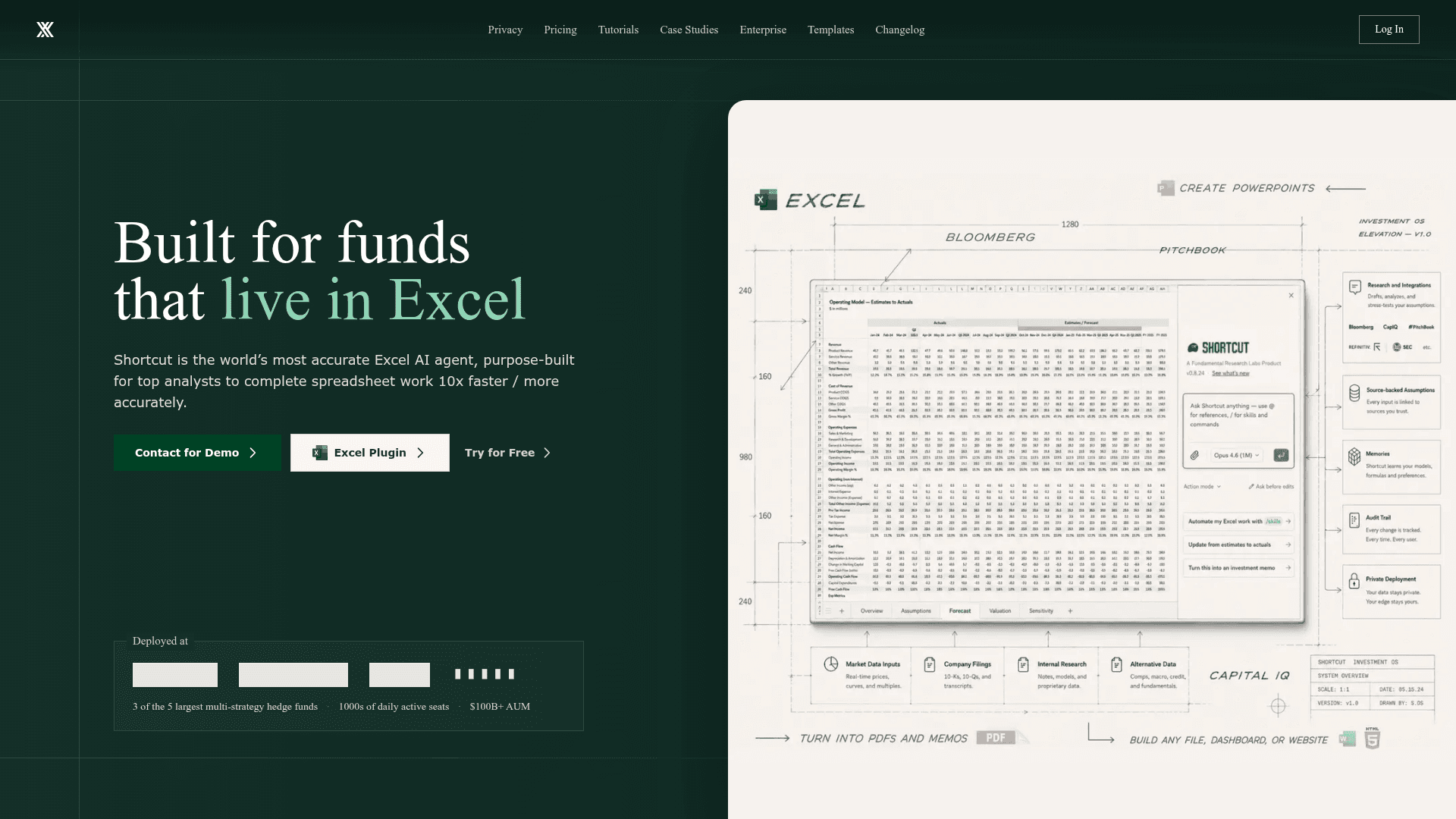
Shortcut is an AI-powered Excel agent purpose-built for financial analysts, enabling spreadsheet work to be completed 10x faster with formula-driven, auditable outputs.
At a Glance
About Shortcut
Shortcut is an Excel AI agent developed by Fundamental Research Labs, designed specifically for finance professionals and enterprise teams that rely heavily on spreadsheets. It is available as a web app, desktop app, Excel native plugin, and a CLI tool called ShortcutXL, and is positioned as a Microsoft Partner. The homepage states it is deployed at "3 of the 5 largest multi-strategy hedge funds" with "1000s of daily active seats" and "$100B+ AUM" — these are vendor-published claims.
What It Is
Shortcut is an AI spreadsheet agent that automates complex Excel tasks by generating formula-driven outputs rather than hard-coded values. Unlike general-purpose AI assistants, it is purpose-built for financial modeling, data analysis, and reporting workflows inside Excel. It operates natively within Excel as a plugin (available on Microsoft AppSource) and also as a standalone web and desktop application, with a terminal-first CLI variant for power users.
How the Agent Works
Shortcut's core design philosophy centers on accuracy, auditability, and Excel parity:
- Formula-driven outputs: Results are expressed as Excel formulas that update dynamically with data changes, not static values.
- Non-destructive edits: The agent places edits precisely without overwriting existing data.
- Full auditability: Every changed cell is surfaced, with indicators for hard-coded values and the ability to revert, restore, or undo any action in the sequence.
- Professional formatting: Outputs are formatted to match industry standards automatically.
The vendor claims a 90% win rate in head-to-head Excel challenges against first-year professionals, and references the SpreadsheetBench benchmark (October 2025) to support accuracy claims.
Platform and Deployment Options
Shortcut reaches users across multiple surfaces:
- Web app: Browser-based access with the vendor claiming 95% feature parity with Excel.
- Excel Native Plugin: Available on Microsoft AppSource, providing 100% Excel feature parity and compatibility with existing macros and keyboard shortcuts.
- Desktop app: Standalone application for Windows and macOS.
- ShortcutXL CLI: A Windows-only terminal-first agent installable via npm (
npm install -g shortcutxl) that allows building and editing multiple models in parallel inside desktop Excel. - Platform API: Available on paid plans for programmatic access.
Enterprise Security and Compliance
Shortcut emphasizes enterprise-grade security as a core differentiator for institutional finance clients:
- SOC 2 Type I certified (Type II in progress per the homepage)
- GDPR and CCPA compliant
- AES-256 encryption at rest, TLS 1.3 in transit
- SAML 2.0 SSO integration with Okta, Azure AD, and Google Workspace
- Bring Your Own Key (BYOK) encryption with AWS KMS and Azure Key Vault support
- LLM API key bring-your-own (Anthropic) for infrastructure control
- Private LLM Gateway routing option
- Role-based access control and group management
- Zero-retention agreements with AI providers; paid plan data is never used for AI training
Media Coverage and Adoption Signals
The vendor highlights coverage from the Wall Street Journal ("The AI Company Capitalizing on Our Obsession with Excel"), CNBC, and Mashable. The product is described as originating from an MIT startup context in a PYMNTS article referenced on the homepage. These are vendor-curated media references.
Update: Excel Plugin and CLI Expansion
Recent product movement includes the launch of the ShortcutXL CLI (a Windows-only npm package for terminal-first Excel power users), the Excel Native Plugin on Microsoft AppSource, and a Private LLM Gateway feature marked as "New" on the enterprise page. The SpreadsheetBench benchmark comparison is dated October 16, 2025, indicating active product development and benchmarking activity through late 2025.
Community Discussions
Be the first to start a conversation about Shortcut
Share your experience with Shortcut, ask questions, or help others learn from your insights.
Pricing
Free
Get started with Shortcut at no cost.
- 20 free credits
- Access Shortcut on web, desktop app, Excel plugin, and Google Sheets plugin
Pro
For advanced individual use with monthly credits and API access.
- 500 credits per month
- 20 free credits
- Unlimited file creation and edits
- Platform API access
Teams
Bring Shortcut to your team with pooled credits, SSO, and enterprise security.
- 4,000 pooled credits per month
- SSO and MFA
- Enterprise grade security
- Group-based access control
- Usage stats and analytics
- Shared resources
- $20 per additional seat per month
Enterprise
Custom pricing for large organizations with dedicated support and custom integrations.
- Everything in Teams
- Dedicated support
- Custom integrations and SLA
- Custom payment options
- Option for unlimited seats or credits
Capabilities
Key Features
- Formula-driven AI outputs that update dynamically
- Excel Native Plugin with 100% feature parity
- Web app with 95% Excel feature parity
- ShortcutXL CLI for terminal-first power users
- Full auditability with per-cell change tracking
- Revert, restore, and undo any AI action
- Non-destructive edits that never overwrite existing data
- Professional formatting applied automatically
- Platform API access
- SSO via SAML 2.0 (Okta, Azure AD, Google Workspace)
- Bring Your Own Key (BYOK) encryption
- LLM API key bring-your-own (Anthropic)
- Private LLM Gateway
- Role-based access control and group management
- SOC 2 Type I certified
- GDPR and CCPA compliant
- AES-256 encryption at rest, TLS 1.3 in transit
- Zero-retention agreements with AI providers
- Pooled team credits with usage analytics
- Shared prompts, workflows, and configurations for teams
Integrations
Demo Video