EveryDev.ai
Subscribe
Home
Tools

5,901+ AI tools

  • Featured
  • Gems
  • Trending
  • New
  • Rate tools
  • Compare
  • Arena
Categories
  • Agents2972
  • Coding2248
  • Infrastructure1067
  • Projects818
  • MCP794
  • Research744
  • Analytics565
  • Marketing527
  • Design488
  • Testing476
  • Data442
  • Security412
  • Integration288
  • Communication284
  • Prompts283
  • Extensions238
  • Voice213
  • DevOps190
  • Commerce183
  • Web128
  • Learning123
  • Finance44
AI Tools by Topic
  • AI Coding Assistants
  • Agent Frameworks
  • MCP Servers
  • AI Prompt Tools
  • Vibe Coding Tools
  • AI Design Tools
  • AI Database Tools
  • AI Website Builders
  • AI Testing Tools
  • LLM Evaluations
Follow Us
  • X / Twitter
  • LinkedIn
  • Reddit
  • Discord
  • Threads
  • Bluesky
  • Mastodon
  • YouTube
  • GitHub
  • Instagram
Get Started
  • Users
  • Rate Tools
  • About
  • Editorial Standards
  • Corrections & Disclosures
  • Community Guidelines
  • Advertise
  • Contact Us
  • Newsletter
  • Submit a Tool
  • Start a Discussion
  • Write A Blog
  • Share A Build
  • Terms of Service
  • Privacy Policy
Explore with AI
  • ChatGPT
  • Gemini
  • Claude
  • Grok
  • Perplexity
Agent Experience
  • llms.txt
Theme
With AI, Everyone is a Dev. EveryDev.ai ©
    1. Home
    2. Tools
    3. Take AI Control Back
    Take AI Control Back icon

    Take AI Control Back

    AI Coding Assistants
    Featured

    A template repository that governs AI coding agent sessions with a tailored AGENTS.md, curated skills, and an isolated Docker/VS Code dev container.

    Visit Website

    At a Glance

    Pricing
    Open Source

    Template repository with a tailored AGENTS.md and optional isolated dev container, released under the MIT License.

    Engagement

    Available On

    macOS
    Linux
    API
    VS Code
    CLI

    Resources

    WebsiteGitHubllms.txt

    Topics

    AI Coding AssistantsDevelopment EnvironmentsAgent Harness

    Alternatives

    GooeyPiOpenChamberVisual Studio Code (VS Code)
    Developer
    Giovanni Giorgi

    Listed Nov 2026

    About Take AI Control Back

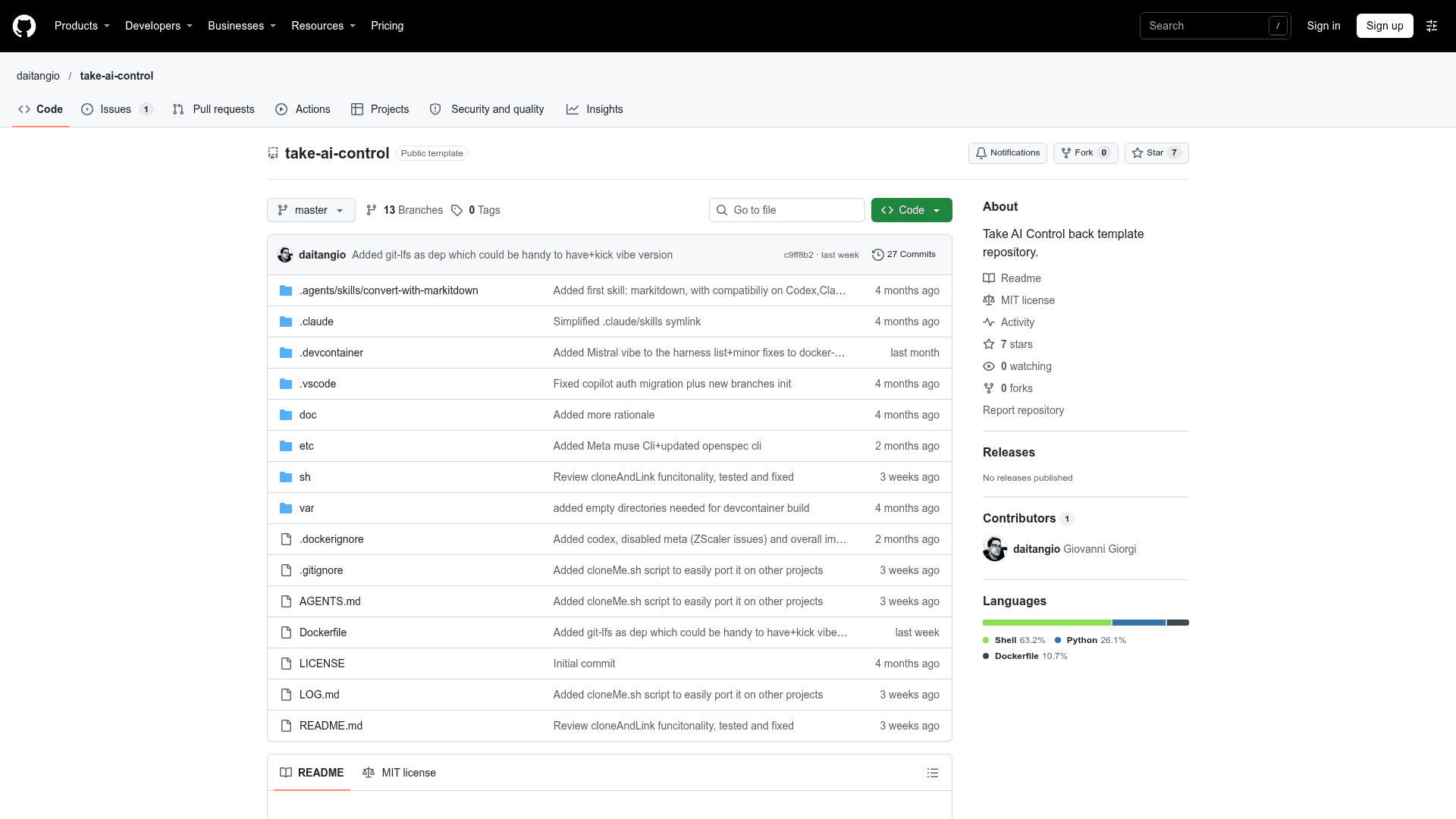
    Take AI Control Back is an MIT-licensed template repository by Giovanni Giorgi (daitangio) for keeping AI coding chats under tighter control. It combines a tailored AGENTS.md, a set of shared agent skills, and an optional ready-to-use dev container for isolation. The README says it is tested on Linux and macOS.

    What It Is

    The project is a shell-script-based scaffold that you add to your own repository. It leverages the pi.dev coding agent and isolates it with Docker and VS Code dev containers. Two install scripts are provided: copyMe.sh copies the basic features into your project, and cloneAndLink.sh installs the template as a git submodule so it can stay up to date.

    How the Setup Works

    You define a .devcontainer/devcontainer.env file with your API keys, then run in one of three ways: a VS Code dev container, the bin/runInContainer.sh launcher for a throwaway container on the command line, or without a container (the README advises against using pi.dev that way, since it never asks for command confirmation). The pi.dev configuration, models.json, and sessions are kept in the var directory, which is not meant to be versioned. Pi extensions installed in the container are stored in var/pi-agent.

    Liquid Models and Skills

    The README describes the idea of liquid models: switching frontier models or providers without changing workflow. Skills under .agents are designed to work across codex, Claude, Copilot, and pi.dev. AGENTS.md documents use of the rtk tool, CLAUDE.md is symlinked to it, and a mark-it-down converter turns documents into a more compact form to reduce tokens.

    SDLC Experiments

    Demo branches show applications built with AI, including demo/nello-openspec, a Trello clone based on OpenSpec. Feature branches ai-sdlc-copilot, ai-sdlc-pi, and ai-sdlc-claude follow the AWS aidlc-workflows approach; the author notes they are slow and token-costly.
    Take AI Control Back - 1

    Community Discussions

    Be the first to start a conversation about Take AI Control Back

    Share your experience with Take AI Control Back, ask questions, or help others learn from your insights.

    Pricing

    OPEN SOURCE

    Open Source (MIT)

    Template repository with a tailored AGENTS.md and optional isolated dev container, released under the MIT License.

    • MIT License (OSI-approved)
    • Tailored AGENTS.md template
    • Optional Docker/VS Code dev container for isolation
    • Provided agent skills compatible with codex, claude and copilot
    • Users supply their own model/API keys (external cost)

    Capabilities

    Key Features

    • Tailored AGENTS.md for governing AI chats
    • Optional Docker and VS Code dev container for isolation
    • Zero-lock-in launcher script bin/runInContainer.sh
    • Agent skills compatible with codex, Claude, and Copilot
    • Liquid models: switch models and providers without changing workflow
    • pi.dev configuration and sessions kept in the var directory
    • mark-it-down document converter skill to reduce tokens
    • Install via copyMe.sh or cloneAndLink.sh git submodule
    • Demo branches including OpenSpec-based nello and AI-SDLC variants

    Integrations

    pi.dev
    Docker
    Visual Studio Code
    Claude Code
    GitHub Copilot
    Codex
    DeepSeek
    OpenSpec
    rtk
    API Available

    Ratings & Reviews

    No ratings yet

    Be the first to rate Take AI Control Back and help others make informed decisions.

    Rate other tools you’ve used

    Developer

    Giovanni Giorgi

    Read more about Giovanni Giorgi
    WebsiteGitHubLinkedIn
    1 tool in directory

    Similar Tools

    GooeyPi icon

    GooeyPi

    A cross-platform desktop workspace that gives Pi, OMP, and Prime Agent coding agents a unified native interface on macOS, Linux, and Windows.

    OpenChamber icon

    OpenChamber

    An open-source agentic development environment for running, supervising, and reviewing AI coding work across desktop, browser, VS Code, and mobile.

    Visual Studio Code (VS Code) icon

    Visual Studio Code (VS Code)

    Microsoft's extensible code editor for Windows, macOS, Linux and the web, with debugging, remote development and AI agent support.

    Browse all tools

    Related Topics

    AI Coding Assistants

    AI tools that help write, edit, and understand code with intelligent suggestions.

    1189 tools

    Development Environments

    AI-enhanced code editors and IDEs that improve the coding experience.

    278 tools

    Agent Harness

    Infrastructure, orchestrators, and task runners that wrap around LLM coding agents — covering session management, context delivery, worktree isolation, architecture enforcement, and issue-to-PR pipelines.

    475 tools
    Browse all topics
    Back to all toolsSuggest an edit
    ratings
    discussions