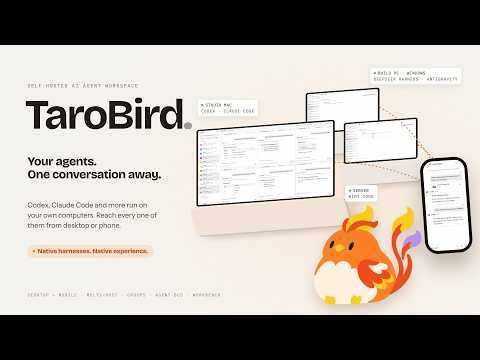
TaroBird
Self-hosted workspace that brings Codex, Claude Code, Kimi Code and other agent CLIs on your computers into one desktop and mobile conversation interface.
At a Glance
Self-hosted TaroBird core released under the GNU AGPL-3.0, an OSI-approved license. It does not include AI engines, model accounts or credits.
Engagement
Available On
Alternatives
Listed Nov 2026
About TaroBird
TaroBird is a self-hosted workspace for AI agents, published by cloveric under AGPL-3.0. It puts command-line agents such as Codex and Claude Code, running on your own computers or servers, into a single conversation interface on desktop and phone. Bots, conversations and files stay on your own hosts. The latest release listed is v1.5.1.
What It Is
TaroBird runs the official CLIs of Codex, Claude Code, Kimi Code, DeepSeek Harness and Antigravity rather than reimplementing agents. You assign tasks, answer questions, follow each run and receive files from a macOS or Windows desktop app or a phone app. TaroBird does not include AI engines, model accounts or credits, so at least one engine must be installed and signed in on the host computer.
Multi-Bot collaboration
Several workspace modes sit on top of the engines:
- ADHD mode: up to 12 conversations side by side on desktop, each with its own messages and draft.
- Agent Bus: visual workflows with delegation, parallel, sequential, verification or research-crew steps, each bound to a Bot and a task.
- Groups and topics: multiple Bots in one conversation with group chat, parallel replies, roundtable or independent review modes.
- Chancellor: splits a goal into tickets, runs each with an engine CLI on the host and reports back.
Agent Bus, groups and Chancellor dispatch currently stay within one host.
Connected hosts and remote access
Each computer can join a private network with its own Bots. Bots can hand tasks and files to Bots on other hosts, and the receiving host's owner authorizes each direction. Phones pair by QR code plus an 8-digit approval code and can connect over a local network, Tailscale or a VPS relay that only forwards connections. A headless CLI host is available for machines without a desktop window.
Workbench and review tools
Each conversation has a Workbench with an in-app browser, an editable canvas, a whiteboard (Excalidraw), Markdown notes (Vditor) and slides. Other features include interactive replies with charts, recorded code changes with line comments, configurable local or cloud voice transcription, and screen viewing and control of an authorized Mac.
Permissions note
Most engines default to full access, adjustable in each Bot's permissions and approvals. Bot processes are not operating-system sandboxes.
Community Discussions
Be the first to start a conversation about TaroBird
Share your experience with TaroBird, ask questions, or help others learn from your insights.
Pricing
Open Source (AGPL-3.0)
Self-hosted TaroBird core released under the GNU AGPL-3.0, an OSI-approved license. It does not include AI engines, model accounts or credits.
- Self-hosted workspace for AI agents
- Desktop (macOS, Windows) and mobile clients share the same Bots and conversations
- Multi-host private network
- ADHD mode with up to 12 side-by-side conversations
- Multi-Bot groups and Agent Bus workflows
Capabilities
Key Features
- Runs official Codex, Claude Code, Kimi Code, DeepSeek Harness and Antigravity CLIs
- Shared Bots and conversations across desktop and phone
- ADHD mode with up to 12 parallel conversations
- Agent Bus visual multi-Bot workflows
- Multi-Bot groups with topics and discussion modes
- Cross-host Bot-to-Bot tasks with per-direction permissions
- Chancellor ticket-based goal dispatch
- Workbench with browser, canvas, whiteboard, notes and slides
- Interactive replies and run change review
- Local, cloud or automatic voice transcription
- Remote Mac screen viewing and control
- Connection via LAN, Tailscale or VPS relay
- Headless host CLI
Integrations
Demo Video