
Tin
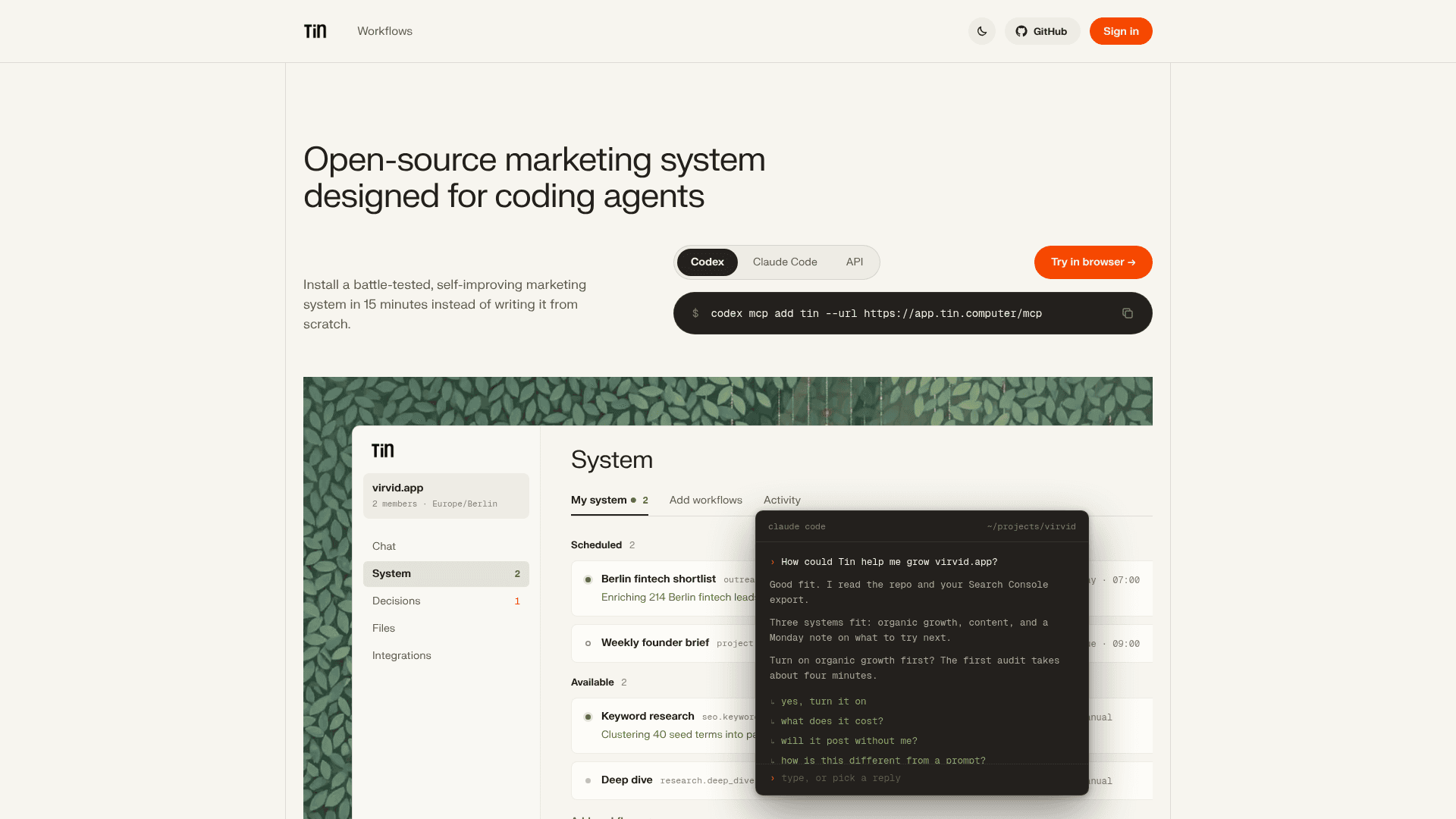
Open-source marketing system that runs inside coding agents via MCP, with workflows for SEO, content, outreach, product QA and paid ads.
At a Glance
About Tin
Tin is an open-source marketing system designed for coding agents, made by Ege Özgirin and Emre Şarbak at Emotion Machine in San Francisco. It connects to Claude Code, Codex or Cursor as an MCP server and runs saved workflows across organic search, content, social, outreach, product QA and paid ads. The code is licensed under Apache 2.0, and a hosted version runs at app.tin.computer.
What It Is
Tin is a catalog of marketing workflows that a coding agent can run on a project. Each workflow definition states what it needs, what it produces, and whether it needs review. The agent reads your repository, asks about your goals, and uses Tin's onboarding workflow to prepare a plan. After you approve the plan, Tin sets up the selected configurations and starts the initial work it can run.
How the Workflows Run
Workflows can run on demand or be saved with a schedule. Reports, research and a project wiki live in a git repository per project, so later runs build on earlier ones. Temporal coordinates runs, retries and waits for approval, and E2B sandboxes host Codex-based procedures. Drafts arrive for review, and approved content is delivered either as a pull request you merge or as a commit to main, depending on the project's delivery setting. Tin can also run custom work through project.task, which asks for approval of a proposed diff before changing project files.
Workflow Coverage and Connections
The README lists areas such as site and AI visibility audits, keyword and content planning, researched articles, release announcements, X and LinkedIn posts, Gmail-based outreach shortlists, signup walkthroughs, feature audits, and Google Search ad campaigns launched after approval. Integrations include Google Search Console, GitHub, Google Workspace, Google Ads, Stripe, PostHog and X, each with documented access boundaries such as read-only access.
Bring Your Own Workflows and Self-Hosting
Contributors can add workflow packages with a workflow.json manifest plus Python code, or a Codex procedure with a prompt and skills. The README describes self-hosting as an engineering setup path rather than a verified turnkey installer; it needs Python 3.12, uv, Temporal Cloud, E2B, code.storage, Clerk and Postgres.
Community Discussions
Be the first to start a conversation about Tin
Share your experience with Tin, ask questions, or help others learn from your insights.
Pricing
Open Source (Self-hosted)
Apache 2.0 licensed core Tin marketing system; run on your own machine with your own keys.
- Apache License 2.0
- Run it on your machine: your keys, your data, your schedule
- Every workflow is text in the repo
- Hosted dashboard/MCP service at app.tin.computer is separate
Unlimited Growth
Full Tin Computer managed service with unlimited tasks.
- Unlimited tasks
- Organic growth, product engineering, and analytics
- Cancel any time
Concierge
Everything in Unlimited plus a growth advisor.
- Unlimited + a growth advisor
- Repeat founder sets strategy and reviews work weekly
Capabilities
Key Features
- MCP server for Claude Code, Codex and Cursor
- Scheduled workflows with retries and approval waits
- Project wiki, reports and files stored in git
- Technical SEO and AI visibility audits
- Keyword research and content planning
- Article drafts in your writing style with review and revisions
- Delivery of approved content as pull request or commit to main
- Gmail-based outreach shortlists and paced email campaigns
- Signup walkthroughs and product QA audits
- Google Search ad campaign launch after approval
- Weekly brief and PostHog analytics brief
- Bring-your-own workflow packages
- Self-hostable under Apache 2.0